You're usually not shopping for badge printing software because the idea feels exciting. You're shopping because check-in has become a bottleneck.
The usual pattern is easy to recognize. Registration data lives in one place, badge design in another, printer setup in someone's laptop bag, and the final desk workflow exists only in the head of the one team member who has “done this before.” Then a speaker changes organizations, three sponsors bring unregistered guests, a VIP arrives early, and the line starts to harden.
Good badge printing software fixes that, but only when it's treated as part of event operations, not as a graphic design add-on. The strongest setups connect attendee data, badge templates, QR scanning, printer logic, and check-in rules into one working system. That's the difference between a desk that keeps moving and one that stalls every time reality diverges from the original guest list.
Table of Contents
- Beyond the Name Tag: Why Modern Badge Printing Matters
- Understanding Your Event's Central Hub
- Your Badge Printing Software Checklist
- How Professionals Use Badge Printing Today
- From Data Prep to Flawless Printing Workflows
- A Simple Solution Within Google Workspace
Beyond the Name Tag: Why Modern Badge Printing Matters
The old check-in table failed in predictable ways. Staff sorted through stacks of pre-printed badges, attendees waited while names were hunted down manually, and every late registration created a small operational crisis. Even when the event itself was well planned, the entrance told a different story.
Modern badge printing software changed that by moving badge creation to the moment of arrival. Instead of treating badges as static inventory, teams now treat them as live outputs from current attendee data. That matters because event lists are rarely final. Speakers get updated titles, team members substitute for colleagues, and last-minute guests show up with a valid reason to be there.
The shift isn't just anecdotal. The event badge printing kiosks market was estimated at $2.8 billion in 2025 and is projected to reach $5.2 billion by 2034, growing at a 7.3% CAGR, according to Dataintelo's event badge printing kiosks market report. That kind of forecast points to a durable operational change, not a novelty feature.
What works on site is simple. Staff search or scan. The system pulls the right record. The printer produces the badge tied to that record, with the current role, access level, and code. The line moves because the process is built around live data rather than yesterday's export.
Practical rule: If your check-in plan depends on every attendee record being perfect 48 hours before doors open, your process is brittle.
Small physical tools also help the flow around the software. For self-check-in islands, sponsor activations, or wayfinding to registration desks, teams often use QR code decal stickers so attendees know exactly where to scan, queue, or collect credentials without needing constant staff direction.
Understanding Your Event's Central Hub
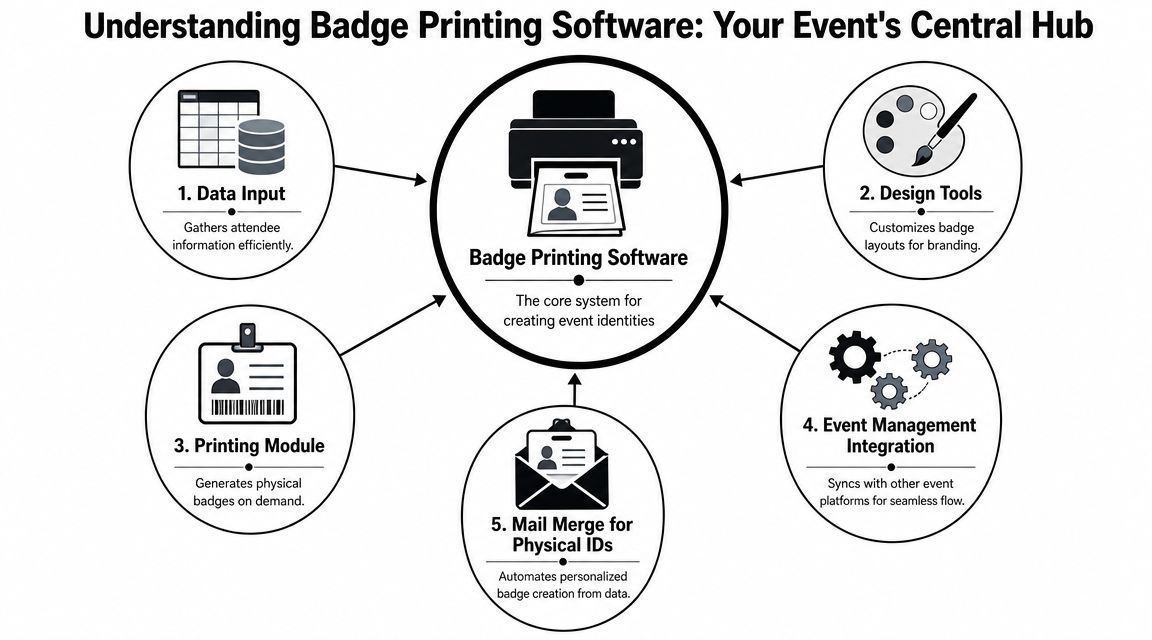
Badge printing software is easiest to understand if you think of it as mail merge for physical event IDs.
It sits between your attendee data, your badge design, and your printing hardware. When those three parts are disconnected, check-in becomes manual. When they're connected, the workflow becomes repeatable.
What the software is really doing
Badge printing software does four main jobs:
- Reads attendee records from a source such as a registration platform, CRM export, or spreadsheet.
- Maps fields like first name, last name, company, role, access type, or QR payload into a badge template.
- Applies rules so different attendee types receive the right design, permissions, or print path.
- Sends output to the selected printer in a format that won't break at the desk.
That sounds straightforward until you deal with real event conditions. A sponsor badge may need one color treatment, a backstage credential may need another, and a student event may need custom fields that don't exist in a standard conference template. The software's value is not the act of printing. It's the ability to print the correct badge from the correct data source without manual rebuilding.
For teams reviewing broader ops architecture, this cloud event management workflow guide is useful because it frames badging as one node in a larger live event system, not as a standalone output.
Why on-demand changed the job
A major operational change is the move away from pre-printing full badge sets. Technolutions documents badge printing as a self-service workflow that “eliminates the need for pre-printing,” with badge data downloaded locally before printing and refreshed manually to sync new registrations in live use, as described in Technolutions Slate badge printing documentation. That's the shift that made walk-ins, late edits, and same-day corrections manageable instead of disruptive.
The practical result is less waste, fewer dead badges, and better control over exceptions. It also changes how teams should plan registration. Instead of asking, “How early can we lock the badge file?” the better question is, “How quickly can the desk reflect current reality?”
The badge printer is only the last step. The real system is the data flow feeding it.
That same logic applies to adjacent event materials. If you're coordinating branded handouts, welcome kits, or sponsor placements alongside credentials, a good guide for enterprise event swag helps align badge design with the rest of the attendee-facing package.
Your Badge Printing Software Checklist
Teams often compare badge printing software by looking at template galleries first. That's usually the wrong place to start. The hard questions are operational.
Can it pull from your real attendee source without messy exports? Can it handle a reprint without creating a duplicate problem? Can the desk keep running when the venue network gets unstable? Can one system cover both staff-assisted and self-service lanes?
The features that matter on site
Some features look minor in demos and become decisive on event day.
- Flexible data input: If your attendee list lives in Google Sheets, Excel, or a registration platform export, the software should accept that structure cleanly. Manual copy-paste between systems creates errors fast.
- Dynamic templates: You need templates that can absorb variable-length names, optional fields, role labels, and conditional elements without breaking layout.
- On-demand and batch printing: Conferences often need both. Batch printing helps for controlled pre-event prep, while on-demand handles actual arrivals and exceptions.
- QR or barcode support: This matters when the badge also acts as the attendee's check-in token for sessions, zones, or lead capture.
- Printer compatibility: Don't buy software first and discover later that your venue partner, contractor, or in-house hardware uses a different printer ecosystem.
- Offline tolerance: Venue Wi-Fi fails at the worst possible time. If the workflow can't survive a connection problem, it isn't production-ready.
- Reprint controls: Lost badge? Name correction? Printer jam? The software should handle reprints cleanly and visibly, with staff understanding which version is valid.
- Role-based logic: Staff, speakers, exhibitors, VIPs, and general attendees often need different badge treatments and permissions.
Badge Printing Software Buyer's Checklist
| Feature | Why It's Essential |
|---|---|
| Template editor | Lets you control readability, branding, and field placement without rebuilding each badge type manually |
| Spreadsheet or registration sync | Keeps badge content tied to real attendee records instead of one-off imports |
| On-demand printing | Handles walk-ins, replacements, and late changes at the desk |
| Batch printing | Useful for controlled pre-event prep, staff packs, or advance assembly |
| QR code or barcode encoding | Turns the badge into a working credential for scanning, access, and attendance logging |
| Multiple badge types | Supports different outputs for attendees, exhibitors, speakers, volunteers, and staff |
| Printer compatibility | Reduces risk when using venue hardware, rental printers, or mixed setups |
| Offline support | Protects check-in flow when connectivity drops |
| Reprint workflow | Prevents confusion when badges are corrected or replaced |
| Search and scan check-in | Gives staff two fast ways to find records during arrivals |
| Access rule support | Helps tie badges to sessions, zones, or permissions |
| Local caching or device sync | Improves resilience for on-site use when live updates are delayed |
A common buying mistake is overvaluing design polish and undervaluing workflow resilience. A slick badge mockup won't save you if your operators have to refresh records manually, switch devices to find updates, or guess which attendee list is current.
Buy for the registration desk you actually run, not the one shown in a vendor's clean demo environment.
Another mistake is assuming all-in-one event platforms are automatically better. Sometimes they are. Sometimes the better choice is a simpler stack that integrates well with your existing forms, spreadsheet workflows, and check-in process. The right answer depends on who owns the attendee data and how quickly your team needs to act on changes.
How Professionals Use Badge Printing Today
A good badge workflow looks different in a corporate summit, a campus ceremony, and a festival gate. The common thread is that the badge isn't just identifying a person. It's helping staff make decisions quickly.
Different events, different badge logic
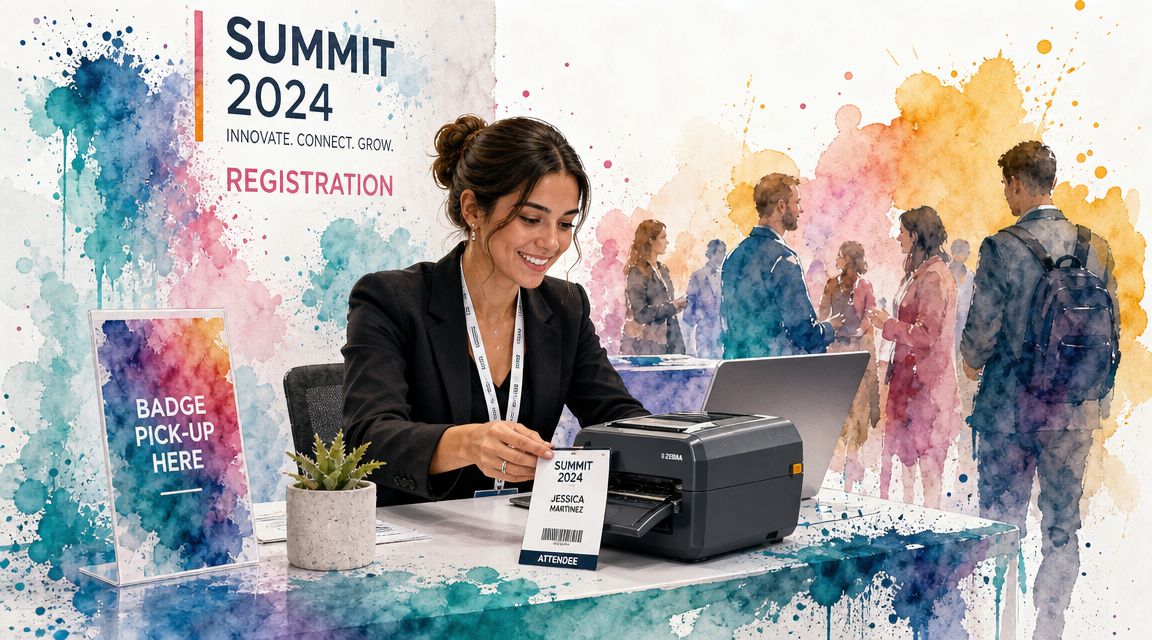
At a corporate conference, the desk usually needs speed and flexibility. Speakers arrive with updated titles, executives expect no wait, and sponsors may register team members late. On-demand badge printing works well here because the event team can print the current version of the credential rather than hunting through alphabetized stock that may already be outdated.
University events use badge logic differently. Graduation check-in may need a clear formal name, pronunciation support in internal records, or a badge variant for honors, faculty, marshals, and guest services. Accuracy matters more than visual flourish. A small mismatch on a diploma-stage event is far more visible than a typo at a trade booth.
Festivals and multi-zone events use badges as access tools. A QR-encoded badge can separate artist access, vendor access, VIP access, and public admission without forcing staff to rely on visual judgment alone. The cleaner the access logic, the fewer arguments happen at restricted entry points.
Where teams get value beyond check-in
The biggest gains often appear after the badge is printed.
Once the badge carries a scannable code, staff can use it for session entry, hospitality counts, zone control, or simple attendance verification. That turns the badge into an operating credential rather than a name card. It also cuts down on duplicate systems where one team prints badges and another runs separate scans with unrelated identifiers.
This is also where hybrid event teams benefit. They can keep one source of attendee truth while issuing physical badges only to in-person guests. That removes the old split where the in-person list and the virtual list drift apart over time.
A short demo is useful here because seeing the desk rhythm matters. This walkthrough shows the practical side of live event badging and check-in:
Fast badge printing matters, but the bigger win is fewer manual decisions at the desk.
From Data Prep to Flawless Printing Workflows
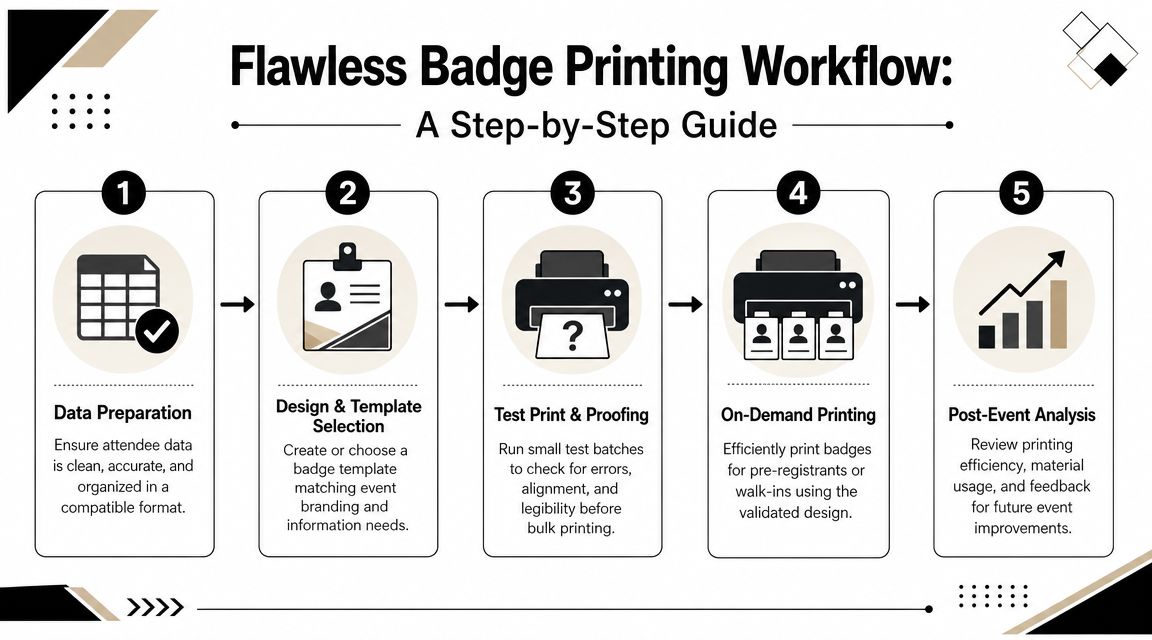
Most badge failures start before anyone clicks Print. They start in the spreadsheet.
Misspelled names, merged fields, inconsistent capitalization, duplicate records, and unclear ticket types all turn into visible problems once a printer is involved. The fix is boring, and it works. Clean the data first.
Start with the spreadsheet, not the printer
Before designing anything, make sure your attendee list is usable.
- Split key fields cleanly: Keep first name, last name, company, role, ticket type, and access group in separate columns.
- Standardize formatting: Don't mix all caps, title case, and freeform entries unless you want badges to look inconsistent.
- Check variable lengths: Long organization names and job titles can break a compact layout quickly.
- Remove duplicates: A duplicate row becomes a duplicate badge and then a check-in headache.
- Decide what belongs on the badge: Not every available field should become printed text.
For badge stock choices, especially if you're printing paper credentials in-house or through a local setup, this paper guide for heavy cardstock is a practical reference when you need material that won't curl, tear, or feel flimsy after a few hours on a lanyard.
Test the live workflow under pressure
A proper test means more than printing one sample badge that looks fine.
Run the full sequence with realistic records. Search for an attendee. Scan a code. Print a first-time badge. Reprint a corrected one. Test a walk-in flow. Simulate a late registration sync. Confirm that the right badge type goes to the right attendee category. If you use access control later in the day, test the scan against that rule set too.
This is also where privacy decisions matter. Results at Hand notes that badges may include sensitive fields such as emergency contacts or dietary restrictions, and that a safer practice is to encode that information in a QR code instead of printing it openly on the badge, as discussed in Results at Hand's onsite badge printing overview. That's one of the most overlooked judgment calls in badge design.
Field note: If a volunteer can read a private detail from arm's length, you probably printed too much.
Keep printed badges minimal. Put the visible essentials on the front. Encode what staff may need operationally but attendees don't need displayed. That lowers the risk of exposing personal information while keeping the workflow useful.
If your event setup includes transport timing, staff movement, check-in stations, and multiple operational handoffs, this event logistics software guide is worth reviewing alongside your badging plan because badge printing only works smoothly when the rest of the onsite flow is equally disciplined.
A Simple Solution Within Google Workspace
Registration closes at 8:45. A sponsor sends three name corrections at 8:52. Doors open at 9:00. In that moment, badge printing software is only as good as the system feeding it. If attendee data lives in Google Sheets and updates come through Google Forms, keeping badge production tied to that same workspace usually gives the check-in team fewer failure points and faster corrections.
That matters because badge printing is part of the operating workflow, not a side task. Names, ticket types, access rules, scan status, and reprints all need to stay connected. Split those steps across too many tools and the front desk starts working from outdated records.
Why familiar tools reduce failure points
Google Workspace works well here for a simple reason. Staff already know how to inspect a spreadsheet, filter a list, fix a typo, and confirm whether a change saved. That cuts training time and lowers the odds that someone exports the wrong file or prints from an old version five minutes before arrivals spike.
It also keeps the event record in one place. The same sheet can hold attendee details, badge fields, status updates, and exception handling. When a VIP is upgraded, a guest changes organizations, or a walk-in is added at the desk, the print trigger and the check-in record can stay tied to the same source instead of relying on manual reconciliation later.
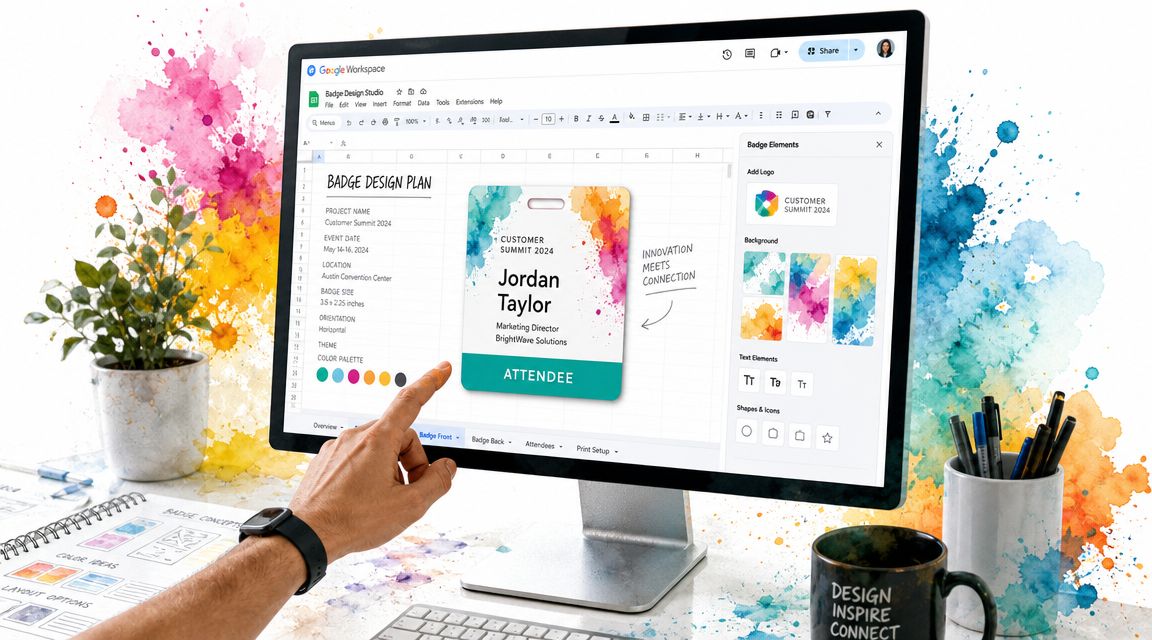
Darkaa is one example of that setup. It connects Google Sheets and Google Forms to QR ticketing, badge printing, and check-in, with scan results written back to the sheet and support for offline-capable scanning. For teams already running events inside Google Workspace, that is often easier to control than adding a separate event dashboard just for onsite badge operations.
Design choices matter here too. Badge layouts that look fine in a mockup can slow the line once they hit a small printer or scanner. These event ticket examples for QR-based entry and check-in are useful for judging how much information to show, where branding helps, and when a cleaner layout makes scanning more reliable.
The practical standard is straightforward. Choose badge printing software that fits your registration workflow, keeps the attendee record current during check-in, and lets staff correct and reprint badges without breaking the audit trail.
If you want a Google Workspace-based way to handle badges, tickets, and check-in from the same attendee list, Darkaa is a straightforward option to review. It lets teams generate QR-based credentials from Sheets or Forms, print badges, and validate attendance with offline-capable scanning without moving operations into a separate event system.