You know the moment. Doors open in ten minutes. One staff member is searching a guest list in a spreadsheet. Another is texting someone for the latest version because three names were added after the file was printed. A guest says they already registered, but their name is misspelled. The line gets longer, the venue manager starts looking at you, and nobody can say with confidence who is inside.
That's the point where a “simple list” stops being simple.
For small events, spreadsheets feel good enough right up until they aren't. They're familiar, cheap, and flexible. They're also static, easy to break, and terrible at live operations. They don't validate access cleanly, they don't update attendance reliably across multiple staff, and they don't handle last-minute changes well when people are entering through more than one door.
That's why event logistics software has moved from optional convenience to normal operating infrastructure. One market projection values the global event management software market at USD 14.29 billion in 2026 and USD 94.73 billion by 2040, with software accounting for over 63% of market share, which points to a broad shift toward digitized event operations according to Roots Analysis market coverage. If you're still building guest entry around a spreadsheet alone, you're working against the direction of the category.
A spreadsheet still has a place. It's often the right place to start your list, track changes, or collect responses. If you need a clean starting point before moving into a live check-in workflow, SheetMergy's template resources are useful because they help teams structure guest data before event-day complexity starts.
Table of Contents
- Why Your Event Guest List Is Broken
- What Is Event Logistics Software
- Core Features That Power Modern Events
- Common Workflows Across Different Events
- How to Select the Right Logistics Software
- Example Managing an Event in Google Workspace
- Avoiding Common Implementation Pitfalls
Why Your Event Guest List Is Broken
The usual failure doesn't start with bad planning. It starts with a tool that wasn't built for live attendance control.
A spreadsheet can store names, emails, ticket types, and dietary notes. It can't easily answer operational questions under pressure. Has this person already checked in? Can they enter the VIP reception but not the workshop? Which entrance scanned them? Which staff member overrode a record? If two teams work from different copies, which one is correct?
Where manual guest lists fail
At the desk, the weak spots show up fast:
- Name matching breaks down: Guests register with one spelling and arrive with another. Staff search manually and make judgment calls.
- Status goes stale: One person checks someone in, but another door doesn't see it yet.
- Edits create version confusion: Last-minute additions, cancellations, and upgrades live in inboxes, texts, and side notes.
- Access rules get fuzzy: Staff know someone “should be allowed in,” but can't verify which sessions or zones they have access to.
Practical rule: If your check-in process depends on staff reading and interpreting rows manually, you don't have a live system. You have a document.
The cost isn't only speed
Long lines are visible. The bigger problem is loss of control.
When a guest list is broken, the team loses confidence first. Staff stop trusting the data and start relying on memory, verbal instructions, and exceptions. That's when duplicate admissions, missed VIP handling, and bad attendee experiences start stacking up.
The fix isn't to abandon spreadsheets completely. It's to stop asking them to do jobs they were never designed to handle. Event logistics software gives the team a live operational layer on top of the data, so entry, attendance, and permissions stay synchronized while the event is happening.
What Is Event Logistics Software
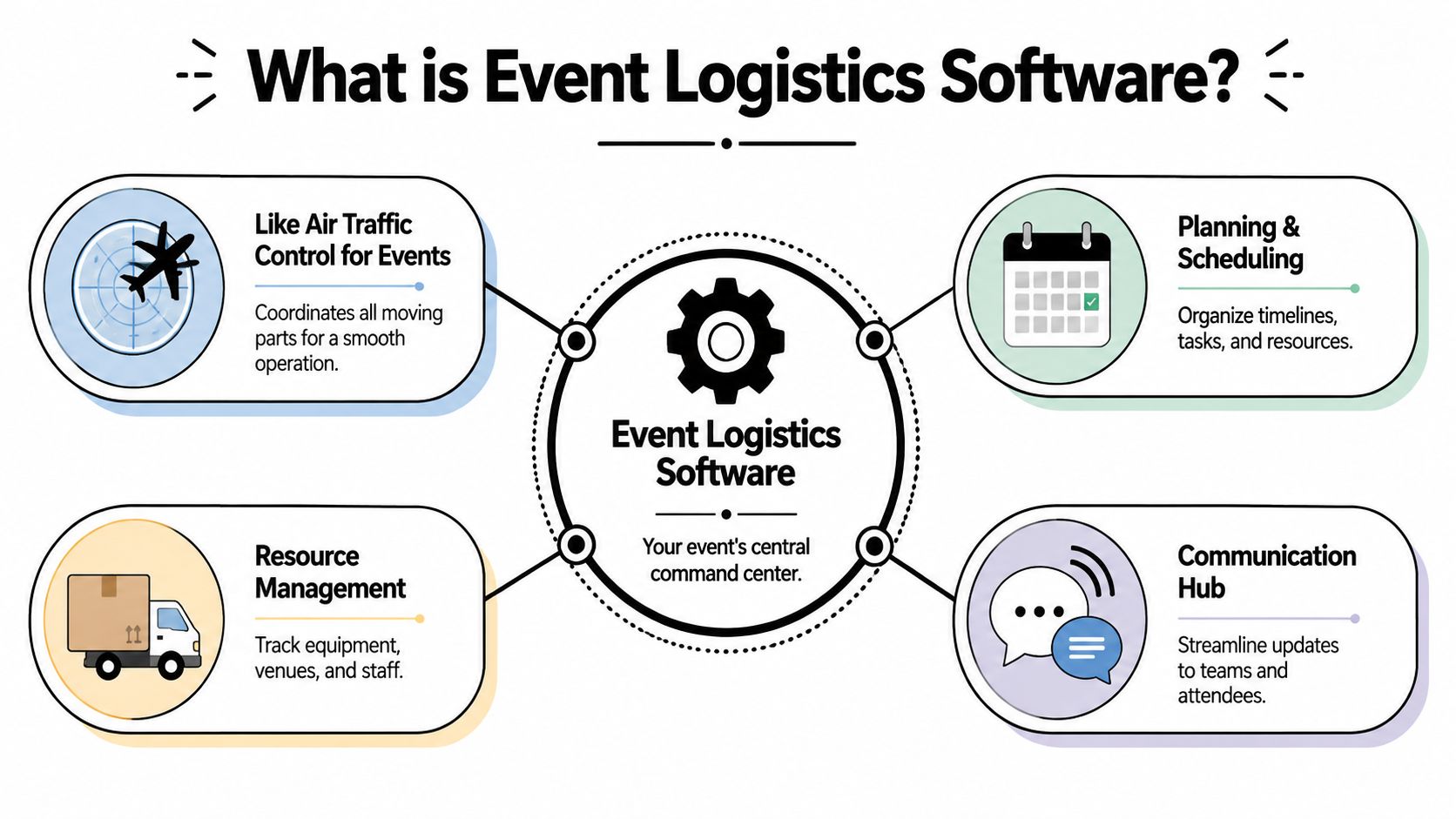
Event logistics software is the operational control system for an event. If event marketing software fills the room, logistics software gets the right people through the right doors at the right time.
The challenge of event logistics mirrors that of air traffic control. Flights still exist without the control tower, but movement becomes riskier, slower, and harder to coordinate. Event operations are no different. Guests may have tickets, staff may have lists, and sessions may be scheduled, but without one live system managing entry, status, and movement, the operation gets fragile.
What it actually handles
At a practical level, event logistics software usually sits around the parts of the event that need immediate accuracy:
- Registration intake and ticket assignment
- QR code or barcode creation
- Check-in and validation
- Badge printing or attendee identification
- Session access and zone permissions
- Staff visibility into who has arrived and where
Good systems keep that information current across the whole team, not just one laptop at front desk.
Cloud delivery matters here because the product category has moved toward live coordination. Mordor Intelligence says cloud-based platforms held over 71% of the event management software market in 2025, which shows how strongly buyers now expect real-time, scalable operations from these tools, as outlined in Mordor Intelligence's event software market report.
How it differs from broader event suites
Not every event tool is really event logistics software.
Some platforms focus on promotion, sponsor pages, email campaigns, mobile apps, budgeting, or venue sales workflows. Those can be useful. But if your event-day pain lives at entry points, registration accuracy, access control, or staff coordination, a broad suite can still leave the operational core weak.
That's why comparison shopping needs context. A roundup like best UK event software 2026 can be useful for seeing the wider category, but the right decision usually comes down to one question: does the software improve live execution, or does it mainly organize planning tasks?
The software that looks most impressive in a demo isn't always the one that performs best at a crowded entrance.
Core Features That Power Modern Events
The easiest way to judge event logistics software is to ignore the long feature list and ask one thing: what happens from ticket issuance to the moment someone is standing in front of staff asking to get in?
Platforms that work well on site act as a single source of truth. IntelliEvent's event logistics material highlights barcode and RFID tracking, check-ins, shipping visibility, and real-time operational reporting because those reduce human error and make it easier to see what is happening in the field through IntelliEvent's logistics overview. That same principle applies to attendee flow.
Ticketing and QR code generation
A proper event logistics workflow starts before the event opens.
The system should generate a unique ticket or credential for each attendee and tie it to the record staff will use at check-in. QR codes are common because they scan quickly and reduce manual searching. The important part isn't the code itself. It's that the code resolves to one clean attendee record with the correct access rules.
If the team exports a list from one tool, generates codes in another, and validates in a third, mismatches show up fast.
Attendee data management
A guest list isn't just names and emails. It usually includes custom fields that affect operations:
- Access type: General admission, VIP, exhibitor, staff, speaker
- Attendance logic: Day one only, all days, workshop add-on, meal eligibility
- Operational notes: Pronunciation, accessibility, seating, approval status
The software has to support those details without turning every change into a manual workaround. As a result, many generic systems feel heavy. They can store a lot, but editing live operational fields can be awkward if the workflow was built more for marketing than front-of-house use.
Real-time check-in and access control
This is the point where weak tools get exposed.
A staff member scans a code. The system should validate the record immediately, mark the attendee's status, and show whether access is allowed. It should also make that status visible to every other authorized device. If one entrance checks someone in, another entrance should know that right away.
That sounds basic. In practice, it's where duplicated scans, shared spreadsheets, and lagging sync create confusion.
Session and zone management
Many events don't have one universal admission rule.
A conference might need keynote access for everyone, workshop access for registered delegates only, and speaker lounge access for a small subset. A festival may need VIP, backstage, press, and general admission separated clearly. Good event logistics software lets staff check more than attendance. It lets them verify where someone can go.
A short comparison helps:
| Need | Weak setup | Strong setup |
|---|---|---|
| Workshop entry | Staff check printed list manually | Scanner validates against session access |
| VIP lounge | Wristband color and memory | Record shows zone permission |
| Multi-day event | Separate lists by day | One attendee record with day-based rules |
Offline validation
This is one of the most important features, and it's often buried.
Venues lose connectivity. Temporary outdoor setups have patchy coverage. Large crowds can overload networks right when doors open. If your check-in process only works with a clean connection, you don't have a resilient process.
PheedLoop's feature guide points to mobile QR check-in, self-serve kiosk workflows, badge printing, attendance tracking, access control, and incident tracking in one operational layer through PheedLoop's event technology guide. In real use, the missing question is whether those flows continue working when the network gets unstable. That's a buying criterion, not a technical footnote.
Offline support isn't a bonus feature. It's part of the check-in plan.
Integrations that prevent duplicate work
The best integration is often the one that removes re-entry.
If registration lives in a CRM, payment tool, Google Form, or spreadsheet, the logistics system should connect cleanly enough that staff don't rebuild the attendee database before every event. The more often a team copies and pastes records between tools, the more likely they are to create duplicates, stale ticket types, or missing permissions.
Simple operational fit often beats software breadth.
Common Workflows Across Different Events
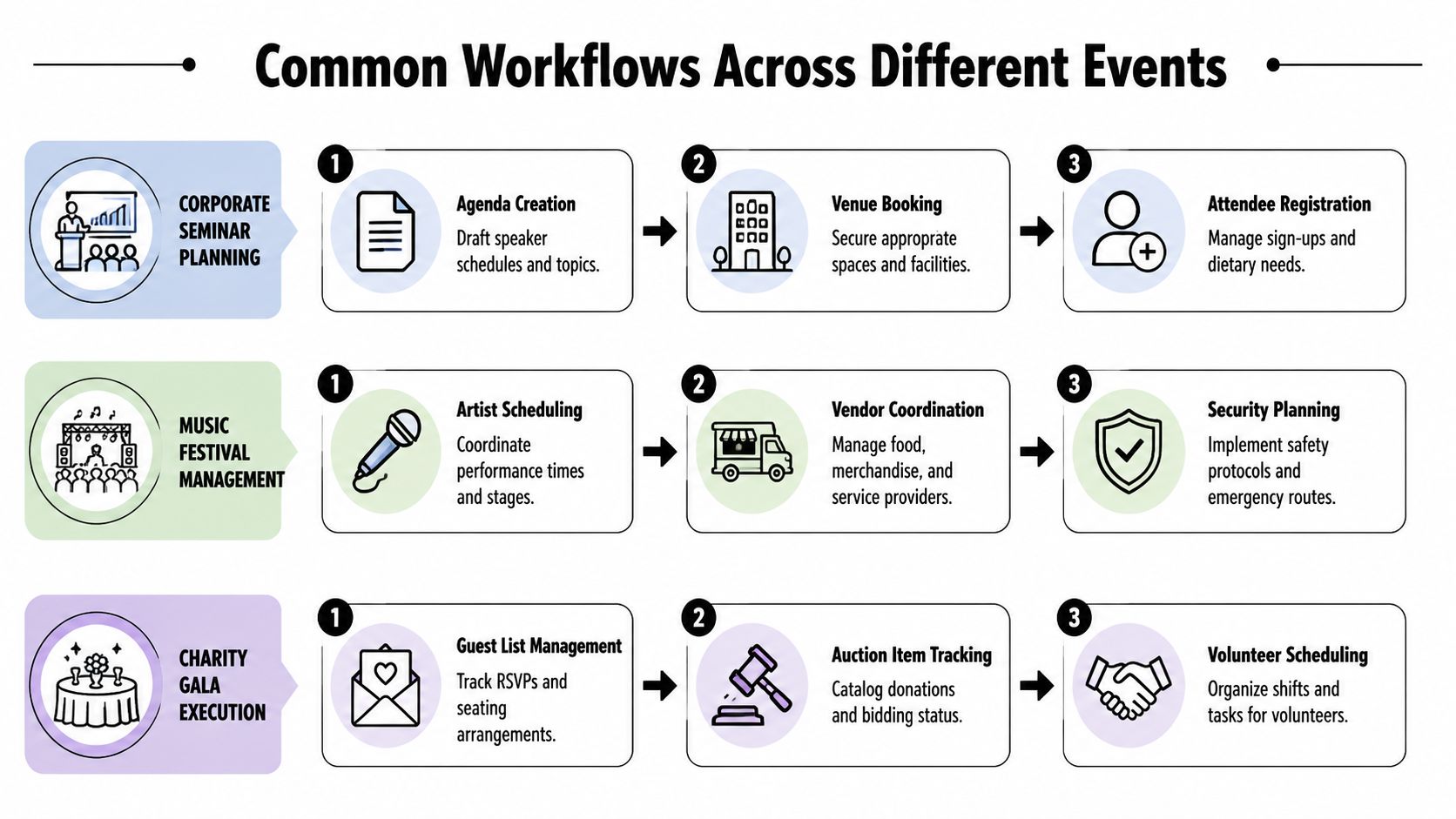
The same event logistics software won't be used the same way at a seminar, graduation, festival, and fundraising dinner. The workflows differ because the control points differ.
Corporate conference workflow
A corporate planner usually cares about structured movement.
The attendee registers, receives a QR ticket, checks in at the lobby, and then gets scanned again at selected sessions. Staff need live visibility into arrivals, no-shows, and room movement. If the event offers continuing education or session-limited workshops, the scan history matters beyond the front desk.
A strong workflow here looks like one attendee record used across entry, breakout sessions, and access changes during the day.
Graduation and school event workflow
Education events have a different pressure point. They need controlled allocation.
A school may issue a limited number of guest tickets per student, assign entry windows, and separate guest seating from student staging areas. The challenge isn't only attendance. It's enforcing limits without creating a confrontation at the door.
What works:
- Student-linked records: Guest tickets tied back to one student record
- Clear validation: Staff can see whether a ticket is valid, used, or outside the permitted area
- Simple fallback process: Printed lists or badges available for exceptions and accessibility needs
Festival and venue workflow
Festivals introduce volume, multiple entrances, and layered access.
General admission guests move fast. VIP guests need separate lanes. Crew and artists need restricted zones. If the software can't handle different permissions in one operating model, staff start creating informal shortcuts, and those shortcuts become security problems.
A run-of-show checklist still matters around this software layer. For teams coordinating broader operational details, a strategic event checklist is useful because it helps map timing, signage, staffing, and print materials around the live check-in flow instead of treating entry as an isolated task.
The busiest events don't fail because the team forgot the theory. They fail because too many edge cases hit a weak process at once.
Nonprofit gala workflow
Nonprofit events often begin with a simple RSVP list and then become more complex.
Someone buys a table. Another guest is added by email. A sponsor sends late names. One attendee is invited to the reception but not the dinner. Another needs a special meal note. These aren't hard problems individually. They become hard when the team manages them across inboxes and revised spreadsheets.
For galas, software helps most when it preserves flexibility. Staff need to update records late, check people in quickly, and know whether a guest belongs at the auction, seated dinner, or donor welcome area without debating it in public.
How to Select the Right Logistics Software
Teams often acquire excessive or unsuitable software. They sit through polished demos, compare feature grids, and end up with a platform that looks complete but creates extra work for staff.
The right way to evaluate event logistics software is to start with the operational failure you're trying to prevent. Long queues. Duplicate scans. Staff confusion. Multiple access levels. No visibility across entrances. Bad connectivity. If the tool solves those problems cleanly, it's doing its job.
Start with failure points, not feature lists
A long feature list can hide a weak workflow.
If your team already has registration under control and mainly needs ticket validation, access control, and attendance sync, then a giant all-in-one suite may slow you down. Teams often underestimate the cost of learning a new dashboard, rebuilding forms, retraining temporary staff, and changing internal processes just to use one part of a platform.
That's why workflow fit matters so much. A tool should either match your operating model or improve it with very little friction.
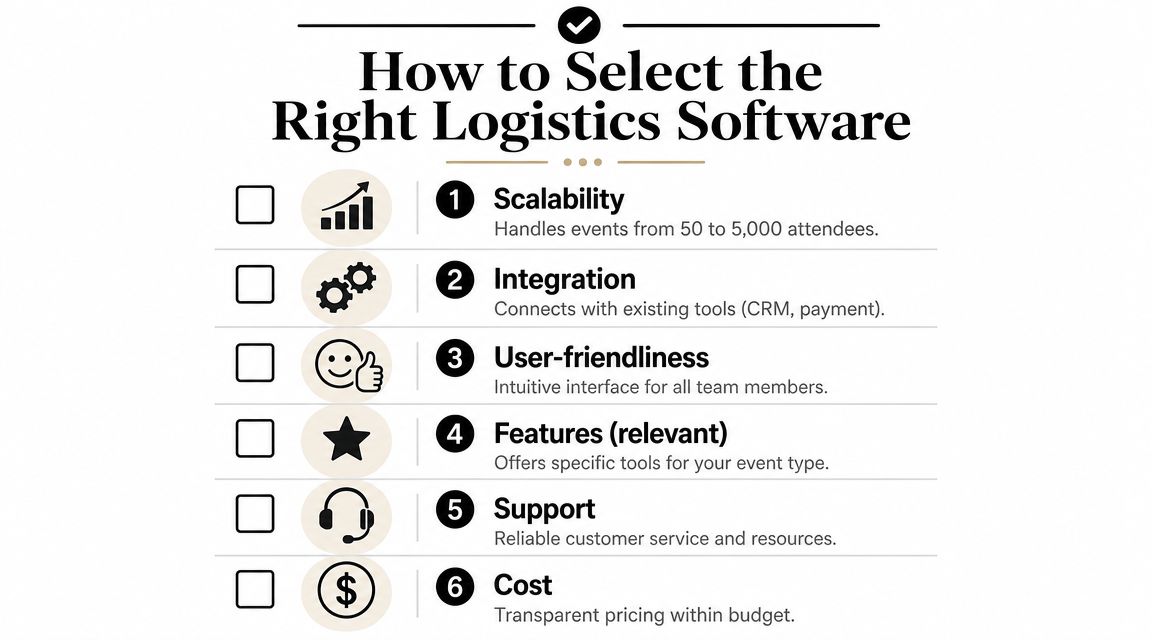
A practical evaluation checklist
When you compare options, look for these things first:
- Reliability under pressure: Ask what happens if Wi-Fi drops, scanners lose signal, or several staff check in guests at once.
- Ease of training: Can temporary staff understand the scanning flow quickly, or will they need a long briefing?
- Access logic: Does the system handle sessions, zones, ticket types, and multi-day rules without workarounds?
- Workflow fit: Can it work with the tools your team already uses, or does it require a full process replacement?
- Pricing model: Per-event pricing may fit occasional organizers better than a broad annual platform.
- Support quality: You want clear documentation and responsive help, especially close to event day.
If you're comparing software around the registration layer as part of that process, this guide to an event registration tool is a practical companion because it helps separate signup needs from on-site logistics needs.
Think about cost in labor and risk
The actual cost of software isn't just the invoice.
It's the time spent importing data, fixing attendee records, explaining the system to staff, handling exceptions at the door, and cleaning up attendance records later. A tool with fewer modules can still be the better choice if it removes operational friction.
One more point matters here. Some teams don't need software that replaces their workflow. They need software that extends it. That distinction is easy to miss and often decides whether adoption goes smoothly or stalls after the first event.
Example Managing an Event in Google Workspace
A lot of internal events, school events, and lean conference teams already live in Google Workspace. That's not a weakness. It's often the most realistic operating environment they have.
For those teams, replacing everything with a new platform can create more disruption than value. Whova's guidance on free event planning tools notes that all-in-one systems can carry a steeper learning curve, which is why many teams prefer tools that fit existing habits rather than forcing a new stack through Whova's discussion of event software trade-offs.
A simple setup that most teams can run
Take a corporate seminar managed in Google Sheets.
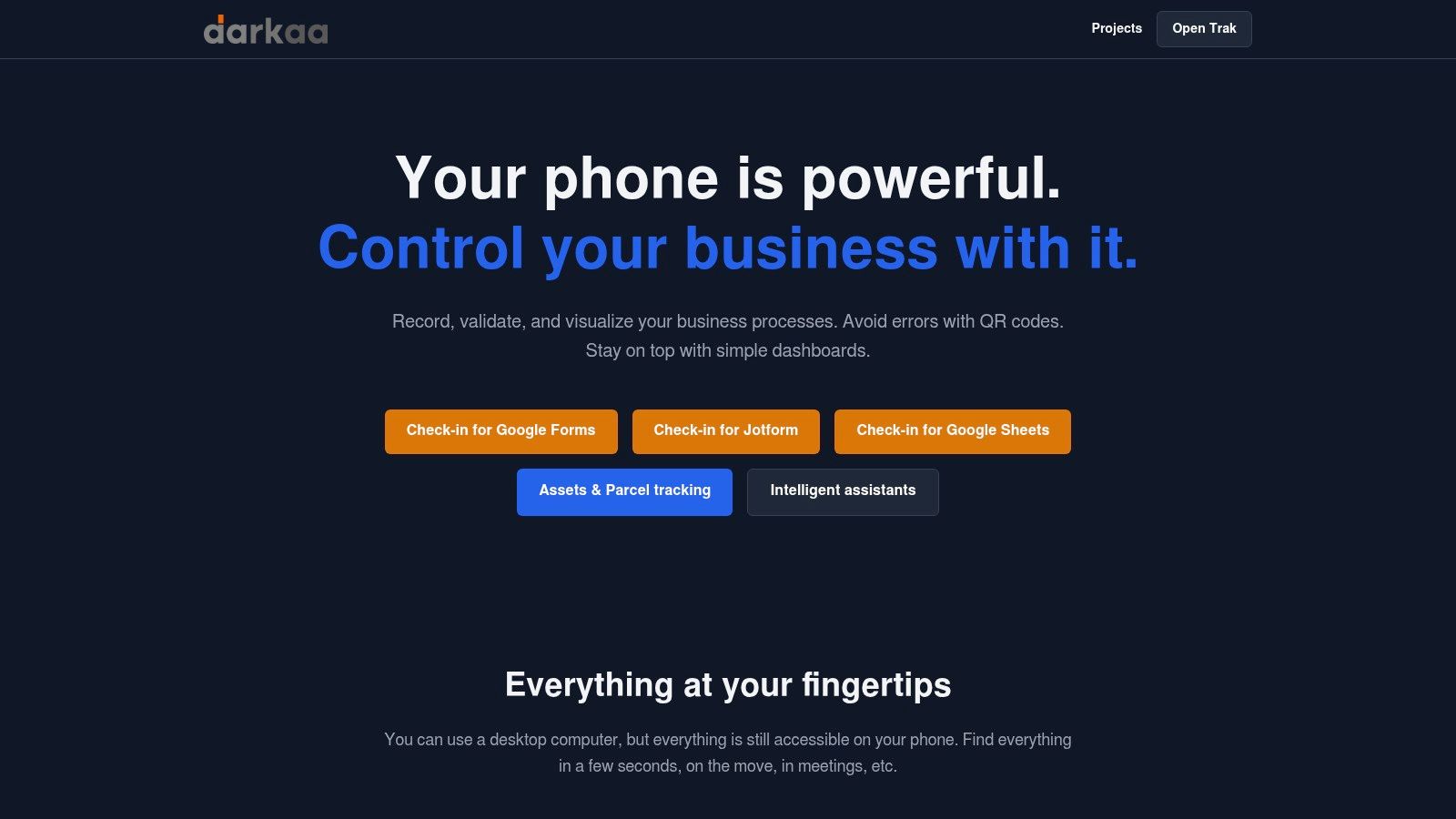
The attendee list lives in one sheet with columns for name, email, company, ticket type, meal preference, and workshop access. New signups come in through a Google Form or an imported list. From there, a spreadsheet-native tool such as Darkaa can generate unique QR code tickets per row, send them out, and keep the attendee data in the same workspace the team already uses.
That model suits teams that want ticketing and check-in without moving their core data into a separate dashboard. If you're starting from scratch, an event registration template can help structure the sheet before tickets and permissions are layered on top.
What happens at the door
On event day, staff open the check-in app on their phones and scan attendee codes at the entrance.
The useful part isn't just the scan. It's what happens after. The attendee's status updates in the underlying sheet, so the planning team can see arrivals as they happen. If the event has workshop restrictions or multiple access levels, staff validate against those rules instead of relying on memory or a color-coded printout.
This approach is especially practical for organizations that already trust Google Sheets as the place where attendee operations happen. Instead of replacing the workflow, the software adds the missing operational layer.
Avoiding Common Implementation Pitfalls
Three mistakes show up over and over.
First, teams assume venue internet will hold. It often won't. Flex Rental Solutions' logistics guidance surfaces the question that many buyers skip: which tools still work when the network does not? That matters because poor connectivity can stop entry operations if the system depends on a live connection, as discussed in Flex Rental Solutions' event logistics guide.
Second, teams overbuy. They choose a suite designed for broad event management when their actual need is tighter: ticketing, validation, and live attendance control. More software doesn't always mean better operations.
Third, they skip staff practice because the app “looks easy.” Even easy tools need a short rehearsal. Test how staff scan, handle exceptions, and respond to invalid or already-used tickets.
A basic planning review helps prevent all three problems. This guide on event logistics planning is a useful reminder that software selection and process design have to work together.
If your team already works in Google Sheets or Google Forms and needs QR ticketing, check-in, and offline-capable validation without moving into a heavy new platform, Darkaa is built for that workflow. It lets organizers issue tickets, scan attendees, and keep attendance data synchronized inside Google Workspace, which is often the simplest way to move from messy spreadsheets to a reliable event-day system.