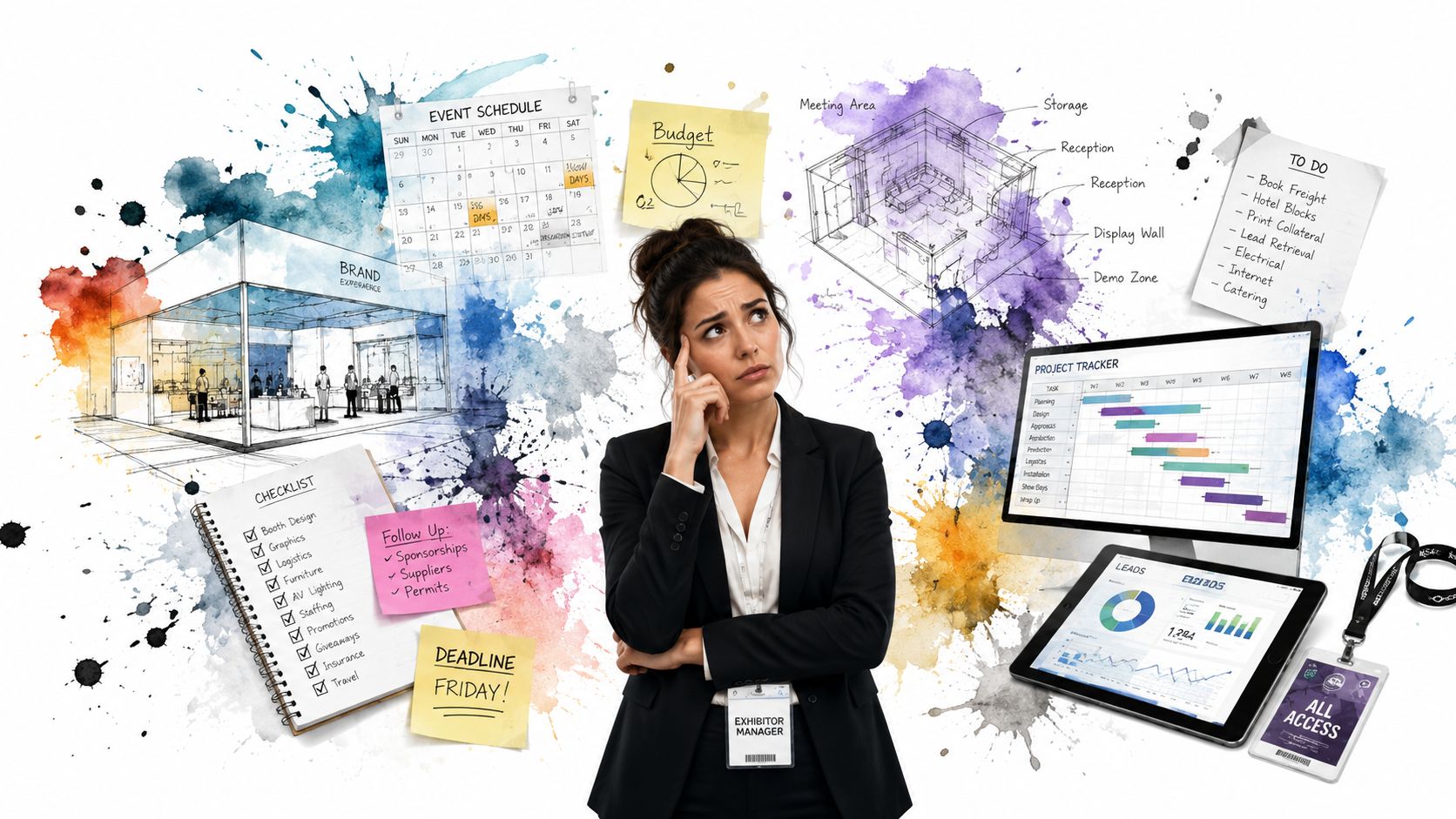
You're probably staring at a spreadsheet, an exhibitor manual, three vendor emails, a half-finished booth layout, and a Slack thread asking who's working the show floor. That's a normal place to start. Trade show management rarely feels difficult because of one big decision. It feels difficult because a hundred small decisions pile up at once, and every one of them affects budget, staff energy, lead quality, and what you can prove afterward.
Given the significant financial commitments, “we'll figure it out on-site” isn't a serious plan. Average annual trade show spending per company reached $1.4 million in 2023, up 70% from $805,000 in 2022, with 2026 estimates reaching between $2.3 million and $2.5 million. Exhibitors also devote an average of 31.6% of their total marketing budgets to trade shows according to trade show statistics compiled by Wave Connect. When that much money is on the table, trade show management becomes an operating discipline, not a creative side project.
A good show program doesn't come from last-minute hustle. It comes from a repeatable playbook: clear goals, a tight logistics plan, simple technology that staff can effectively use, disciplined on-site execution, and fast follow-up once the floor closes.
Table of Contents
- Introduction The Modern Trade Show Playbook
- Phase 1 Pre-Show Strategy and Goal Setting
- Phase 2 Logistics and Pre-Event Planning
- Phase 3 Technology and Ticketing Workflows
- Phase 4 On-Site Execution and Operations
- Phase 5 Post-Show Follow-Up and Lead Nurturing
- Conclusion Measuring Success and Optimizing for the Future
Introduction The Modern Trade Show Playbook
Trade show management breaks down when teams confuse activity with progress. Ordering graphics feels productive. Booking travel feels productive. Arguing about booth giveaways feels productive. None of that fixes the core problem if nobody has defined what success looks like, how leads will be captured, who owns on-site decisions, or how sales will respond once the show ends.
That's why strong event teams work backward from outcomes. They decide what the show must produce, then build logistics, staffing, messaging, and reporting to support that outcome. The booth is just the visible layer. The essential work sits underneath it.
Teams generally don't need more complexity. They need fewer moving parts, better discipline, and tools their staff already understands. In practice, that often means using Google Sheets for the live operating list, Google Forms for structured capture, and a QR-based workflow that removes manual check-in friction instead of adding another dashboard nobody learns in time.
Practical rule: If your booth team can't explain the lead process in one minute, it's too complicated for a busy trade show floor.
The modern playbook is simple to describe and hard to fake. Set goals that can be measured. Build a logistics plan with named owners. Create a check-in and lead capture system before the show starts. Assign booth roles clearly. Follow up fast. Then review what worked and what failed while the details are still fresh.
That's the discipline that turns a trade show from an expensive appearance into a repeatable revenue channel.
Phase 1 Pre-Show Strategy and Goal Setting
Trade show management starts before booth design, before shipping, and before sponsorship discussions. It starts with a written strategy document. If that sounds formal, good. The show team needs something concrete enough to guide decisions when budget pressure, executive requests, and on-site surprises start pulling in different directions.
Start with a business outcome
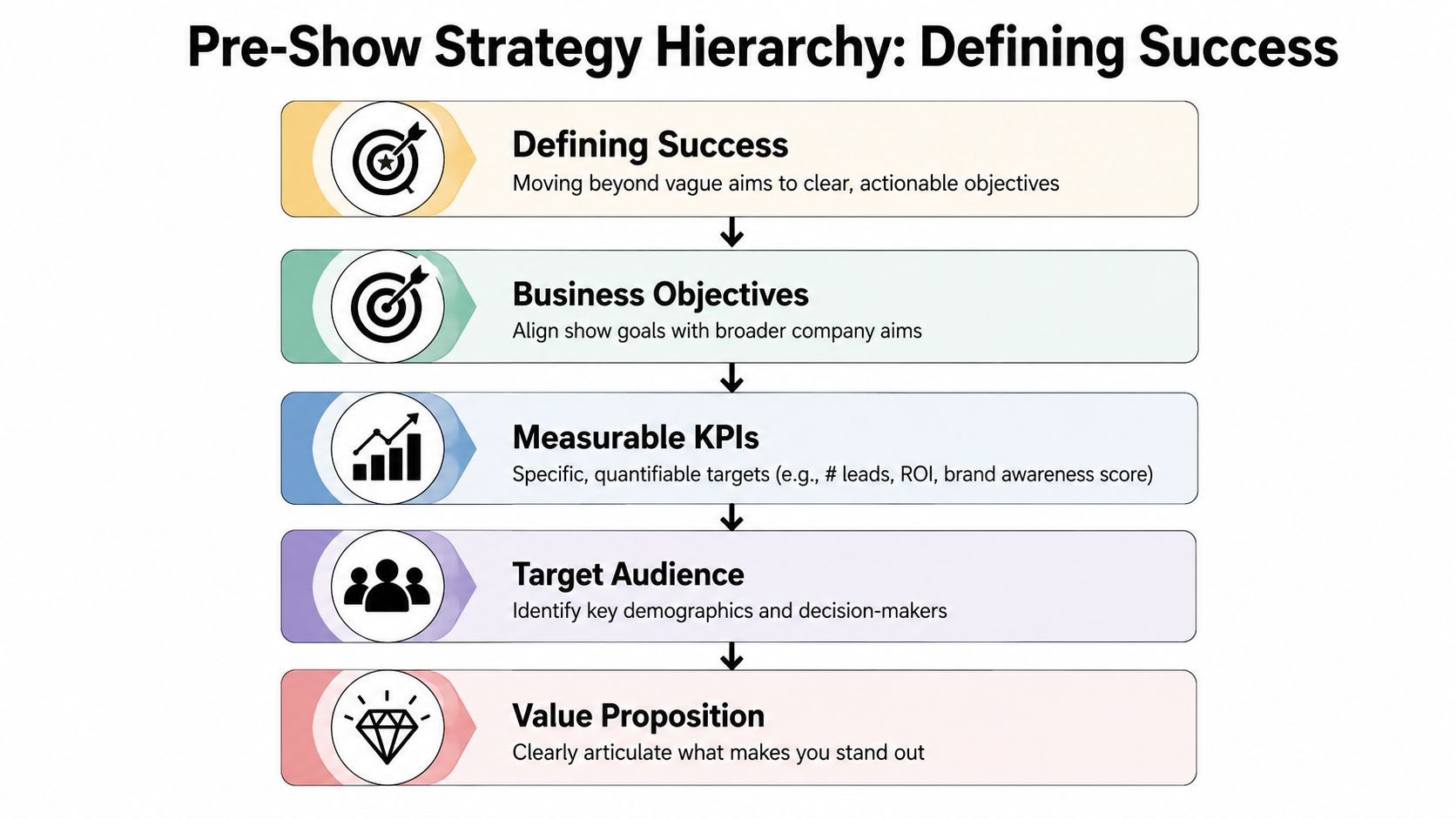
Vague goals create vague results. “Get our name out there” sounds harmless, but it gives the team no standard for booth design, staffing, demos, or follow-up. A workable objective ties the event to a business need.
Use a short planning sheet with these fields:
Primary objective
Pipeline creation, partner meetings, product launch exposure, customer expansion, or competitive intelligence.Target audience
Decision-makers, technical evaluators, partners, current customers, press, or investors.Offer at the booth
Demo, consultation, meeting slot, product sample, session invite, or VIP conversation.Measurement window
Trade show management works best when SMART goals match the sales cycle, with 30-day conversion windows for transactional products and 90-day windows for more complex solutions according to Pinnacle Promotions' guidance on measuring trade show effectiveness.
That last point matters more than many teams realize. If you sell something simple, waiting months to judge show results hides whether the booth worked. If you sell a longer-cycle solution, judging success after a week is just as misleading.
Build KPIs that survive scrutiny
A KPI should help you make decisions, not just decorate a recap deck.
Bad KPI:
- “Lots of booth traffic”
Better KPIs:
- Qualified leads by segment
- Meetings completed with named accounts
- Demos delivered to the right buyer type
- Lead-to-opportunity progress within the defined window
- Competitor observations captured in a usable format
The same discipline applies to staffing and presentation choices. If your objective is relationship depth, don't overbuild for passive foot traffic. If your goal is broad visibility, don't bury the team in long sit-down demos.
Uniforms and presentation standards also belong in this phase. If you want staff to look coordinated without feeling over-scripted, simple branded apparel often solves it cleanly. Teams using custom embroidered shirts usually get a more polished floor presence than teams improvising dress code instructions the week before the show.
The booth should make your best conversation easier to start, not harder to begin.
A short strategy document also prevents internal drift. Sales wants one thing, marketing wants another, and leadership often wants a third. Trade show management gets easier when those conflicts show up early on paper, not on the show floor.
Phase 2 Logistics and Pre-Event Planning
Once the strategy is clear, logistics takes over. Experienced teams excel in this stage. They don't win because their checklist is glamorous. They win because they know which overlooked tasks cause the most expensive chaos later.
Build the operating checklist early
The pre-event checklist should live in one shared document with owners and deadlines. Avoid splitting it across email, chat, and individual task apps unless someone is actively consolidating it.
A simple working timeline looks like this:
| Timeline | Task | Owner | Status |
|---|---|---|---|
| 8 to 12 weeks out | Confirm booth space, show rules, and budget guardrails | Event lead | In progress |
| 6 to 8 weeks out | Finalize booth layout, graphics, staffing plan, and travel | Marketing and operations | Pending |
| 4 to 6 weeks out | Prepare lead forms, scanner workflow, and staff training notes | Ops and sales enablement | Pending |
| 2 to 4 weeks out | Confirm freight, collateral, apparel, demos, and backup materials | Logistics lead | Pending |
| Show week | Reconfirm labor, arrivals, check-in devices, and on-site contacts | On-site manager | Pending |
What belongs on that checklist:
Booth operations
Layout approval, furniture, power, internet, cleaning, storage, and setup timing.Staff planning
Shift rotations, breaks, role assignments, travel confirmations, and escalation contacts.Sales readiness
Lead qualification questions, product sheets, meeting calendar links, and talk tracks.Risk control
Device chargers, printed contact sheets, spare signage files, and one backup process for internet failure.
If your team needs a broader planning reference for venue flow, vendor timing, and coordination details, keep a practical event operations guide in the project folder such as this article on event logistics planning.
Pre-design the lead capture workflow
Teams often dedicate too much energy to booth visuals and too little to what staff will ask and record. That's backward. A good lead process makes follow-up possible. A bad one leaves you with names and no context.
Decide in advance:
- Which fields are required.
- Which fields are optional.
- Which answers trigger priority follow-up.
- Who reviews entries during the day.
- How the sales team receives handoff data.
The strongest forms are short enough to use quickly and rich enough to support next steps. Typical custom fields include product interest, role, budget stage, timing, account name, competitor in use, and follow-up owner.
For booths that collect user-generated content or on-the-spot visuals, a simple workflow tool can help staff avoid random file sharing. For example, teams sometimes use Saucial photo upload when they need a clean way to receive attendee images without chasing them across text messages and inboxes.
A final logistical truth: staff burnout is usually scheduled, not accidental. If you don't assign breaks, relief coverage, and end-of-day closeout duties before the show, people stay on their feet too long, skip notes, and stop qualifying visitors carefully.
Phase 3 Technology and Ticketing Workflows
Technology should remove friction. In trade show management, it often does the opposite because teams buy a platform, import a list, and expect temporary staff to master it in a crowded hall with bad Wi-Fi.
That's why familiar tools matter. Many event teams already know Google Sheets and Google Forms. Building around them lowers training time, simplifies ownership, and makes it easier to audit what happened after the show.
Replace the messy spreadsheet handoff
The old workflow usually looks like this: marketing owns the pre-registration list, operations exports it, front-desk staff print a version that's already outdated, walk-ins get added on paper, and nobody fully trusts the final attendee record.
That process breaks under pressure.
The U.S. Trade Show & Event Planning industry is projected to reach $24.7 billion in 2026 and has grown at a 12.8% CAGR since 2021, according to IBISWorld's industry report. At that scale, trade show teams need workflows that can handle high volume, multiple devices, and unreliable venue connectivity without forcing staff into a specialized system they barely know.
A practical setup with Google Sheets and Forms
An efficient setup can be built with three layers:
Master attendee sheet
This holds pre-registered names, ticket status, company, role, session access, and custom fields.Registration form for walk-ins
QR code attendance for Google Forms works well here because staff can capture structured information on the spot without handwriting or retyping later.Check-in layer
QR code tickets for Google Sheets gives each pre-registered attendee a unique scannable record tied back to the live sheet.
This setup gives teams one reliable source of truth. Pre-registered attendees move quickly. Walk-ins enter through a form instead of a clipboard. Staff don't need to juggle separate exports all day.
If you're planning the badge and scan flow from scratch, this guide to a QR code for event registration and check-in is a useful reference point for mapping the process cleanly.
What matters on the show floor
The feature list matters less than the failure points.
Prioritize these capabilities:
Offline validation
Venue Wi-Fi isn't dependable enough to treat internet as guaranteed.Real-time sync
Staff and managers should see attendance and lead data update in the same shared environment.Unlimited concurrent devices
Bottlenecks form fast when only one scanner works during a rush.Custom fields that match your sales process
If your data structure is too generic, your follow-up becomes generic too.
A check-in system isn't there to impress the ops team. It's there to keep the line moving and preserve usable data.
Trade show management technology works best when it behaves like infrastructure. Quiet, stable, and easy to hand to staff after a five-minute briefing. If the system needs a long tutorial, it probably doesn't belong in a live event environment.
Phase 4 On-Site Execution and Operations
Show day exposes every weak assumption. The booth is finally built, attendees are arriving, and the team has to perform in real time. Planning then either turns into calm execution or collapses into constant improvisation.
Open strong before attendees arrive
The first hour sets the tone. Good on-site managers arrive early enough to test devices, confirm badge or ticket scanning, review the day's schedule, and spot anything that looks wrong before visitors see it.
A short morning huddle should cover:
Targets for the day
Meetings, demos, priority accounts, or session attendance.Role assignments
Greeter, qualifier, demo lead, scanner, floater, and manager.Escalation paths
Who handles tech issues, VIP arrivals, shipping problems, or facility requests.Behavior standards
No eating in view of attendees, no phone use at the booth edge, and no clustering into staff-only conversations.
If the event has security complexity, crowd management issues, or VIP access concerns, coordinate with a professional provider early. For larger UK-based events, teams sometimes rely on London event security support to keep entry points and public areas orderly without distracting booth staff from attendee engagement.
Run the booth by roles not by hope
Booths fail when everyone thinks they're doing the same job. They aren't.
A high-functioning booth usually separates tasks like this:
Greeter
Starts the conversation, welcomes visitors, and prevents dead space at the booth edge.Qualifier
Asks a few direct questions to understand fit, urgency, and interest.Presenter
Delivers the demo or product explanation.Scanner or recorder
Captures attendance, notes, and required fields cleanly.Manager
Watches traffic flow, supports staff, and adjusts during peak periods.
This role split matters because attendees spend over 8 hours visiting booths, and 64% are not current customers of the businesses they see, based on trade show attendee behavior data from Heritage. That means booth teams need custom fields and live data sync that help separate true prospects, current customers, partners, and casual visitors while the interaction is still fresh.
For teams focused heavily on booth-side lead capture, this walkthrough on trade show expo lead capture with QR code workflows maps the process well.
Solve problems without freezing the team
The usual on-site problems aren't dramatic. A scanner battery dies. A staff member is late. A demo station glitches. Two prospects arrive at once. The danger comes when everyone stops to look at the manager for answers.
The better pattern is simple. Keep the team moving while one person fixes the issue.
If a device fails, switch to the backup process immediately. Don't let one broken step stop the booth from talking to people.
That backup process might be a secondary phone, a printed attendee list, a short fallback form, or a temporary manual note sheet. What matters is that the team knows it exists before the doors open.
Phase 5 Post-Show Follow-Up and Lead Nurturing
Most trade show ROI is won or lost after the event. Teams love to talk about booth traffic, visibility, and energy on the floor. None of that matters much if sales gets a weak spreadsheet three days later and can't tell who mattered, what they asked for, or how urgently they need a response.
Speed matters more than most teams admit
Slow follow-up is one of the most expensive habits in trade show management because it feels harmless while it's happening. A day slips. Then another. Notes get fuzzy. Reps prioritize easier inbound work. The lead that wanted a demo now barely remembers the conversation.
The numbers are hard to ignore. 64% of exhibitors fail to meet their cost-per-lead targets because they don't use real-time data tools. 52% of sales teams delay lead follow-up by more than 48 hours, and that delay reduces conversion by an estimated 30%, according to Highmark Tech's analysis of trade show exhibiting challenges.
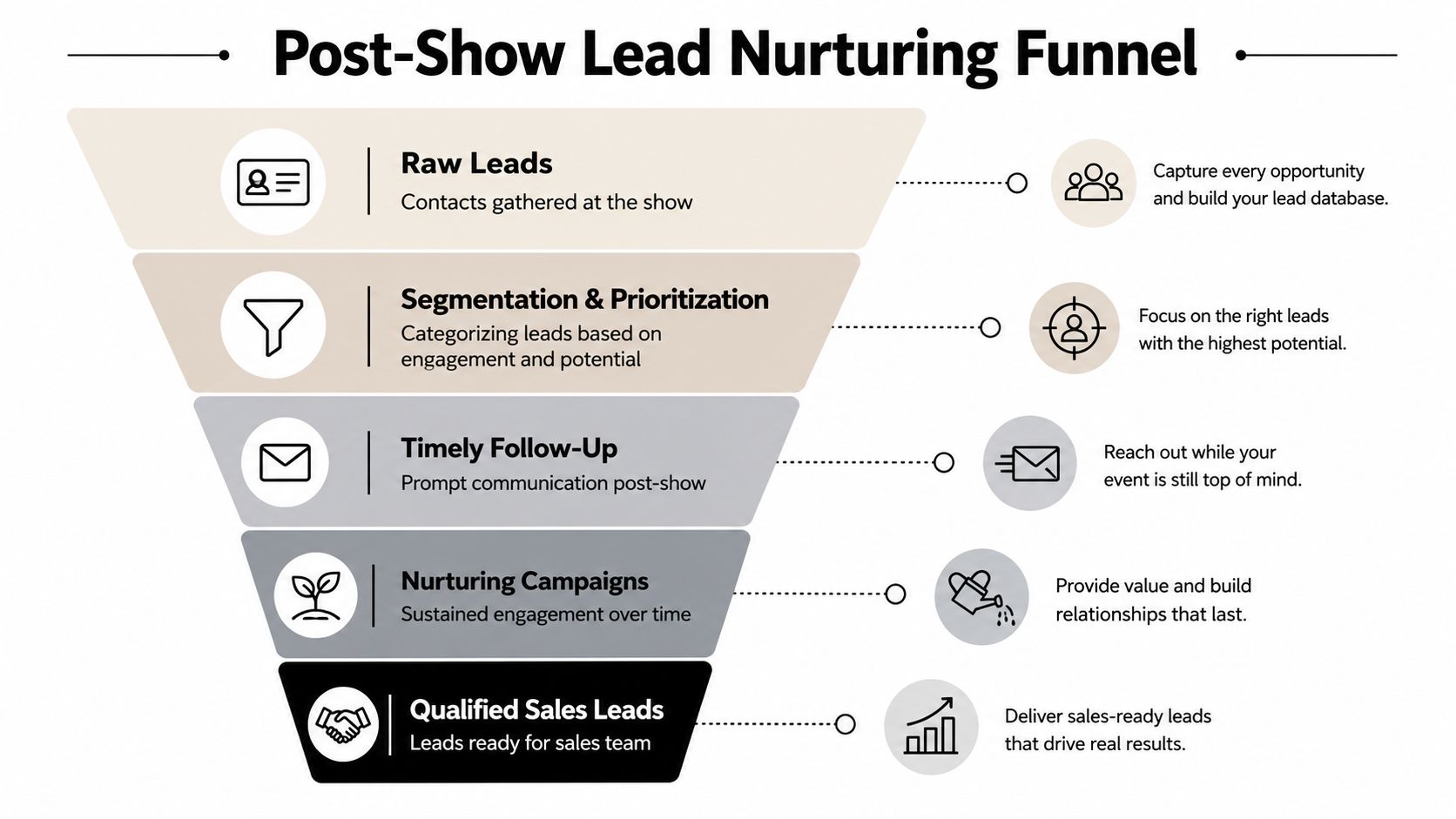
That's why the handoff process has to be designed before the event, not invented afterward.
A follow-up workflow that actually gets done
Keep the first post-show process plain and strict.
Step 1. Clean the data the same day
Merge duplicates, confirm owner assignment, and standardize key fields such as company name, product interest, and urgency.
Step 2. Segment the list
Create practical groups:
- Hot leads who asked for pricing, demos, or a specific next meeting
- Warm leads who showed fit but need more education
- Partners or media who need a different owner
- Existing customers who should go to account management, not net-new sales
Step 3. Send the first follow-up fast
The first message should reference the booth conversation, give one clear next step, and avoid dumping generic brochures into the inbox.
Example structure:
- Thank them for the conversation.
- Reference the product, challenge, or topic discussed.
- Offer one action: book a demo, receive a quote, review a resource, or continue the conversation.
Step 4. Hand off with context
A sales rep should receive more than contact details. They need notes, interest area, urgency, and the promised next action.
Step 5. Keep nurturing active
Not every useful lead converts immediately. The warm list needs a cadence of useful follow-up tied to actual booth interest.
The best booth conversation loses value fast when the follow-up email reads like it was sent to a stranger.
Trade show teams often overestimate the quality of their memory and underestimate the importance of structured notes. If staff didn't record enough on the floor, the follow-up team has to guess. Guessing is not a nurturing strategy.
Conclusion Measuring Success and Optimizing for the Future
The event isn't finished when the leads are emailed to sales. It's finished when you can explain what the show produced, what it cost, what worked, and what should change next time.
Measure against the window you defined
Strong trade show management uses the same measurement window established in planning. That keeps the recap honest. A short-cycle product should be judged sooner. A more complex sale needs more time before final conclusions.
Your review should include:
- Lead volume by segment
- Qualified opportunities created
- Meetings held versus meetings planned
- Follow-up completion by owner
- Booth observations that affected performance
- Operational issues that slowed the team
A useful post-show report doesn't pretend every result fits neatly into one number. It combines commercial outcomes with operational findings. If the booth attracted the wrong audience, that's a strategy problem. If the right people came but check-in slowed them down, that's an execution problem. If leads were strong but follow-up lagged, that's a sales process problem.
Run a real post-mortem
Hold the review while details are still fresh. Include marketing, sales, operations, and the on-site lead. Ask direct questions.
- What attracted the best conversations?
- Which staffing pattern worked and which didn't?
- Which questions helped qualify visitors quickly?
- Where did attendees hesitate, wait, or drop off?
- What information did sales wish they had received?
Don't let the recap become a defensive meeting. The point isn't to protect choices already made. The point is to improve the next event. Good teams build a reusable playbook from this review. They refine the form fields, update the staffing model, simplify the scripts, and tighten the follow-up clock.
Trade show management gets easier when each event leaves the next one in better shape. That's the compounding effect. Not more noise, more gear, or more meetings. Better systems, clearer ownership, and cleaner data.
If you want a simpler way to run check-in and attendance inside tools your team already uses, Darkaa turns Google Sheets and Google Forms into a QR-based ticketing and event check-in workflow. You can create branded tickets, capture walk-ins, scan at the door with unlimited devices, and keep attendance synced back to Sheets without forcing staff onto a new platform.