You've got a park reservation on hold, a wine partner asking about pour permits, artists waiting for an application link, and someone on your team already wants to order banners. That's a normal starting point for an art and wine festival. It's also where a lot of events drift into expensive confusion.
A good festival doesn't come from having the prettiest branding deck. It comes from making the hard decisions early: how big the event should be, what kind of guest experience you're building, how alcohol service will work, who owns check-in, and what data you'll use to judge whether the event worked. The organizers who get those details right usually look calm on event day. The ones who don't spend the weekend solving preventable problems.
This guide is the playbook I'd use to build an art and wine festival from the ground up with practical systems, realistic trade-offs, and low-cost tools that don't force your team into complicated software.
Table of Contents
- Laying the Foundation Your Festival Concept and Budget
- Navigating the Red Tape Permits and Logistics
- Curating the Experience Artists Vendors and Wineries
- Building Buzz Your Marketing and Ticketing Strategy
- Assembling Your Team Staffing and Volunteers
- Managing the Big Day and Measuring Success
Laying the Foundation Your Festival Concept and Budget
The first mistake is treating an art and wine festival like a generic weekend fair. It isn't. You're combining hospitality, retail, alcohol service, live entertainment, public safety, and placemaking in one footprint. That mix creates opportunity, but it also creates cost and operational risk.
Choose scale before you choose aesthetics
Start by deciding what you are building in practical terms. Is it a neighborhood event with a strong local identity, or a regional draw designed to fill a downtown corridor for a full weekend? That decision affects permits, staffing, sponsorship structure, sanitation, security, layout, and whether your ticketing needs can stay lightweight.
Scale matters because this event format can get large fast. The Los Altos Arts & Wine Festival is in its 46th year and features 300 artists and craftspeople from more than a dozen states, while the Mountain View Art and Wine Festival says it draws over 400 artists and craft-makers plus 12 boutique and heritage vintners pouring 23+ wines on a full weekend schedule, according to the Los Altos and Mountain View festival overview. If you plan like you're running a small street fair and the event behaves like a regional showcase, you'll feel the gap everywhere.
Practical rule: If your concept includes art sales, tasting service, music, food, family programming, and long operating hours, budget and staff it as a multi-department operation from day one.
I like to write the concept in one page with five decisions only:
- Audience. Collectors, casual community guests, families, tourists, or a mix.
- Primary draw. Art buying, wine tasting, music, downtown activation, or fundraising.
- Scale. Boutique, midsize, or regional.
- Format. Free entry, paid tasting, timed sessions, or open access.
- Non-negotiables. Shade, quality artists, local wineries, live music, easy check-in, strong food.
If you need inspiration for how wine regions package festival experiences around place, not just programming, McLaren Vale Cellars' festival guide is useful because it shows how location, tasting culture, and event identity reinforce each other.
Build the budget in operating categories
Most weak budgets fail for one reason. They start with revenue hopes instead of operating realities.
Build your budget from the ground up in categories that map to real owners on your team. That means site, compliance, production, hospitality, ticketing, staffing, marketing, and contingency. If a line item doesn't have an owner, it usually becomes an event-week emergency.
Use categories like these:
- Site and infrastructure. Venue rental, barricades, tents, tables, chairs, power, generators, lighting, water access, waste removal, fencing, radios, signage.
- Permits and compliance. Alcohol permissions, fire review, health requirements, insurance, security planning, medical support.
- Program and talent. Music, stage management, artist relations, winery relations, kids area supplies, emcee or host if needed.
- Guest services. Check-in materials, wristbands, maps, volunteer hospitality, ADA support, sanitation, seating.
- Marketing and sales. Creative, printing, paid ads, photographer, email tools, sponsor signage.
- Operations labor. Setup crew, strike crew, check-in staff, runners, overnight watch if required.
A strong community event planning process usually starts with a written scope, approvals calendar, and responsibility map before spending starts. If your team needs a practical baseline for that, this guide to community event planning is a useful framework.
Use a simple budget table early
Don't wait for exact quotes before making the first budget. Use a working draft immediately, then replace assumptions with confirmed numbers as vendors come in. The point of the first version is to expose imbalance. If decor is getting real money before sanitation, power, permits, and staffing are covered, the budget is upside down.
| Expense Category | Estimated Cost | % of Total Budget |
|---|---|---|
| Site rental and infrastructure | TBD | TBD |
| Permits insurance and compliance | TBD | TBD |
| Artist winery and vendor support | TBD | TBD |
| Entertainment and production | TBD | TBD |
| Staffing volunteers and security | TBD | TBD |
| Marketing and creative | TBD | TBD |
| Ticketing check-in and guest services | TBD | TBD |
| Sanitation waste and cleaning | TBD | TBD |
| Contingency | TBD | TBD |
A few trade-offs are almost always worth making. Cut decorative build-outs before you cut staffing. Reduce printed materials before you reduce power redundancy. Delay custom installations before you compromise on check-in flow or restroom coverage. Guests forgive modest styling. They don't forgive long lines, poor signage, or a tasting area that feels unmanaged.
Navigating the Red Tape Permits and Logistics
This is the part that determines whether your festival is merely attractive on paper or legally and operationally viable. A polished site plan won't save you if alcohol service, food handling, access routes, and emergency protocols aren't aligned.
Permits first vendors second
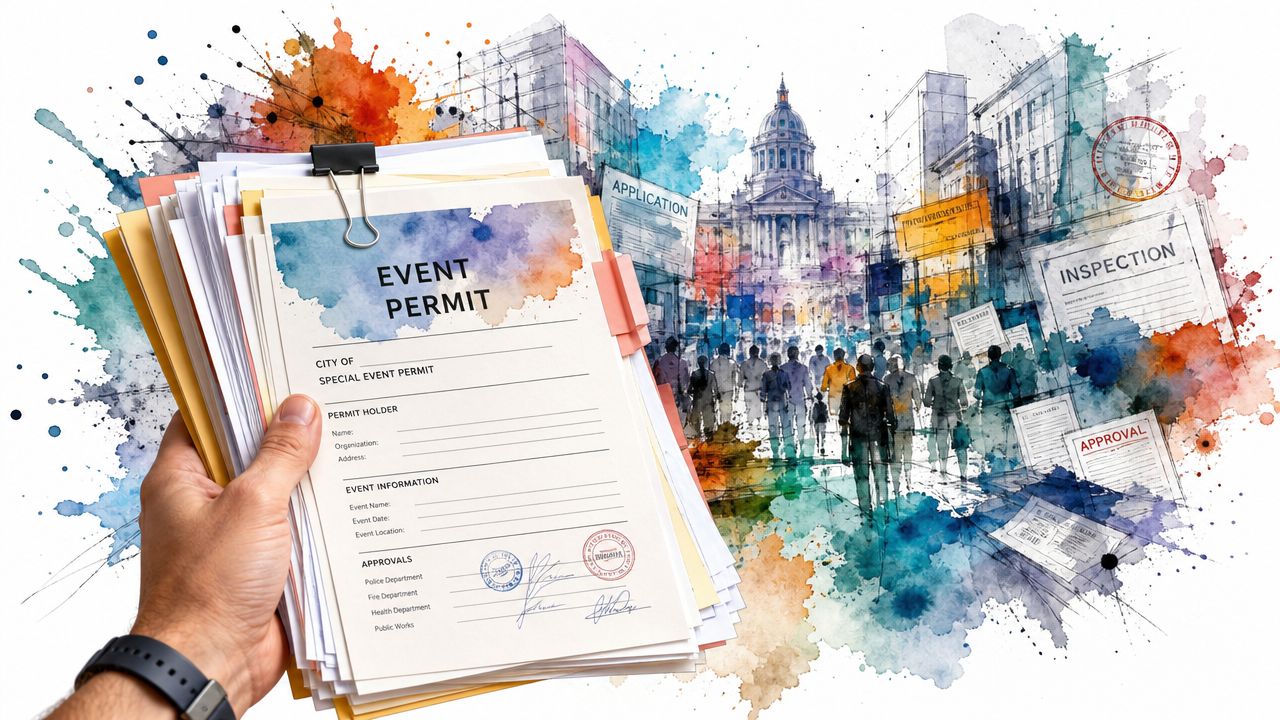
Don't start confirming wineries and food vendors until you know what your jurisdiction will allow. The permit path changes based on whether you're on public land, private land, a downtown street closure, or a park with special restrictions. Alcohol is the most obvious issue, but noise, temporary structures, cooking equipment, and occupancy controls often create the bigger scheduling problems.
Your checklist should include:
- Alcohol approvals. Confirm who holds the permit, where service is allowed, whether tasting boundaries are required, and how ID checks will be handled.
- Food compliance. Know which vendors need temporary food permits and what handwash, waste, and grease rules apply.
- Land use and public space approvals. Street closures, park use, amplified sound, tent permits, and fire lane requirements need written confirmation.
- Insurance. Carry event liability coverage and require certificates from wineries, food vendors, production vendors, and contractors.
- Accessibility and life safety. Verify ADA routes, emergency access, exit paths, lighting, and first-aid placement.
Don't rely on verbal approval from a single contact at city hall. Get every operating condition in writing and keep it in the event runbook.
A logistics plan should also connect permit requirements to the actual site map, staffing chart, and vendor packet. This breakdown of event logistics planning is a practical reminder that logistics isn't a separate document. It's the operating system for the day.
Pick a site like an operator
A beautiful venue can be a bad event site. I care less about charm at first glance and more about utilities, ingress, egress, and friction points.
When you walk a venue, inspect it in working terms:
- Where do vendors unload without blocking guest arrival?
- Is there enough power where the stage, food area, and check-in need it?
- Can wine service be contained cleanly?
- Is there water access where sanitation crews and food vendors need it?
- Will guests understand the layout without asking for directions every five minutes?
The best venue usually isn't the one with the nicest photos. It's the one where staff can solve problems quickly.
Write the safety plan before load-in day
The safety plan should name people, not just policies. Who calls medical support. Who clears an aisle. Who stops service if a tasting area gets crowded. Who speaks to vendors during a weather hold. If names aren't attached, the plan won't function under pressure.
I'd document at least these operating scenarios:
- Medical incident
- Lost child or vulnerable guest
- Severe weather response
- Alcohol-related removal
- Power failure
- Vendor vehicle conflict during setup or strike
Keep the response instructions short. Long binders don't help in live situations. One-page action sheets by department do.
Curating the Experience Artists Vendors and Wineries
A strong art and wine festival feels edited. Guests notice when the mix is thoughtful, even if they can't explain why. They move through the site more easily, stay longer, and leave feeling like they discovered something worth returning for.
Curate for balance not volume
More booths don't automatically create a better event. Too many similar products, weak food options, or generic wine pours flatten the experience fast. The attendee experience in wine and festival settings is shaped most by wine variety and tastings, personnel and service, food, entertainment, facilities, and atmosphere, according to the festival experience research on visitor satisfaction factors. That finding lines up with what operators see in the field. Guests remember the pour quality, the mood, the ease of moving around, and whether the staff felt helpful.
That means curation has to protect the core experience. Don't spend heavily on decorative touches while accepting weak wineries, repetitive vendors, or poorly briefed front-line staff.
A practical curation mix usually needs:
- Fine art with range. Paintings, photography, sculpture, mixed media, ceramics, jewelry, and selected craft categories that still feel refined.
- Wine partners with clear tasting identity. Distinct offerings, not a table full of indistinguishable pours.
- Food that supports dwell time. Quick service items, more substantial meals, and at least one option people will seek out.
- Entertainment that supports browsing. Music should animate the site, not overpower sales conversations.
- Atmosphere anchors. Shade, seating, clean restrooms, visible staff, and a layout that encourages wandering.
What to require in every application
Weak applications create weak events. Your application should do more than collect contact details. It should help you judge fit, professionalism, and operational readiness.
For artists, ask for product images, booth images, price range, category, sales tax readiness, and a short statement on process. For wineries, ask what they plan to pour, who staffs the booth, what equipment they require, and whether they've worked similar events. For food vendors, require menus, service speed expectations, power needs, water needs, and queue management plans.
I'd also screen for things that don't show up in glamour photos:
- Reliability. Do they submit documents on time?
- Presentation. Does the booth setup match your event standard?
- Fit. Are they right for your audience, or just available?
- Load-in discipline. Can they follow a schedule and site rules?
- Service mindset. Do they treat guests like interruptions or customers?
A festival lineup should feel intentionally mixed. If every booth looks similar from twenty feet away, curation didn't happen. Placement happened.
Design the floor for discovery and flow
The site map is part merchandising, part crowd control. Don't put all the strongest art at the front and leave weaker energy at the edges. Spread draw points across the footprint so guests keep moving.
A few layout principles work well in practice:
| Area | What works | What fails |
|---|---|---|
| Artist rows | Category variety within each block | Long runs of nearly identical booths |
| Wine zone | Clear boundary, shade, nearby seating | Pouring scattered across the site |
| Food placement | Distributed to pull traffic | One clogged food corner |
| Music | Audible but not overwhelming | Stage volume that kills sales talk |
| Family area | Visible but slightly buffered | Kids activity in the middle of tasting traffic |
Vendor communication matters just as much as layout. Send one concise operations packet with arrival windows, booth rules, contacts, emergency procedures, and teardown timing. Then send reminders in stages. One big email sent two weeks out won't be remembered on show morning.
Building Buzz Your Marketing and Ticketing Strategy
At 11:15 a.m., the parking lot is full, the wine pavilion opens in 15 minutes, and your front gate has three different lines because guests are holding three different kinds of confirmation emails. That problem usually starts weeks earlier with muddy positioning, scattered sales channels, and a ticketing setup that looked fine in a planning meeting but breaks under real arrival volume.
Marketing and ticketing have to be built together. If the campaign promises an easy day out and the gate feels confused, guests notice the gap immediately.
Promote the event people will actually attend
Art and wine festivals sell a bundle, not a single attraction. Guests are choosing a full afternoon. They want to know what they can drink, what they can browse, whether they can bring family or friends, how long they might stay, and whether the trip feels worth the parking, ticket price, and time.
That means the message has to be specific. A generic “fun for everyone” campaign fills feeds, but it does not help the right guest decide to come.
Build the campaign around five practical questions:
- What is the primary draw? Wine tasting, artist shopping, neighborhood atmosphere, or live music.
- Who is the best-fit guest? Local couples, collectors, families, sponsor invitees, or casual weekend browsers.
- What is included? General admission, tasting pours, souvenir glass, lounge access, or kids activities.
- What requires planning? Timed entry, parking, ID check, bag policy, or last call for pours.
- What should partners share? Short copy, square graphics, story assets, and a direct ticket link.
Segment the campaign early. Families need different information than tasting-focused guests. Serious art buyers care about artist quality and buying conditions. Sponsor guests need a clean RSVP path and clear arrival instructions. If everyone gets the same message, one of two things happens. You attract the wrong mix, or you force the gate team to explain the event all over again on show day.
Pricing needs the same discipline. Tier names, inclusions, and cutoffs should be obvious enough that a guest can choose in seconds. This guide to festival ticket pricing strategy is useful if you need to structure advance tickets, tasting upgrades, and sponsor or VIP access without creating gate confusion.
Keep ticketing simple enough to run under pressure
A lot of organizers buy software for edge cases they will never use, then undertrain the team on the parts that matter. For this event format, the ticketing system has one job. Put the right person in the right lane with the right access, fast.
In many cases, a low-cost Google Workspace setup does the job well:
- Use Google Forms for registration, RSVP capture, or partner guest lists.
- Track all records in Google Sheets by date, ticket tier, access level, winery package, comp status, or credential type.
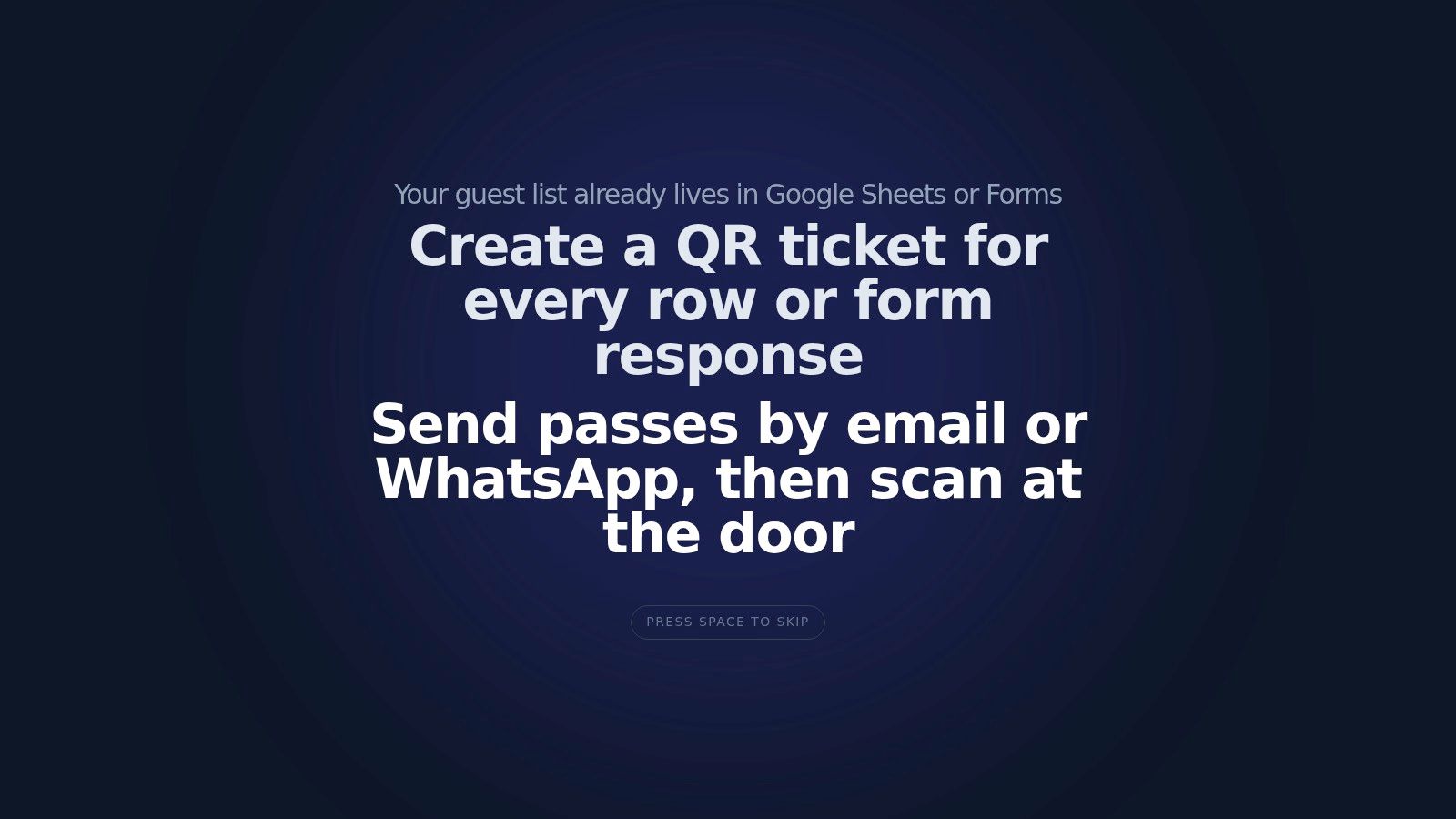
- Generate QR code tickets from the sheet and send them by email or WhatsApp.
- Scan at the gate on phones, then sync check-in status back to the same sheet.
This setup works especially well for community festivals with mixed access types and limited admin time. You avoid expensive event software, your team can inspect the list directly in Sheets, and last-minute edits are easier to control. The trade-off is discipline. Field names must be consistent, lane rules must be clear, and one person should own list hygiene so duplicates and bad imports do not pile up.
One option in this category is Darkaa, which connects Google Sheets and Google Forms to QR ticket generation and mobile check-in. Used properly, it gives smaller festival teams branded passes, bulk sending, and a practical scan workflow without a full platform migration.
Here's a quick walkthrough of the setup in action:
Plan entry like a throughput problem
The gate is an operations station, not a welcome table. Treat it that way.
Separate arrival into clearly marked lanes:
- Pre-registered guests
- On-site sales or guest support
- VIP, sponsors, and partners
- Staff, volunteers, artists, and vendors
Then assign roles with hard boundaries. Scanners scan. A lead handles exceptions. A line manager keeps guests in the correct lane and answers basic questions before they reach the front. If scanners also troubleshoot missing names, payment issues, and wristband disputes, the queue slows down for everyone.
I also recommend building a small exception script before doors open. Decide how staff will handle misspelled names, forwarded tickets, duplicate scans, and guests who bought the wrong access type. Good gate teams do not improvise policy in front of a line.
Staff screening matters here too, especially for cash handling, credential access, and guest-facing roles. If you are reviewing event hires or temporary support, use this guide to identify key screening red flags before assigning people to entry, VIP, or reconciliation duties.
A good check-in flow answers three questions fast. Is this guest on the list? What access do they have? Where do they go next? If your system answers those cleanly on a phone screen, you are in good shape.
Assembling Your Team Staffing and Volunteers
At 10:15 a.m., the gates are open, the first wine lines are forming, one artist cannot find their booth assignment, and two volunteers are asking the same question on different radios. That is the point where staffing plans either hold or collapse.
A strong art and wine festival team is built for handoffs, not heroics. Good people still fail in a bad structure. Clear ownership, fast reporting lines, and simple low-cost systems keep the day under control without paying for enterprise event software.
Start with roles not names
Staffing gets messy when organizers recruit friends and volunteers first, then try to invent responsibilities around whoever said yes. Build the chart first. Fill the chart second.
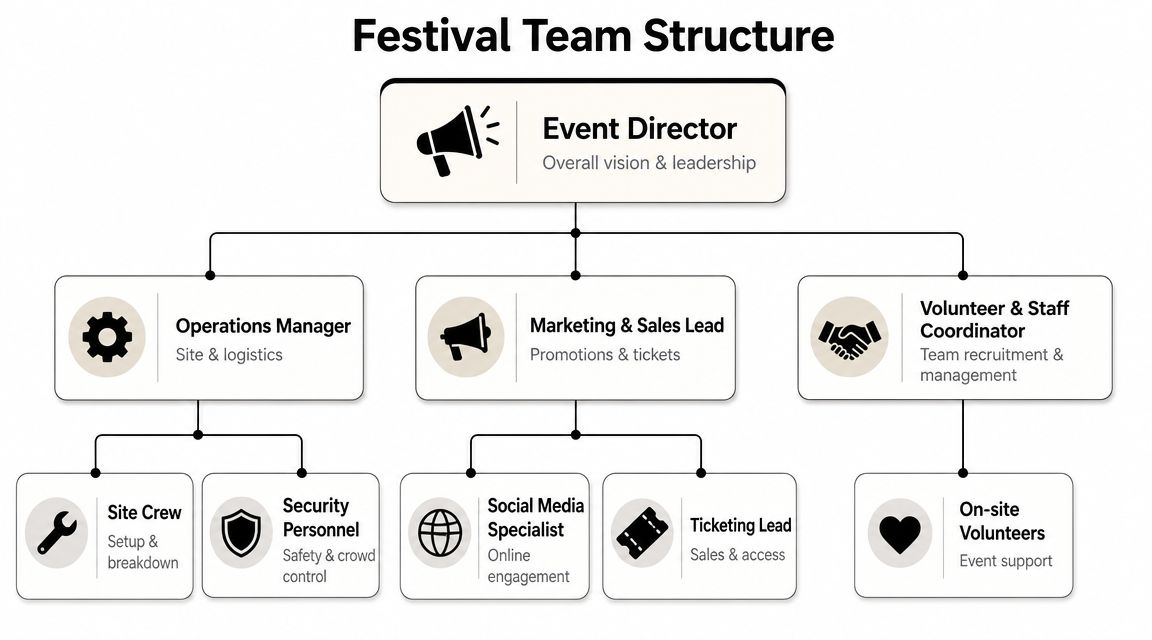
At minimum, assign these functional leads:
- Event director for final calls and priority conflicts
- Operations manager for site setup, utilities, load-in, and strike
- Volunteer and staff coordinator for schedules, meals, check-in, and replacements
- Front gate lead for entry staffing, credential questions, and exception routing
- Vendor relations lead for artists, wineries, and food partners
- Security and safety lead for incidents, lost child protocol, and escalation
- Guest communications lead for signage updates, public announcements, and info points
The infographic above shows the right idea. Keep the structure simple enough that everyone can explain it in one minute. Then write a one-page role sheet for each lead with four items: what they own, what they can approve, what requires escalation, and who covers their position on break.
This is also where inexpensive tech helps. I often use a shared Google Sheet for shift coverage, a Google Form for volunteer check-in, and a single Google Drive folder for role sheets, site maps, and radio call signs. It is not fancy. It works, and it cuts down on the text-message chaos that derails smaller festivals.
Train for the failure points
Orientation should prepare people for pressure, not just recite the festival mission.
Run short drills on the situations that stall operations:
- A guest is angry about alcohol service rules
- A winery needs ice or water immediately
- An artist is blocked during load-in or teardown
- A child is separated from a parent
- A volunteer misses a peak-time shift
- A staff member gets a radio call they should not answer directly
Ten minutes of scenario practice does more than a thirty-minute lecture. Staff remember scripts, escalation paths, and who owns the next step.
Screening matters too, especially for cash handling, credential control, youth-facing roles, and after-hours site access. If you are setting hiring or volunteer review standards, use this guide to identify key screening red flags before assigning people to sensitive positions.
Build one chain of command
Radio traffic gets noisy fast when every team talks to every other team. Use one reporting path and stick to it. Front-line staff report to their lead. Leads solve what they can and escalate the rest. The event director and operations lead handle cross-department conflicts.
I also like to run one shared issue log during the event. A simple Google Sheet on a phone or tablet is enough. Log the time, issue, owner, and status. That sounds basic, but it prevents the common failure where three people believe someone else handled the problem.
Printed backups still matter. Phones die. Batteries run out. Cell service can get unreliable with a dense crowd. Keep hard-copy contact sheets, zone maps, and shift lists at command, guest services, and volunteer check-in.
Schedule for fatigue, not just coverage
A staffing plan that looks complete on paper can still fail by mid-afternoon. Wine festivals run long, heat wears people down, and volunteers lose sharpness when breaks slide.
Set break coverage before doors open. Put your strongest people on the first guest-facing rush and your calmest troubleshooters into the middle of the day, when small issues pile up. Keep a short bench of floaters who can cover gate support, vendor questions, supply runs, or relief breaks without a long explanation.
The cleanest teams are rarely the biggest. They are the teams where each person knows their lane, each lead has authority, and the whole operation can still run if one person steps away.
Managing the Big Day and Measuring Success
Event day is not the time to invent process. It's the time to run checkpoints, solve exceptions fast, and keep the guest-facing experience calm even when the back end gets messy.
Operate the day in checkpoints
I like to run an art and wine festival in four operating blocks: pre-open, opening surge, midday reset, and close/strike. Each block has a different failure pattern, so each needs its own checklist.
Pre-open is when you verify site readiness. Walk power, sanitation, signage, tasting boundaries, entry lanes, artist rows, and radio checks. Confirm that every lead is physically in place, not just “on the way.”
Opening surge is where front-gate discipline matters. Keep one person watching line flow, one person solving exceptions, and one lead floating between entry and vendor support. Don't let senior staff disappear into meetings once gates open.
Midday reset is where experienced teams pull ahead. Restock supplies, rotate volunteers, clear waste buildup, check restroom conditions, and walk the wine and food areas for service strain. Small corrections in the middle of the day protect the closing hours.
Close and strike needs as much planning as load-in. Control vehicle access, keep guests clear of moving equipment, and release vendors in a sequence that matches the site layout.
The cleanest event days aren't problem-free. The team just spots problems early and routes them to the right owner.
Measure what happened not what people guessed
Post-event review should combine hard numbers with real feedback. The most useful framework is to track quantitative KPIs such as registrations, attendance, no-show rate, ticket-sales conversion, and ROI, then pair them with qualitative measures such as participant satisfaction and Net Promoter Score, using behavioral data from your event website, app, or newsletters like downloads, engagement, duration of stay, bounce rate, and frequency of use, as outlined in this guide to measuring success in event management.
That mix matters because attendance alone doesn't tell you enough. A crowded site can still underperform if the wrong ticket type sold, if guests abandoned the purchase process, or if vendor satisfaction was poor.
My post-event review usually includes:
- Commercial outcomes. Registrations, attendance, sales mix, sponsor delivery, ROI.
- Operational performance. Check-in speed, incident log, staffing gaps, sanitation issues, power or layout problems.
- Experience feedback. Guest survey comments, NPS, artist feedback, winery feedback, volunteer debriefs.
- Behavioral signals. Which pages got used, which messages were opened, and where people dropped off before the event.
Then turn the review into decisions, not just a report. Keep, cut, improve, assign. If a feature underperformed, either fix it properly or remove it next year.
If you want a low-friction way to run ticketing and check-in for an art and wine festival without moving your team into a new platform, Darkaa lets you use Google Sheets and Google Forms to create QR tickets, send them by email or WhatsApp, and scan them at the gate with phones. That setup is practical for festivals managing guest lists, tasting access, staff credentials, and multi-zone entry while keeping the data in tools many teams are already familiar with.