You're probably looking at a strong idea and a messy spreadsheet at the same time. The concept feels exciting. The budget doesn't. The venue still isn't confirmed, the guest list is half real and half “maybe,” and someone has already asked whether this pop up party can become a repeatable format instead of a one-off experiment.
That's the right question.
A pop up party works when it's treated like a short-lived business operation, not just a creative moment. Temporary events can be attractive because they avoid long venue commitments, but they also bring hidden costs in permitting, staffing, insurance, and temporary infrastructure, which changes the actual economics of the model, as noted in event-industry coverage on pop-up cost tradeoffs.
Table of Contents
- From Idea to Viable Concept
- Securing Your Space and Sorting Logistics
- Smart Ticketing and Guest List Management
- Promotion Strategies to Build Buzz
- Flawless Day-Of Execution and Check-In
- Post-Party Analysis and Proving ROI
From Idea to Viable Concept
A good pop up party concept is easy to pitch. A viable one survives first contact with cost, audience, and execution.
Start with the reason people should care
Most weak pop-up concepts fail because they're built around what the organizer wants to show, not why a specific group would leave home, show up on time, and talk about it after. Start with one measurable objective. If the answer is “a bit of awareness, some sales, and maybe content,” the idea isn't sharp enough yet.
The cleanest starting point is to pick one primary job for the event:
- Product launch: You need qualified guests, press relevance, demos, and follow-up sales motion.
- Community gathering: You need turnout, social energy, local fit, and repeat attendance potential.
- Private paid party: You need capacity control, smooth entry, clear pricing, and low no-show risk.
- Brand activation: You need participation, content capture, and a reason for people to engage on site.
Once that's clear, define the audience in plain language. Not “young professionals.” Say who they are, what they already attend, how far they'll travel, what they'll pay for, and whether they come for music, networking, status, access, or novelty.
Practical rule: If you can't explain why this audience would choose your event over staying in their neighborhood, the concept isn't ready.
That audience definition will shape everything else. It decides the neighborhood, ticketing model, food and beverage approach, staffing level, and even the run time. A launch event and a community mixer might both look good on mood boards, but their economics are different. One may justify higher production because it supports sales conversations. The other may need a leaner setup and stronger local partnerships to make sense.
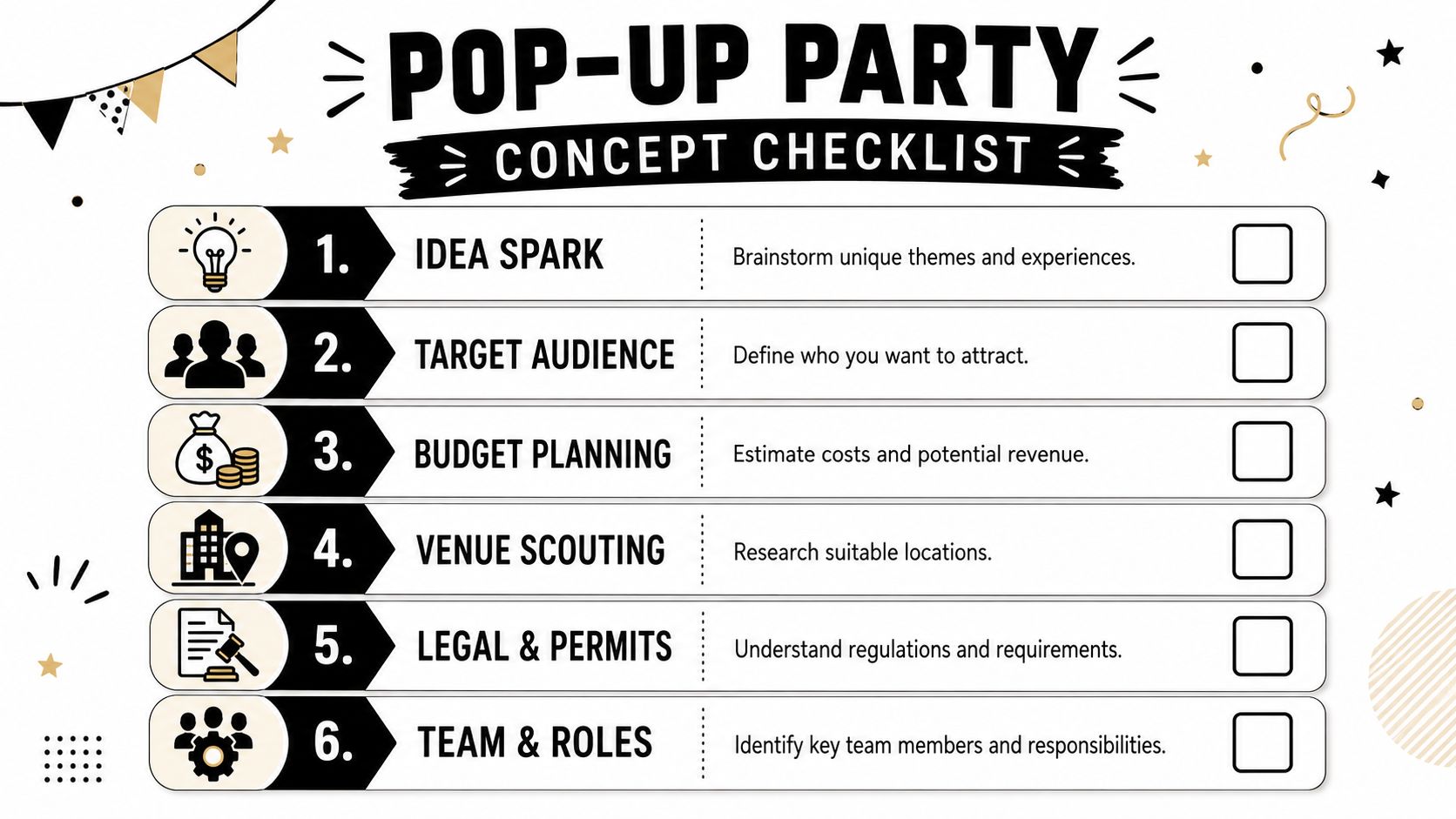
If you're building a neighborhood-first format, this kind of early thinking overlaps with practical community event planning tactics for turnout and logistics, especially when the event depends on local trust more than paid media.
Do the napkin math before you book anything
The first budget shouldn't be elegant. It should be honest.
List every likely cost bucket before you spend a dollar: venue, permits, insurance, staffing, security, rentals, power, Wi-Fi backup, check-in setup, food and beverage, cleanup, signage, and marketing. Then split those costs into two groups:
| Cost type | What it usually includes | Why it matters |
|---|---|---|
| Fixed for this event | Venue hire, permits, insurance, rentals, baseline staffing | These costs hit whether turnout is great or weak |
| Variable with attendance | Catering, bar consumption, printed materials, some staffing adjustments | These rise when guest count rises |
This distinction matters because the pop-up model often trades lower long-term overhead for heavier setup pressure on each event. That's why a party that feels “cheap” because it uses a temporary space can still be expensive by the time compliance, labor, and temporary infrastructure are handled.
Run the math in three scenarios:
- Conservative case with slower ticket sales or softer RSVP conversion.
- Expected case based on your actual audience and offer.
- Strong case where demand is healthy but operations still need to hold up.
Then ask a simple question. If the event only reaches the conservative case, does it still make strategic sense? Sometimes the answer is yes. A launch can be worth it because of leads, content, or partner relationships. Sometimes the answer is no, and that's useful too. Killing a weak concept early protects time and budget for a better one.
Weak pop-up planning usually starts with theme and ends with cost. Strong planning starts with purpose and lets the format earn the budget.
Securing Your Space and Sorting Logistics
Doors open in 90 minutes. The DJ is onsite, the bar is stocked, guests are already posting the address, and the venue manager has just said amplified sound has to stop at 8 p.m. because the permit was filed for a private reception, not a public event. That is how pop up parties lose money. Usually not through bad ideas, but through venue assumptions that were never checked against the operating plan.
Choose a venue that reduces friction and protects margin
A pop up space has to do two jobs at once. It has to support the guest experience, and it has to keep temporary-event costs under control.
A storefront may suit a brand activation with retail goals. A gallery may work for a launch with controlled attendance. An outdoor lot can create attention fast, but it often adds generators, lighting towers, fencing, weather backup, and longer labor calls. Those costs erase a cheap site fee very quickly.
Before signing anything, score the site against the event model you are running:
- Arrival and access: clear address, parking or transit options, visible entrance, ADA access
- Guest flow: room for check-in, queueing, circulation, bar lines, restrooms, and exit paths
- Built-in infrastructure: power, lighting, furniture, prep area, waste handling, HVAC, Wi-Fi, restrooms
- Load-in and load-out: freight access, elevator rules, dock hours, protection requirements, strike deadline
- Venue restrictions: sound limits, alcohol rules, open flame policy, vendor exclusivity, branding limits
- Commercial fit: does the neighborhood support walk-up traffic, sponsor value, or content capture that justifies the site cost?
One bad operational detail can change the whole budget. A narrow load-in window adds crew hours. Weak power adds rentals and an electrician. A venue with poor line management can cut bar revenue because guests spend too much of the event waiting.
Lock permissions before you design around the space
Temporary events fail on permissions more often than on creativity.
Build a single venue compliance sheet with every approval, deadline, and document tied to the site. Include permits, insurance requirements, security minimums, alcohol service rules, fire occupancy, union or labor rules, and landlord approvals. Assign an owner to each item and attach dates. If nobody owns certificates, application follow-up, and final signoff, those tasks slip until they become opening-day problems.
Venue risk is usually a paperwork and timing problem, not a decor problem.
The business case for pop ups is still strong. Temporary retail and event formats remain attractive because they let brands test demand without taking on a long lease. Analysts at Capital One Shopping's pop-up retail statistics review note how widely brands use pop-ups for lower-commitment market testing and short-term revenue pushes. That upside only shows up when the local approvals, insurance, and operator requirements are handled early enough to avoid rush fees and last-minute redesigns.
Build logistics from the run of show backward
Once the venue is shortlisted, map the event backward from guest entry to final strike. Through this approach, operators save money.
Start with four hard timings: access time, guest arrival, last call or programming cutoff, and vacate time. Then plug in every vendor and crew movement around those anchors. If florals need two hours, soundcheck needs one hour, bar setup needs 90 minutes, and branding install needs a clean room before catering arrives, the sequence matters more than the concept deck.
A practical site plan should answer these questions:
| Logistics area | What to confirm early | Why it affects ROI |
|---|---|---|
| Check-in zone | Power, lighting, queue space, weather cover, scanner connectivity | Faster entry means better first impression and less staffing stress |
| Bar and service | Back bar storage, water access, ice delivery path, waste removal | Poor setup slows sales and increases refill labor |
| Staff positions | Door, floor lead, security, vendor point person, cleanup lead | Clear ownership reduces overtime and missed tasks |
| Guest movement | Signage, bottlenecks, restroom path, VIP or reserved seating | Better flow improves dwell time and spend |
| Strike plan | Breakdown sequence, trash removal, pickup windows, damage checks | Clean exits protect deposits and cut post-event labor |
If part of the event includes assigned tables or reserved sections, sort that before the floor plan is final. Seating changes made after production is locked usually create new signage, revised staffing, and slower guest placement. For teams handling mixed seating formats, one click auto assign seating can reduce manual reshuffling.
Budget the site as a temporary operating system
Venue hire is only one line item. The full number is site fee plus everything the venue does not provide.
I review space quotes in two columns. One shows the listed rental price. The other shows the actual event-ready cost after security, cleaning, power, internet backup, rentals, permits, labor minimums, bar setup, and strike. The second number is the one that matters. It tells you whether the venue still makes sense after the pop up becomes a functioning event instead of an empty room.
Use this quick test before approving the contract:
- What must be rented because the venue does not include it?
- What labor gets extended because access is tight or setup is inefficient?
- What revenue is limited by the site, such as capped capacity, early close, or weak bar placement?
- What risk sits on your team because the landlord or venue operator will not cover it?
For entry operations, plan the tech at the same time as the floor plan. A check-in table without power, backup connectivity, and a clear scanning lane creates a line immediately. Teams using mobile entry should review a practical setup for QR codes for event check-in and ticket validation before the venue layout is finalized.
A good pop up venue does not just look right. It reduces setup hours, protects revenue, and lowers the number of things that can go wrong in a very short event window.
Smart Ticketing and Guest List Management
The guest experience starts at the moment someone decides whether to commit. If the RSVP flow feels clunky, uncertain, or slow, interest drops before the party has a chance to build momentum.
Map the guest journey before launch
A clean system follows one path: discover the event, register or RSVP, receive a ticket, get reminders, arrive, scan, enter. Every extra step creates friction.
Short-lived formats benefit from urgency and exclusivity. That principle shows up in digital benchmarks too. BDOW's analysis cites Wisepops data showing an average website pop-up conversion rate of 4.82% across 1 billion displays, up from 4.65% the prior year, and notes that surprise-driven, limited-time formats outperform standard outreach because urgency changes behavior, as summarized in BDOW's pop-up statistics article. For live events, the lesson is simple. Don't market your pop up party like a generic calendar listing.
A lightweight workflow matters. If your team already lives in Google Workspace, managing the attendee list in Sheets is often faster than pushing staff into a separate event dashboard they barely know.
A practical setup can look like this:
- RSVP intake through Forms: Collect names, email, phone, access type, and any custom field that matters at the door.
- Ticket creation in Sheets: Generate unique QR tickets tied to each attendee row.
- Automated delivery: Send branded confirmations fast so guests know they're in.
- Reminder sequence: Push timely reminders with arrival windows, location details, and what to expect.
If you want a walkthrough on structuring the code itself, this guide to using a QR code for event registration and entry is a practical place to start.
Keep the system simple enough for staff to use fast
I'd rather have a straightforward system that five temporary staff can understand in minutes than a feature-heavy platform nobody can operate under pressure.
For teams using Google Sheets and Forms, one option is Darkaa, which turns form responses or spreadsheet attendee lists into QR tickets and supports scanning at check-in without moving planning into a separate dashboard. That matters on fast-turn events because training time is often the hidden cost nobody budgets.
Guests don't care how advanced your stack is. They care whether the confirmation arrived, the ticket scans, and the line moves.
Keep the guest list structured around decision-making, not storage. Add columns for invite status, ticket status, access category, arrival status, and post-event follow-up priority. A sheet that only stores names is dead weight. A sheet that tells your team what to do next is operational.
Here's a short demo format many teams find useful before launch:
Handle seated and mixed-format events differently
Not every pop up party is a free-flow standing room event. If part of the room is seated, or if you're mixing VIP tables with general admission, guest management gets harder fast.
That's where tools built for seating logic can help. For events that need structured placement, this guide to one click auto assign seating is useful because it addresses a common pain point: keeping seat allocation from turning into a manual cleanup project hours before doors open.
For standing events, don't overcomplicate things. Focus on access control, duplicate prevention, and a check-in queue that moves. For mixed layouts, lock the seating plan early and make sure ticket type matches what staff will enforce on site.
Promotion Strategies to Build Buzz
Three days before doors open is a bad time to discover that plenty of people liked the post and almost nobody bought a ticket.
Promotion for a pop up party has one job. Turn a defined audience into confirmed attendance at a cost that still leaves room for profit. Reach matters only if it produces the right room, the right spend, and the right follow-up opportunity after the event.
Build the campaign around conversion, not noise
Temporary events sell best when the message is narrow and the offer is time-bound. People need to understand the concept fast, why it matters now, and what they miss if they wait.
Start promotion early enough to test the message, adjust spend, and give partners time to post with intent instead of as a last-minute favor. As noted earlier, a short runway usually hurts twice. Acquisition costs rise, and the guest mix gets weaker because the campaign starts chasing anyone who might say yes.
The strongest campaigns usually have four working parts:
- One clear promise that explains the experience in a single sentence.
- A real capacity constraint such as limited inventory, a short run, or timed access windows.
- A scheduled follow-up plan across email, social, SMS, or direct outreach.
- A simple path to action from post to RSVP, or from invite to paid ticket.
Message clarity does more work than extra impressions. “Limited chef collaboration for 80 guests” gives people something to evaluate. “Special one-night event” gives them nothing.
I treat every channel as a cost center. Even organic social has a cost in staff time, creative production, and community management. If a channel cannot drive qualified signups, support a sponsor obligation, or improve post-event content value, it should not stay in the plan.
Use partners with audience overlap, not just bigger audiences
Partnerships work when both sides benefit in a way the audience can see. A neighborhood retailer might bring walkable local traffic. A niche creator might bring credibility with a buyer segment you want in the room. A hospitality brand might help increase average spend once guests arrive.
Set the agreement before posts go live. Define who creates assets, who owns the guest data, what each partner is expected to publish, and how success will be measured. Without that structure, “promotion support” turns into one story post and a vague promise to do more next time.
Track partner performance with direct signals:
- registrations or ticket sales by source
- guest show-up rate by source
- average order value or on-site spend by source, if relevant
- sponsor or partner deliverables completed
- post-event leads, bookings, or customer follow-up value
That last point gets missed. A pop up party can be profitable on ticket sales, but many of the best ones justify themselves through pipeline, press, retail sales, membership signups, or brand partnerships that continue after the event. Promotion should support that business case from the start.
Match urgency to the audience
Different audiences respond to different timing. Media contacts need notice. Local consumers often convert late. VIP guests usually need direct outreach, not repeated public posts. Past buyers respond well to specific offers because they already understand the format.
Run the calendar accordingly. Open with the core announcement, follow with proof points, then shift into deadline messaging as inventory tightens. If sales are soft, do not hide behind “awareness.” Change the offer, creative, audience segment, or landing flow and watch what improves.
Broad paid reach has a place, but only after the event page converts and the message already works with warm audiences. Otherwise, paid traffic just makes inefficiency more expensive.
Good buzz is measurable. Full room. Right guests. Clear return.
Flawless Day-Of Execution and Check-In
At 6:55 p.m., a pop up can still go two ways. Guests are arriving, vendors want answers, one scanner drops offline, and the entrance line starts shaping the first impression before the room has a chance to do the work. Day-of execution is where the budget either gets protected or wasted.
A good concept does not rescue a sloppy front door. If check-in stalls, bar spend starts late, programmed moments drift, and staff get pulled into preventable fixes instead of revenue-driving tasks. The operational goal is simple: keep entry moving, keep the floor readable, and capture clean attendance data you can use later.
Run the day on a usable timeline
A run sheet should help the team make decisions under pressure. If it reads like a production novel, nobody will use it once doors get busy.
Build the day around operating phases, with one owner for each phase and one escalation contact for exceptions. Cover who can comp a ticket, who can approve guest list additions, who handles vendor issues, and who makes the call if timing slips. That avoids the common failure point where five staff members try to solve the same problem at the entrance while the line grows.
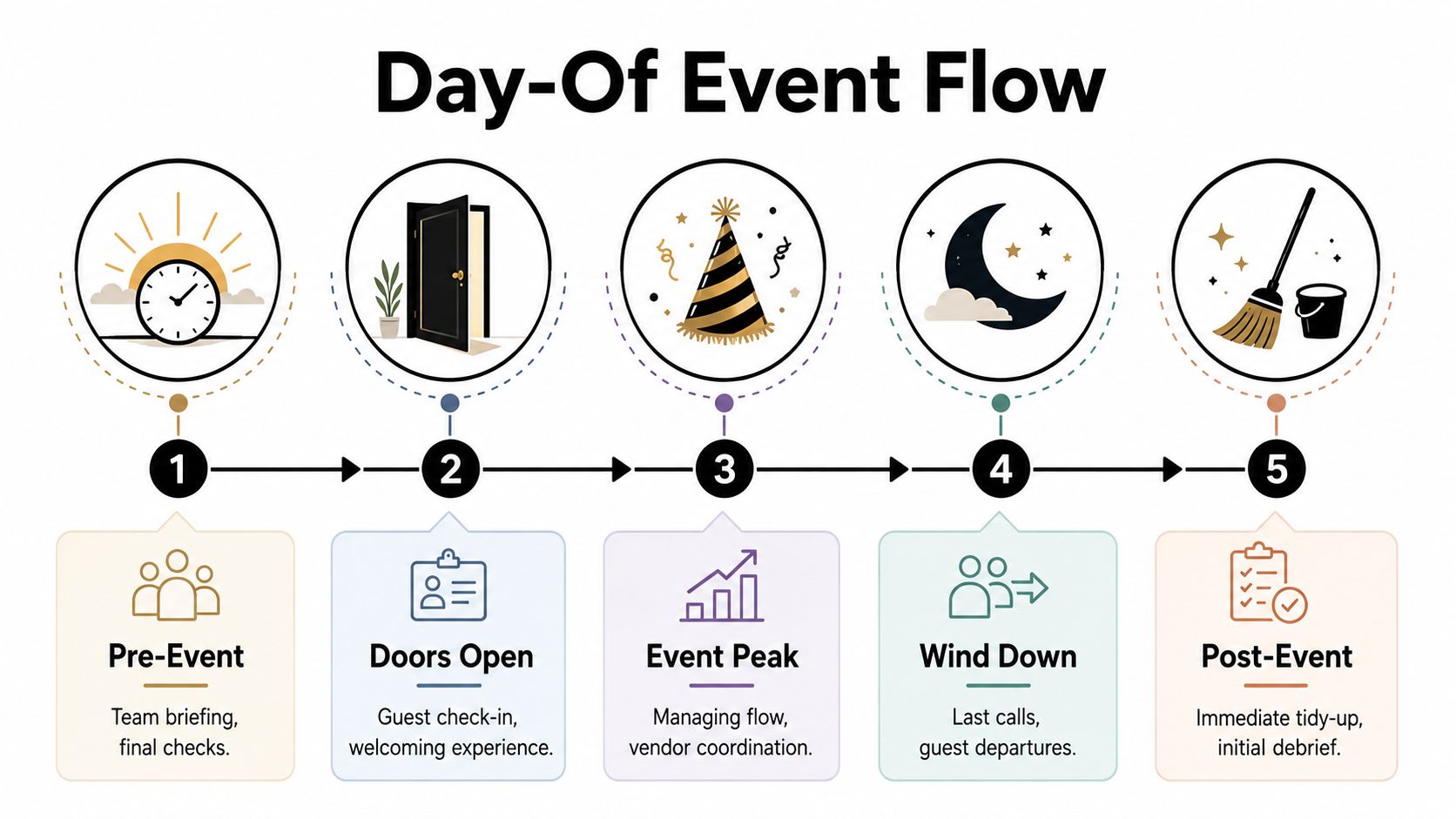
A practical day-of flow looks like this:
| Phase | What the team should focus on |
|---|---|
| Pre-open | Power, Wi-Fi, signage, scan test, staff briefing, vendor confirmation |
| Doors open | Queue management, ticket scanning, welcome tone, access control |
| Peak period | Floor flow, replenishment, issue handling, VIP or speaker timing |
| Wind down | Exit flow, remaining tabs, vendor pack-down prep |
| Immediate close | Equipment check, incident notes, staff debrief, secure data and payments |
Pre-open checks deserve more discipline than they usually get. Test scanners on the actual network, confirm backup hotspots, print a short exception list, and verify that the guest-facing signs match the ticket rules. Small mismatches at the door create labor costs fast.
Make check-in fast, clear, and hard to break
Guests will forgive a lot inside the event. They are less forgiving in a static line outside it.
Set up check-in with visible lanes and specific jobs. One person scans. One person handles problems. One person manages the queue and answers basic questions before people reach the table. That division matters because the expensive mistake is letting edge cases slow down every paid guest behind them.
Staff need a script for the issues that happen every time: dead phone batteries, forwarded tickets, duplicate names, plus-ones who were never added, and guests who bought the wrong tier. Decide the rule before doors open. If the team has to invent policy in front of guests, the line gets slower and the brand looks disorganized.
For teams using a QR workflow, speed is only part of the value. The bigger benefit is cleaner reconciliation later because scans, arrivals, and exceptions stay tied to the same source list. This matters if you plan to compare expected attendance against actual scans and no-shows using attendance tracking benchmarks and event show-up patterns.
Smooth check-in comes from clear exception handling, not just fast scanning.
Offline backup matters too. Temporary venues fail in predictable ways: weak signal at the entrance, overloaded Wi-Fi, dead extension runs, or a vendor unplugging the wrong power strip. Keep a downloaded guest list, a charging setup, and one manual fallback process that the whole team understands.
Track operational signals during the event
Day-of reporting should do more than confirm that people showed up. It should show whether the room is performing against the business goal.
If the event is meant to drive sales, track redemptions, average spend, and time-to-purchase from entry. If the goal is leads, mark qualified conversations, demos booked, or follow-up requests by guest segment. If the point is partner value, log content capture, sponsor mentions, hosted guests, and promised placements before anyone packs down and forgets what was delivered.
This is also the point to watch labor efficiency. A packed room can still lose money if the bar is understaffed, product replenishment is slow, or one bottleneck keeps guests from reaching the areas tied to revenue. I look for friction points in real time and reassign staff early, because the cheapest fix is the one made before the peak hour.
Social coverage needs structure as well. If part of the return depends on reach, assign one person to capture proof, tag partners correctly, and note what content is already performing. Teams that want a cleaner framework for that side of the event can use this proven guide to boosting impact.
The room should feel easy for guests. Under the surface, it should run on tight controls. That is what turns a temporary event into a financially sound one.
Post-Party Analysis and Proving ROI
The event isn't finished when the lights go out. That's when the business case either gets proved or lost.
Do the follow-up while the event is still fresh
The biggest missed opportunity after a pop up party is delay. Teams pack up, everyone gets tired, and follow-up drifts into next week. By then the energy is gone.
The better move is immediate closure on operational tasks, then fast outreach to guests while the memory is still active. Pop-up practice recommends capturing contacts and following up within 48 hours, with personalized outreach outperforming generic messaging, based on the implementation patterns summarized in the same academic review of pop-up shop operations.
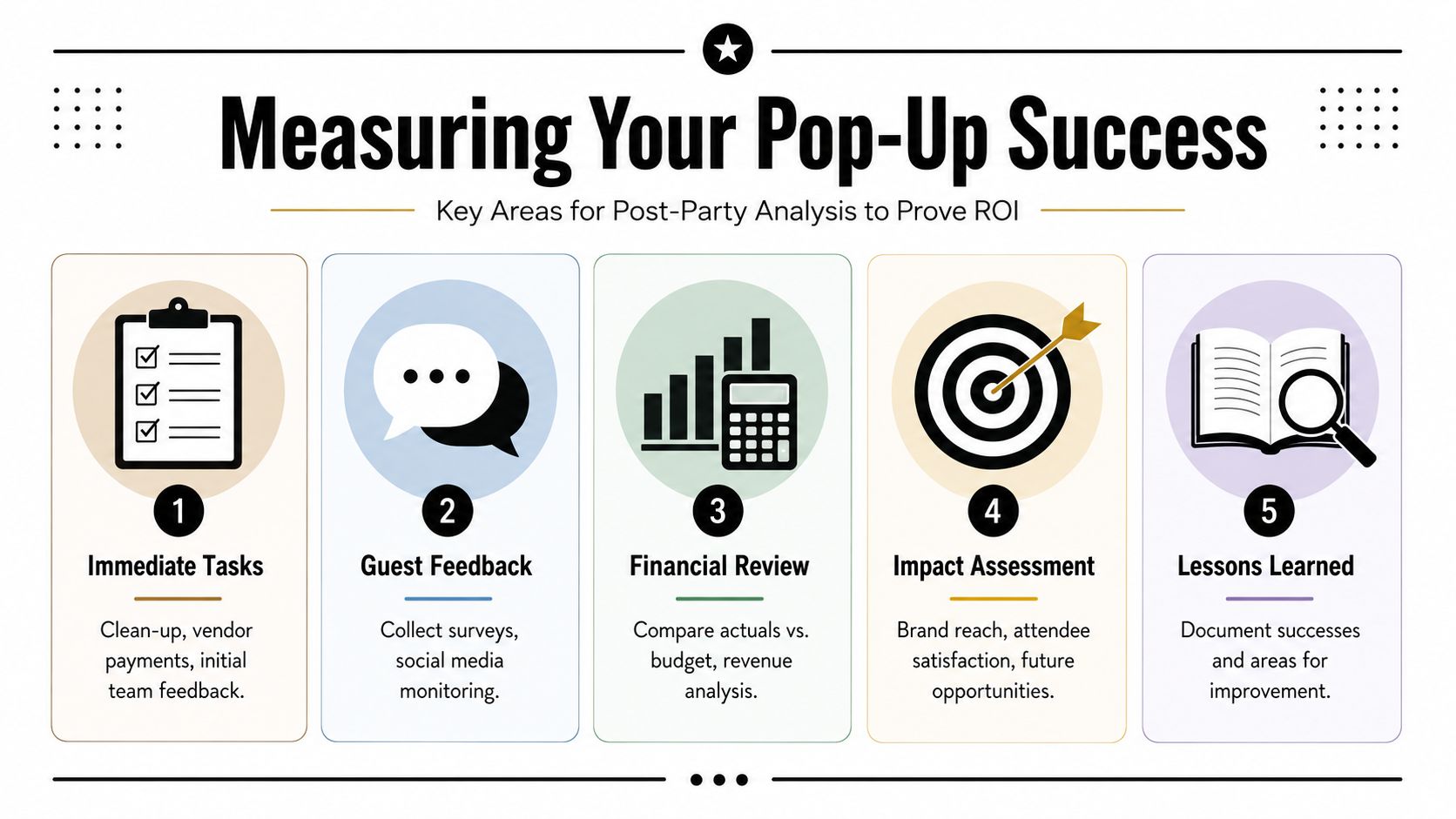
Start with a tight wrap-up list:
- Close payments: Confirm vendor balances, staff hours, and any incident-related costs.
- Save the data: Export attendance, scans, sales, and response notes before anyone edits the master sheet.
- Segment the audience: Separate buyers, leads, partners, press, VIPs, and no-shows for specific follow-up.
- Send useful messages: Thank-you notes are fine, but next-step messages are better.
If social content was part of the event strategy, you'll also want a framework for evaluating what that exposure contributed. This proven guide to boosting impact through social media ROI measurement is helpful for organizing that review without confusing attention with business value.
Measure outcomes against the original baseline
ROI only makes sense if the event had a clear starting objective. If the goal was sales, compare event-linked revenue and qualified follow-up against total spend. If the goal was leads, track how many of the right people entered the funnel and what happened next. If the goal was market testing, document what the event taught you that a fixed venue commitment would not have.
I like to review a pop up party across four lenses:
| Lens | Questions to answer |
|---|---|
| Financial | What did we budget, what did we spend, and what came back directly or indirectly? |
| Operational | Where did the process break, slow down, or create stress? |
| Audience | Who actually came, who converted, and who should not be targeted next time? |
| Strategic | Did this validate the concept, neighborhood, partner, or format enough to repeat? |
A spreadsheet-driven workflow helps here because your attendance records, ticket status, and check-in data can sit next to sales and follow-up notes. If you need a clearer framework for reading those patterns, these attendance statistics examples and metrics ideas are useful when turning raw event records into decisions.
Turn one event into a better next event
A pop up party becomes valuable when it creates a repeatable playbook. That means documenting what should stay fixed and what should change.
Keep a short postmortem with three categories only:
- Keep for elements that clearly supported the objective.
- Change for anything that created avoidable friction.
- Test for ideas worth trying next time without betting the whole event on them.
The best proof of ROI is not just that one event worked. It's that the next one can be planned faster, staffed better, and justified more easily.
When that document is done well, your next budget gets tighter, your venue search gets smarter, and your promotion improves because it's based on actual audience behavior instead of guesswork.
If you want to run a pop up party without moving your team into a new event platform, Darkaa lets you create QR code tickets from Google Sheets or Google Forms, send them to guests, and scan them at the door with a mobile check-in workflow tied back to the same attendee data.