Clear your test tickets before the real event
Use this after you tried the add-on with a few test guests, whether they came from your sheet or from your own form.
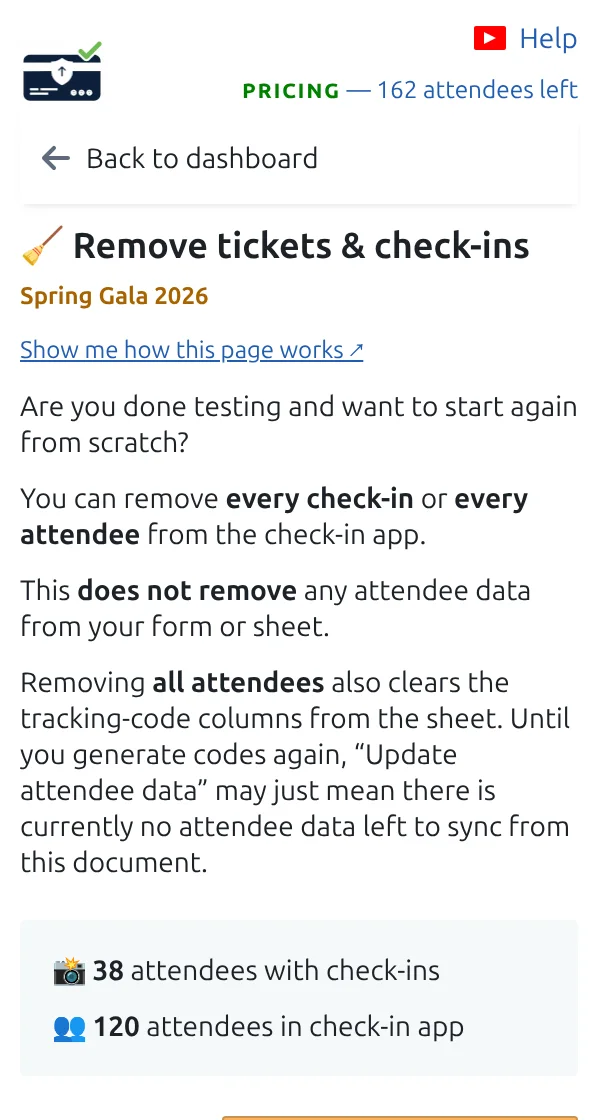
Step 1
Open Remove tickets & check-ins
Choose whether to clear the check-ins only, or the whole test guest list.
Step 2
Clear check-ins to reuse the same guests
Everyone stays in the list with their ticket, but they count as not arrived yet.
Step 3
Clear everything to start from a fresh list
Then start again with your real guests: put them in your sheet, or open your form to the public.
How it works
Example
After a rehearsal with five test guests, clearing check-ins puts the counter back to zero for the real event.
Watch how it works
Avoid these mistakes
- This cannot be undone from the same screen, so read the confirmation carefully.
- Clearing check-ins does not cancel tickets already emailed.
- Do it before the doors open, never during the event.
Next step
Ready to get started with QR code tickets?
Create QR code tickets for Google Sheets, Google Forms, Jotform, Tally, Fillout, or WordPress. Pick the workflow you already use, then keep your attendee list in one place.