티켓 모양 바꾸기
무엇이든 보내기 전에 티켓을 내 이벤트답게 보이게 할 때 사용하세요.
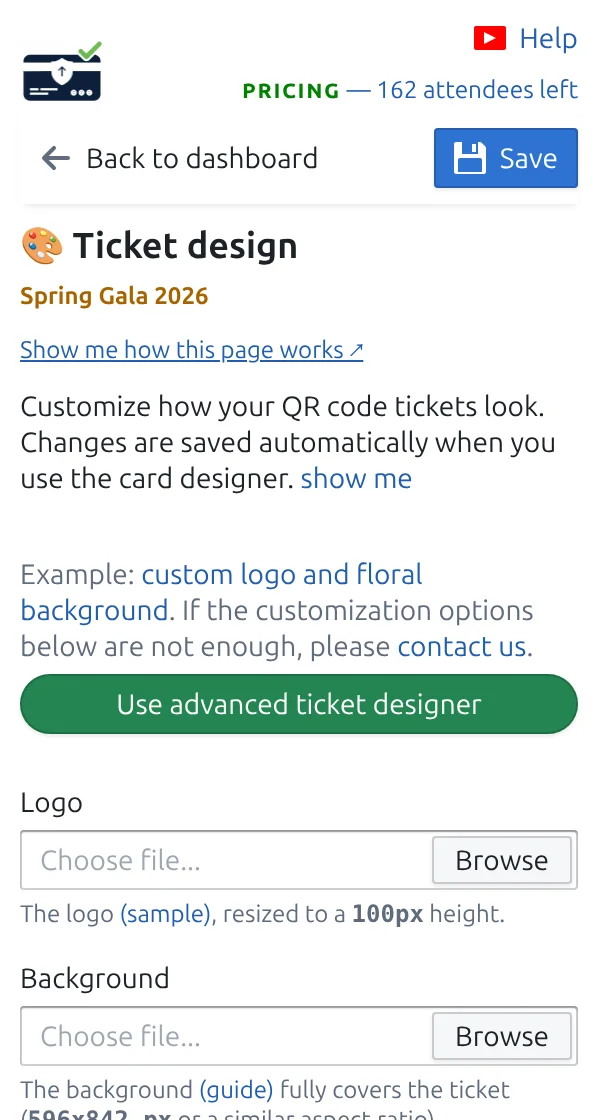
1단계
“티켓 디자인”을 여세요
티켓의 실시간 미리보기가 보여서 모든 변경이 바로 나타납니다.
2단계
로고와 배경을 추가하세요
QR 코드와 손님 이름이 읽기 쉽도록 배경을 밝게 유지하세요.
3단계
표시할 정보를 선택하세요
큰 제목과 그 아래 작은 줄을 채울 응답(예: 손님 이름과 티켓 종류)을 선택하세요.
작동 방식
예시
티켓에는 내 로고, Ada Mensah 이름, 직원이 스캔할 QR 코드가 표시됩니다.
작동 방식 보기
이런 실수를 피하세요
- QR 코드 뒤의 매우 어두운 배경은 스캔을 느리게 합니다.
- 긴 제목은 잘리니 큰 줄에는 짧은 필드를 사용하세요.
- 이미 보낸 티켓은 이전 디자인을 유지합니다. 업데이트하려면 다시 보내세요.
실제 설정에서 보기
- Running 34 school balls a season from one Google Sheet template
- A 2,000-delegate medical conference run from Google Sheets
- A 600-guest community gala invited and confirmed entirely on WhatsApp
- A 1,200-person company family day registered through Google Forms
- Weekly club nights with VIP, Gold, and General tickets from parallel sheets
다음 단계
QR 코드 티켓을 시작할 준비가 되셨나요?
Google Sheets, Google Forms, Jotform, Tally, Fillout 또는 WordPress용 QR 코드 티켓을 만드세요. 이미 사용 중인 워크플로를 선택한 다음 참석자 명단을 한곳에 유지하세요.