改变门票外观
在发送任何内容之前,让门票看起来像您的活动。
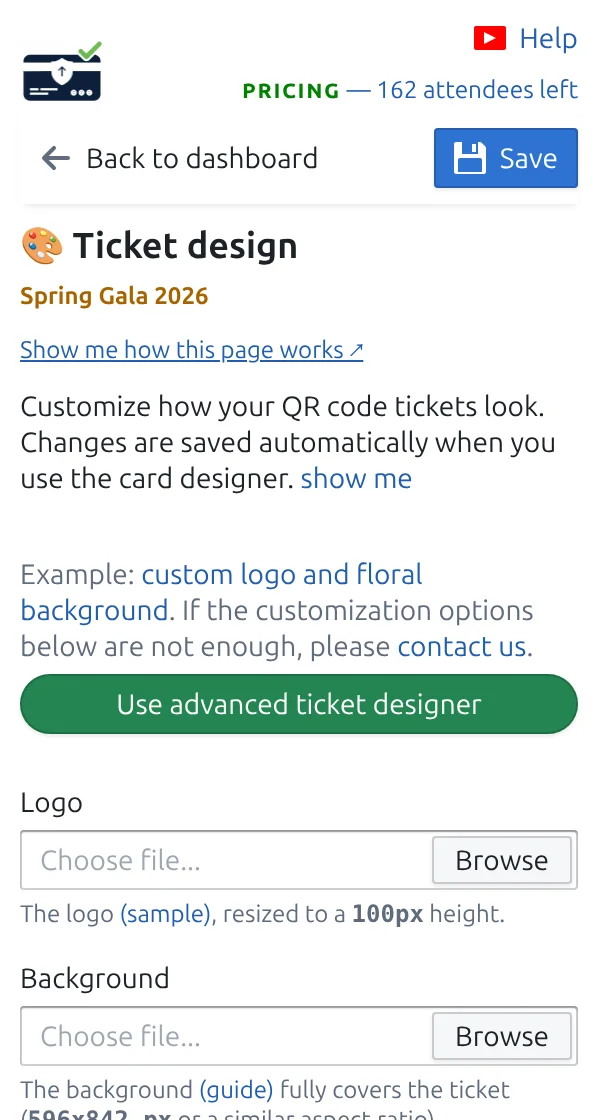
第 1 步
打开“门票设计”
您会看到门票的实时预览,每处修改都立即可见。
第 2 步
添加您的标志和背景
背景保持浅色,让二维码和来宾姓名清晰易读。
第 3 步
选择要显示的信息
选择哪些回答填入大标题和下方的小字行,例如来宾姓名和门票类型。
工作原理
示例
门票会显示您的标志、Ada Mensah 的姓名,以及工作人员将扫描的二维码。
观看工作原理
避免这些错误
- 二维码后面太深的背景会拖慢扫描。
- 过长的标题会被截断,大标题行请用短字段。
- 已发送的门票保留旧设计;重新发送即可更新。
在真实配置中查看
- Running 34 school balls a season from one Google Sheet template
- A 2,000-delegate medical conference run from Google Sheets
- A 600-guest community gala invited and confirmed entirely on WhatsApp
- A 1,200-person company family day registered through Google Forms
- Weekly club nights with VIP, Gold, and General tickets from parallel sheets
下一步
准备好开始使用二维码门票了吗?
为 Google Sheets、Google Forms、Jotform、Tally, Fillout 或 WordPress 创建二维码门票。选择您已在使用的流程,然后把参与者名单保存在一个地方。