暫停或繼續票券自動傳送

在仍在測試表單時,或報名截止後使用。無論如何回覆都會繼續進入表單;只有票券會等待。
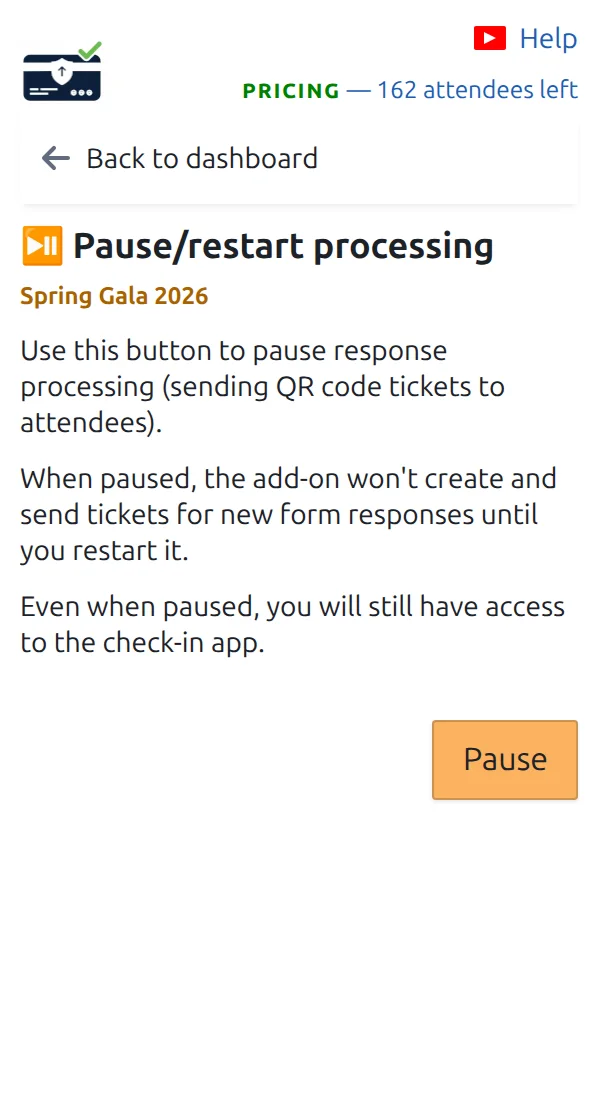
這個頁面用於暫停或繼續票券自動傳送。
彩排時暫停,活動開始時繼續。 點按可放大查看。
第 1 步

開啟「暫停/繼續處理」

在資訊主頁上,位於票券相關頁面下方。

第 2 步

按下暫停

新回覆會立即停止收到票券。表單仍正常運作並記錄每個回答。

第 3 步

準備好後繼續

在同一頁面按下繼續。要補發暫停期間錯過的票券,請開啟「補發缺少的 QR Code 票券」。

運作方式

What pausing stops, and what it does not While sending is paused, the form keeps working and keeps every answer. Only the tickets wait, until you restart and catch up. Pause/restart processing Send tickets automatically Paused since Friday, 6 responses waiting Still working Your form, and every answer people send. On hold The ticket emails, until you restart. Restart, then Send missing QR code tickets Restarting alone does not send the tickets missed while you were paused.
Your form never stops. Only the tickets wait for you.

範例

您週五暫停以便和團隊彩排,週一早上繼續,然後一鍵補發週末的回覆。

觀看運作方式

避免這些錯誤

下一步

準備好開始使用 QR Code 票券了嗎?

為 Google Sheets、Google Forms、Jotform、Tally 或 WordPress 建立 QR Code 票券。選擇您已在使用的流程,然後把參加者名單儲存在一個地方。