仅在满足条件时创建门票…

适用于已付款、已批准、已确认或已选中的参与者。
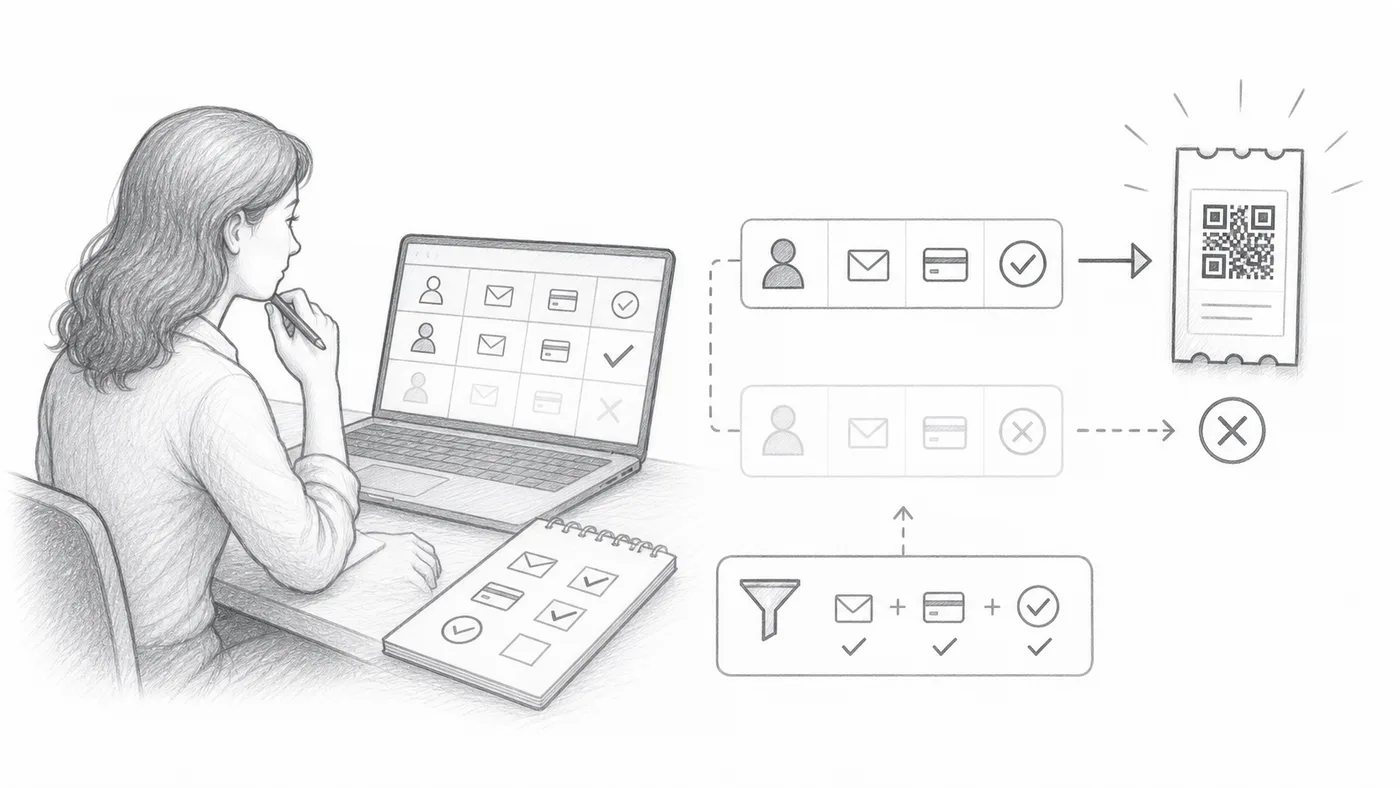
仅在满足条件时创建门票… 插图
第 1 步

选择资格字段

选择决定是否创建门票的工作表列或表单问题。

第 2 步

输入必填值

只有完全匹配才有资格生成二维码门票。

第 3 步

生成或自动化

不匹配的行或回复会被跳过,直到值发生变化。

工作原理

Only some rows get a ticket Rows whose chosen column matches the value you typed get a ticket. Rows with any other value, or none, are left alone. Only create ticket when... Column Paid must be exactly Yes Your sheet Name Paid Result Ada Mensah Yes Ticket created Sam Rivera No Skipped Lee Okafor Skipped An empty box counts as no match. Capital letters and extra spaces count, so keep the values spelled the same way.
Only rows that match get a ticket. The others wait until the value changes.

示例

仅在 Paid = Yes 时创建门票。

避免这些错误

在真实配置中查看

下一步

准备好开始使用二维码门票了吗?

为 Google Sheets、Google Forms、Jotform、Tally 或 WordPress 创建二维码门票。选择您已在使用的流程,然后把参与者名单保存在一个地方。