インターネットが切れてもスキャンを続ける
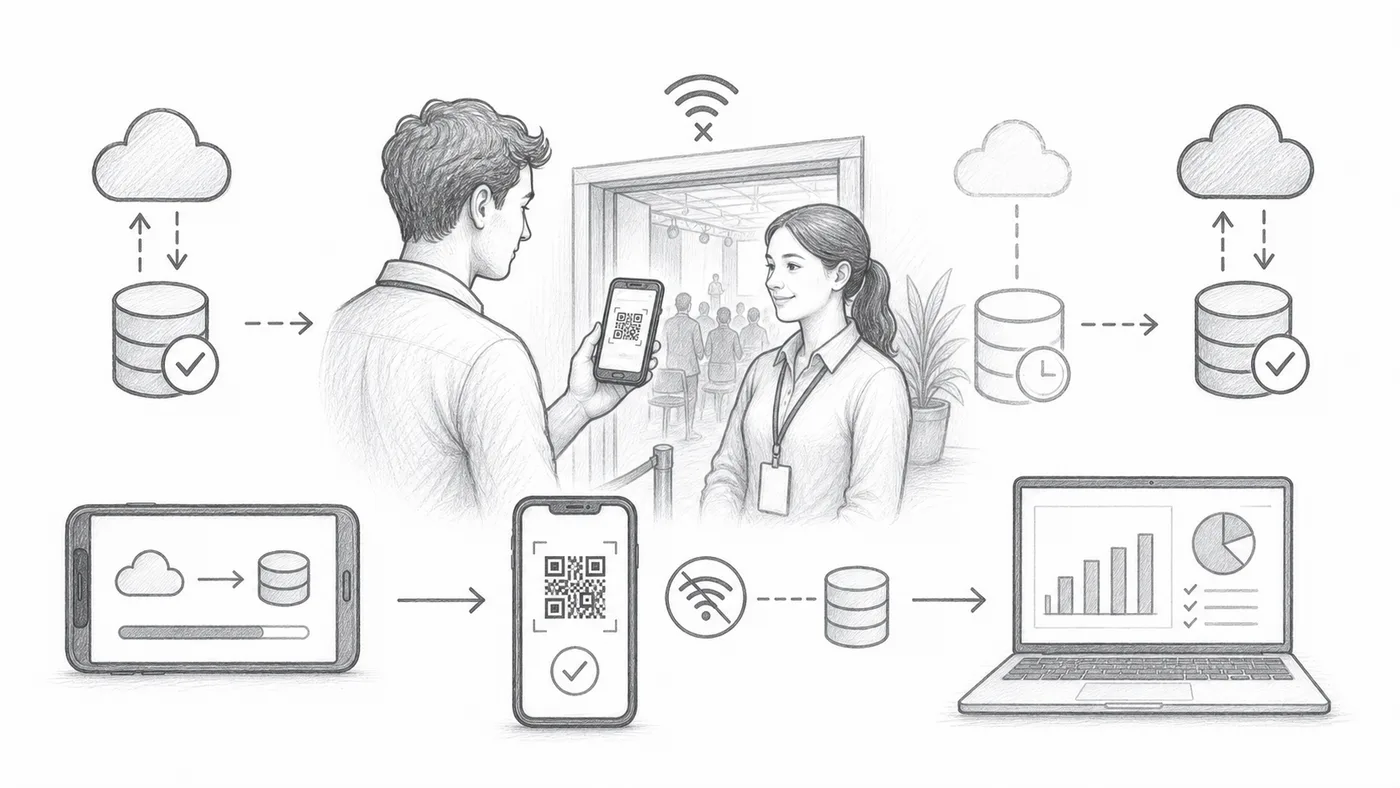
開場の瞬間に会場Wi-Fiが落ちるのは日常茶飯事です。オフライン同期があれば各スキャナーがゲストリストのコピーを持ち、インターネットなしでも列は進み、接続が戻るとスキャン結果がレポートへ流れ込みます。
ステップ1
オフライン同期を有効にする
チェックインアプリにオフライン同期の操作が追加されます。
ステップ2
オンラインのうちに同期する
インターネットがあるうちに、すべてのスキャナー端末にゲストリストをダウンロードさせておきます。扉の前ではなく、できれば自宅で。
ステップ3
「検索してからチェックイン」を使う
スキャナーは端末内の同期済みデータからチケットを検索し、チェックインを記録できます。
仕組み
例
スキャナーがオフラインでも、同期済みデータからAda Mensahを見つけられます。
避けるべき間違い
- イベント前にすべてのスキャナー端末を同期してください。
- その後に参加者データが変わると、オフラインデータは古くなります。
- チェックイン履歴をレポートに届けるため、後で端末を再接続してください。
実際の使い方を見る
次のステップ
QRコードチケットを始める準備はできましたか?
Google Sheets、Google Forms、Jotform、Tally, Fillout、WordPressでQRコードチケットを作成します。いつものワークフローを選び、参加者リストを1か所にまとめましょう。