断网也能继续扫码
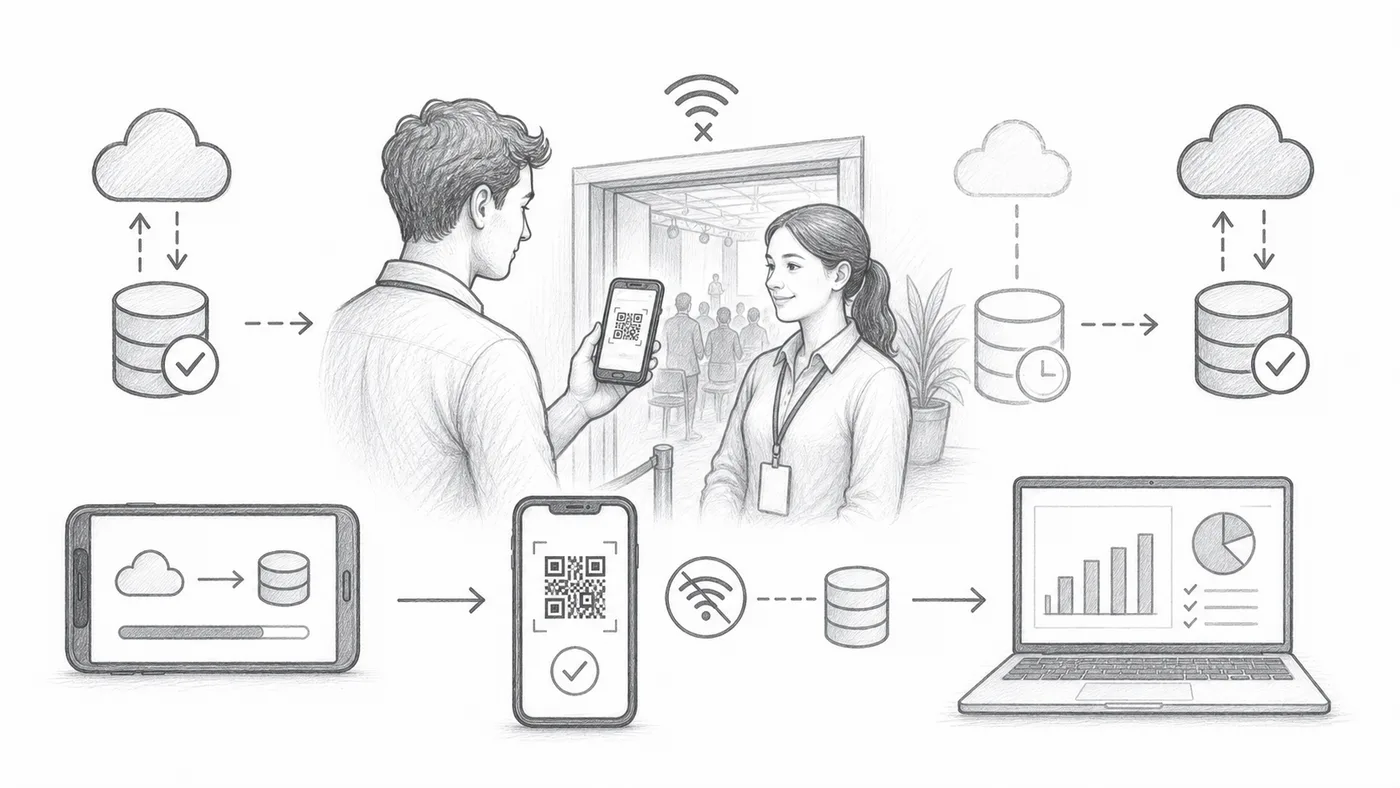
开场那一刻场馆 Wi-Fi 掉线是常事。开启离线同步后,每台扫描器都保存一份来宾名单副本,队伍在没有网络时照样前进,连接恢复后扫码记录又会流回你的报表。
第 1 步
启用离线同步
这会在签到应用中添加离线同步操作。
第 2 步
在联网时同步
趁还有网络,让每台扫描设备都下载好来宾名单——最好在家完成,别等到门口。
第 3 步
使用“查找”,然后“签到”
扫描器可以从本地同步的数据中查找门票并记录签到。
工作原理
Download the list before doors open, scan without internet, reconnect afterwards.
示例
即使扫描器离线,也能从同步数据中找到 Ada Mensah。
避免这些错误
- 活动前同步每台扫描设备。
- 如果之后参与者数据有变动,离线数据可能过时。
- 稍后重新连接设备,让签到记录进入报告。
下一步
准备好开始使用二维码门票了吗?
为 Google Sheets、Google Forms、Jotform、Tally, Fillout 或 WordPress 创建二维码门票。选择您已在使用的流程,然后把参与者名单保存在一个地方。