สแกนต่อได้แม้เน็ตหลุด
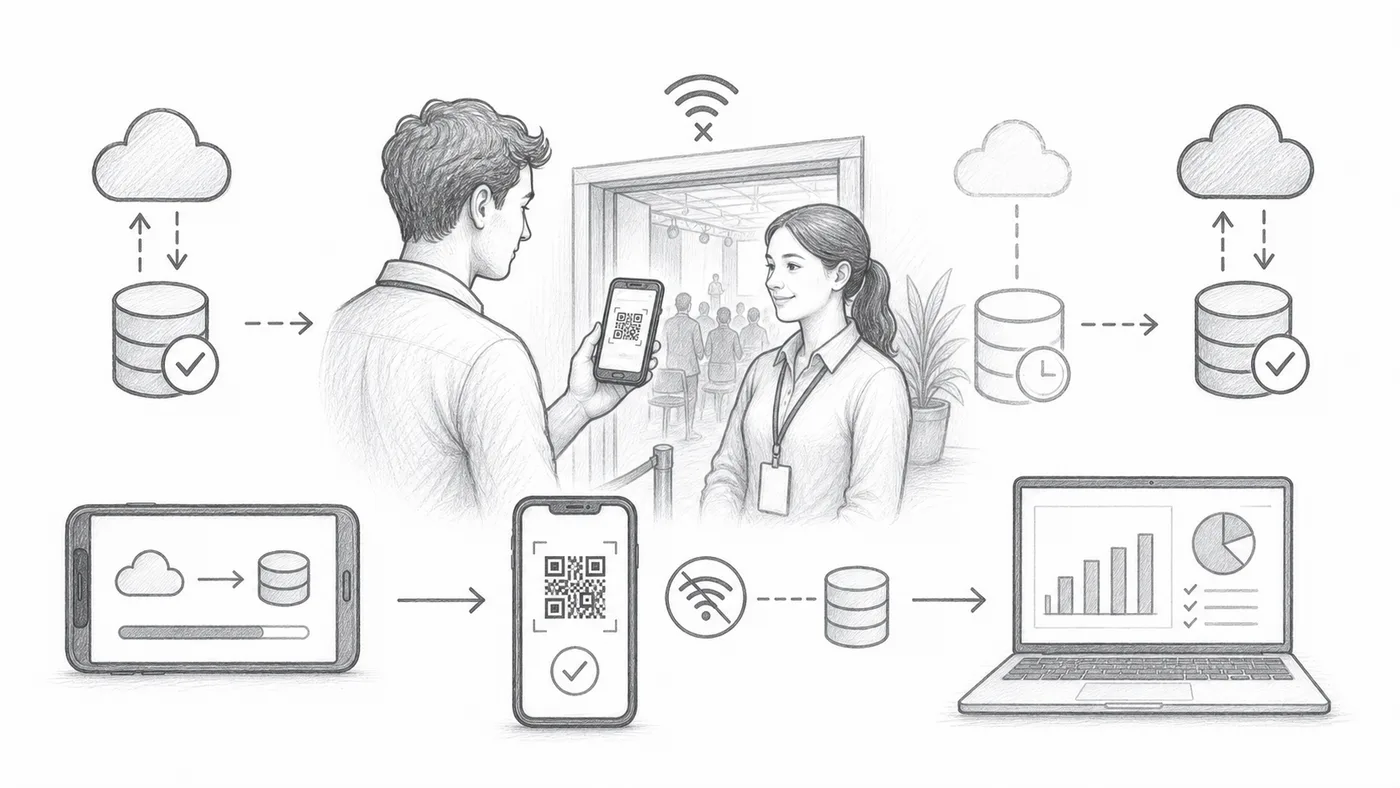
ไวไฟของสถานที่ดับพอดีตอนเปิดประตูเกิดขึ้นตลอด ถ้ามีการซิงก์ออฟไลน์ เครื่องสแกนทุกเครื่องจะเก็บสำเนารายชื่อแขกไว้ แถวยังเดินต่อได้โดยไม่ต้องมีเน็ต และการสแกนจะไหลกลับเข้ารายงานเมื่อเน็ตกลับมา
ขั้นตอนที่ 1
เปิดใช้งานการซิงค์ออฟไลน์
สิ่งนี้จะเพิ่มการกระทำซิงค์ออฟไลน์ในแอปเช็กอิน
ขั้นตอนที่ 2
ซิงค์ขณะออนไลน์
ให้อุปกรณ์สแกนทุกเครื่องดาวน์โหลดรายชื่อแขกตอนที่ยังมีเน็ต — ควรทำที่บ้าน ไม่ใช่หน้าประตู
ขั้นตอนที่ 3
ใช้ ค้นหา แล้ว เช็กอิน
เครื่องสแกนสามารถค้นหาบัตรจากข้อมูลที่ซิงค์ไว้ในเครื่องและบันทึกการเช็กอินได้
วิธีการทำงาน
ตัวอย่าง
สามารถค้นพบ Ada Mensah จากข้อมูลที่ซิงค์ไว้ได้แม้เครื่องสแกนจะออฟไลน์
หลีกเลี่ยงข้อผิดพลาดเหล่านี้
- ซิงค์อุปกรณ์สแกนทุกเครื่องก่อนงาน
- ข้อมูลออฟไลน์อาจล้าสมัยหากข้อมูลผู้เข้าร่วมเปลี่ยนแปลงภายหลัง
- เชื่อมต่ออุปกรณ์อีกครั้งภายหลังเพื่อให้ประวัติการเช็กอินไปถึงรายงาน
ดูในการจัดงานจริง
ขั้นตอนถัดไป
พร้อมเริ่มต้นกับบัตรคิวอาร์โค้ดแล้วหรือยัง?
สร้างบัตรคิวอาร์โค้ดสำหรับ Google Sheets, Google Forms, Jotform, Tally, Fillout หรือ WordPress เลือกเวิร์กโฟลว์ที่คุณใช้อยู่แล้ว จากนั้นเก็บรายชื่อผู้เข้าร่วมของคุณไว้ในที่เดียว