인터넷이 끊겨도 스캔 계속하기
개장 순간에 장소 와이파이가 죽는 일은 늘 일어납니다. 오프라인 동기화를 켜면 모든 스캐너가 게스트 목록 사본을 갖고 있어 인터넷 없이도 줄이 움직이고, 연결이 돌아오면 스캔 기록이 보고서로 흘러들어옵니다.
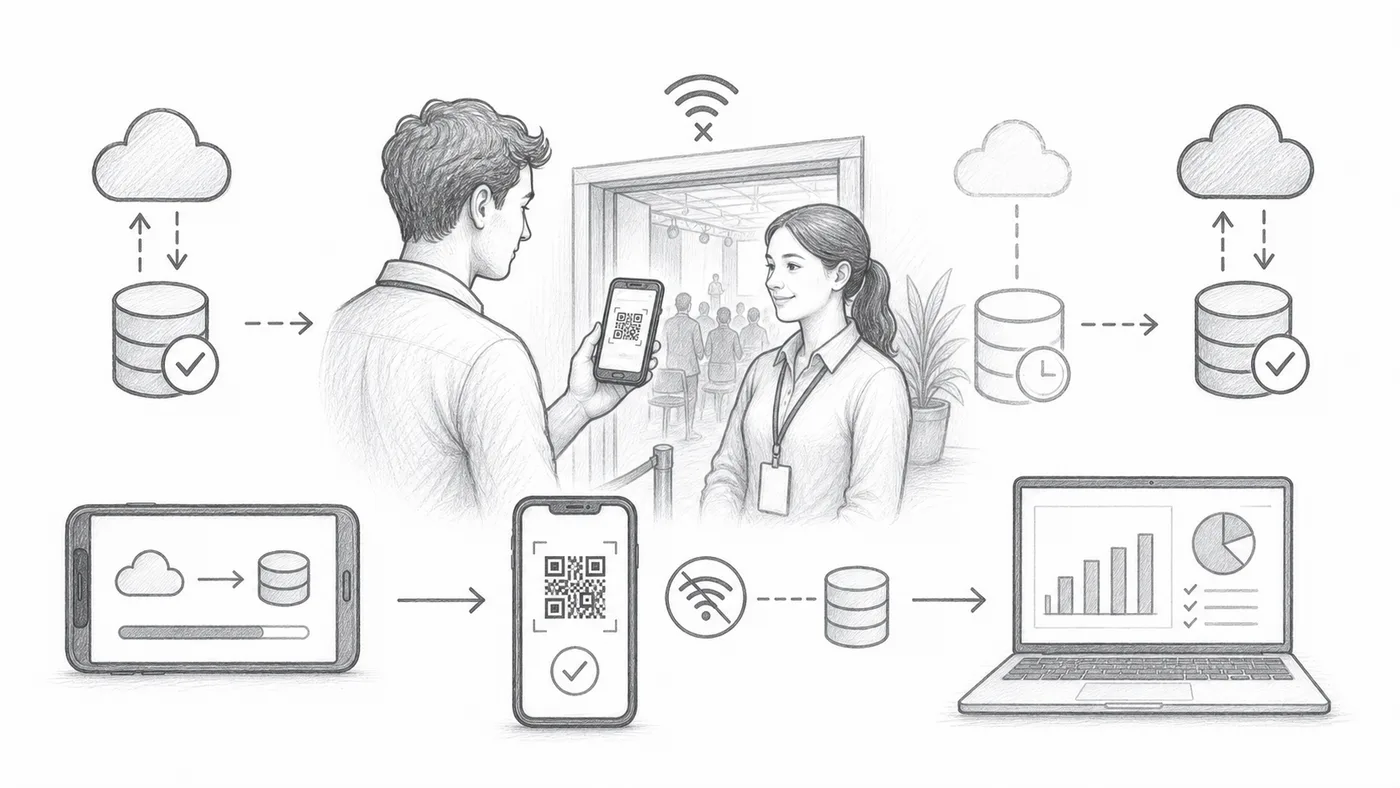
1단계
오프라인 동기화를 활성화하세요
체크인 앱에 오프라인 동기화 작업이 추가됩니다.
2단계
온라인 상태에서 동기화하세요
인터넷이 있는 동안 모든 스캐너 기기가 게스트 목록을 내려받게 하세요. 문 앞보다 집에서 하는 게 이상적입니다.
3단계
찾기 후 체크인을 사용하세요
스캐너는 로컬 동기화된 데이터에서 티켓을 조회하고 체크인을 기록할 수 있습니다.
작동 방식
예시
Ada Mensah은 스캐너가 오프라인이어도 동기화된 데이터에서 찾을 수 있습니다.
이런 실수를 피하세요
- 이벤트 전에 모든 스캐너 기기를 동기화하세요.
- 이후 참석자 데이터가 바뀌면 오프라인 데이터가 오래될 수 있습니다.
- 체크인 기록이 보고서에 반영되도록 나중에 기기를 다시 연결하세요.
실제 설정에서 보기
다음 단계
QR 코드 티켓을 시작할 준비가 되셨나요?
Google Sheets, Google Forms, Jotform, Tally, Fillout 또는 WordPress용 QR 코드 티켓을 만드세요. 이미 사용 중인 워크플로를 선택한 다음 참석자 명단을 한곳에 유지하세요.