斷網也能繼續掃描
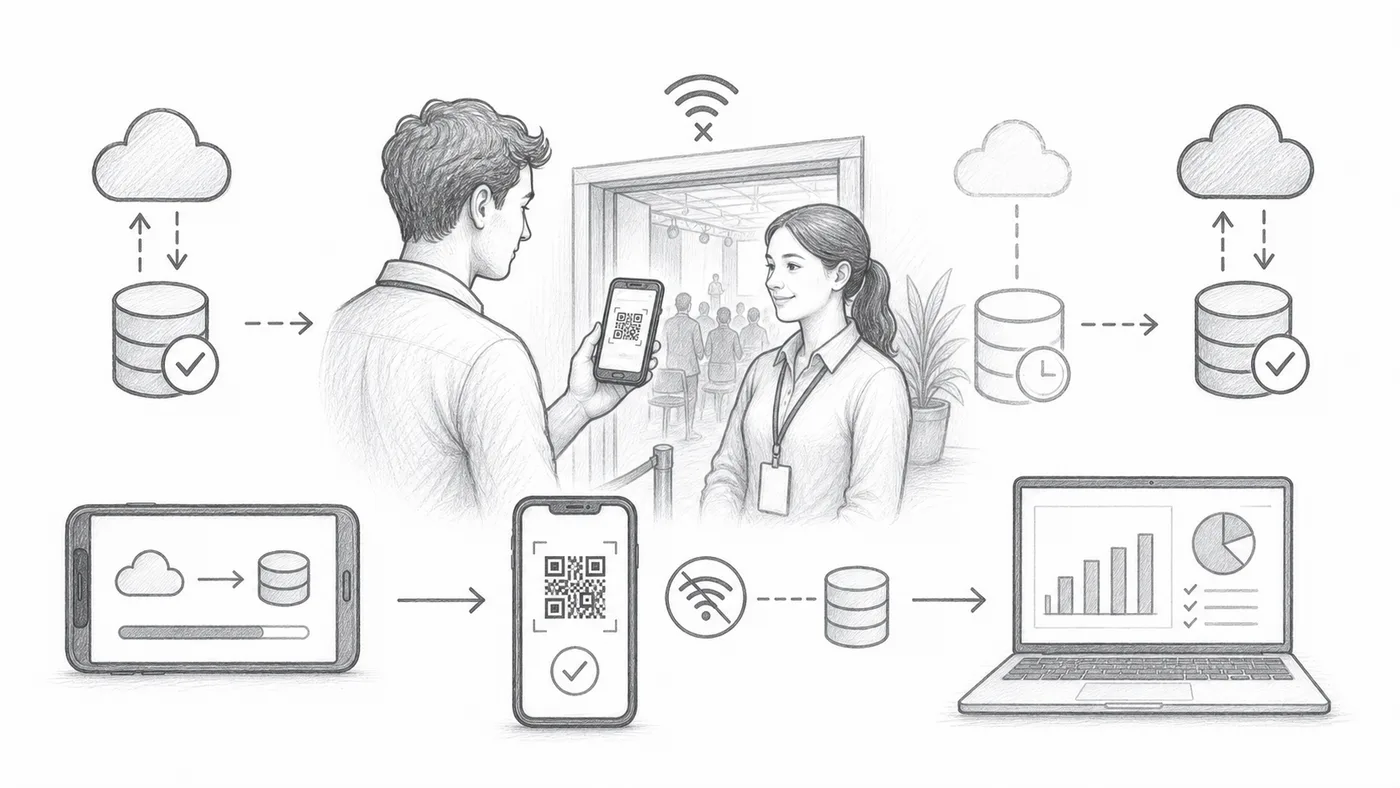
開場那一刻場館 Wi-Fi 掉線是家常便飯。啟用離線同步後,每台掃描器都保存一份來賓清單副本,隊伍在沒有網路時照樣前進,連線恢復後掃描紀錄又會流回你的報表。
第 1 步
啟用離線同步
這會在報到應用程式中新增離線同步操作。
第 2 步
在連線時同步
趁還有網路時,讓每台掃描裝置都下載好來賓清單——最好在家完成,別等到門口。
第 3 步
使用「尋找」,然後「報到」
掃描器可以從本機同步的資料中尋找票券並記錄報到。
運作方式
Download the list before doors open, scan without internet, reconnect afterwards.
範例
即使掃描器離線,也能從同步資料中找到 Ada Mensah。
避免這些錯誤
- 活動前同步每台掃描裝置。
- 如果之後參加者資料有變動,離線資料可能過時。
- 稍後重新連線裝置,讓報到紀錄進入報表。
下一步
準備好開始使用 QR Code 票券了嗎?
為 Google Sheets、Google Forms、Jotform、Tally, Fillout 或 WordPress 建立 QR Code 票券。選擇您已在使用的流程,然後把參加者名單儲存在一個地方。