Keep scanning when the internet drops
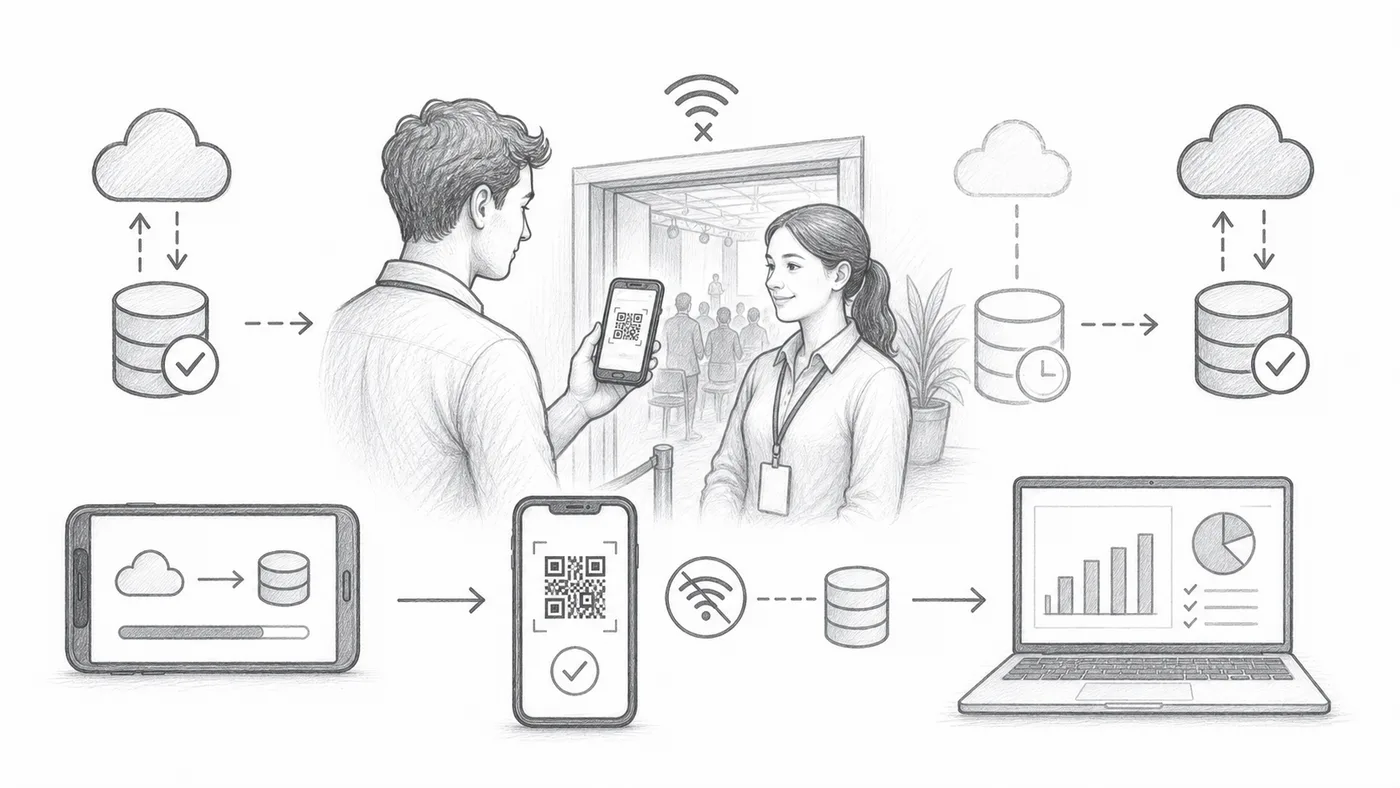
Venue wifi dying right at doors-open time happens constantly. With offline sync, every scanner holds a copy of the guest list, so the line keeps moving without internet and the scans flow back into your reports once a connection returns.
Step 1
Enable offline sync
This adds an offline sync action in the check-in app.
Step 2
Sync while online
Have every scanner device download the guest list while you still have internet — ideally at home, not at the door.
Step 3
Use Find, then Check-in
Scanners can look up tickets from local synced data and record check-ins.
How it works
Example
Ada Mensah can be found from synced data even when the scanner is offline.
Avoid these mistakes
- Sync every scanner device before the event.
- Offline data can be stale if attendee data changes afterward.
- Reconnect devices later so check-in history reaches reports.
See it in a real setup
Next step
Ready to get started with QR code tickets?
Create QR code tickets for Google Sheets, Google Forms, Jotform, Tally, Fillout, or WordPress. Pick the workflow you already use, then keep your attendee list in one place.