המשיכו לסרוק גם כשהאינטרנט נופל
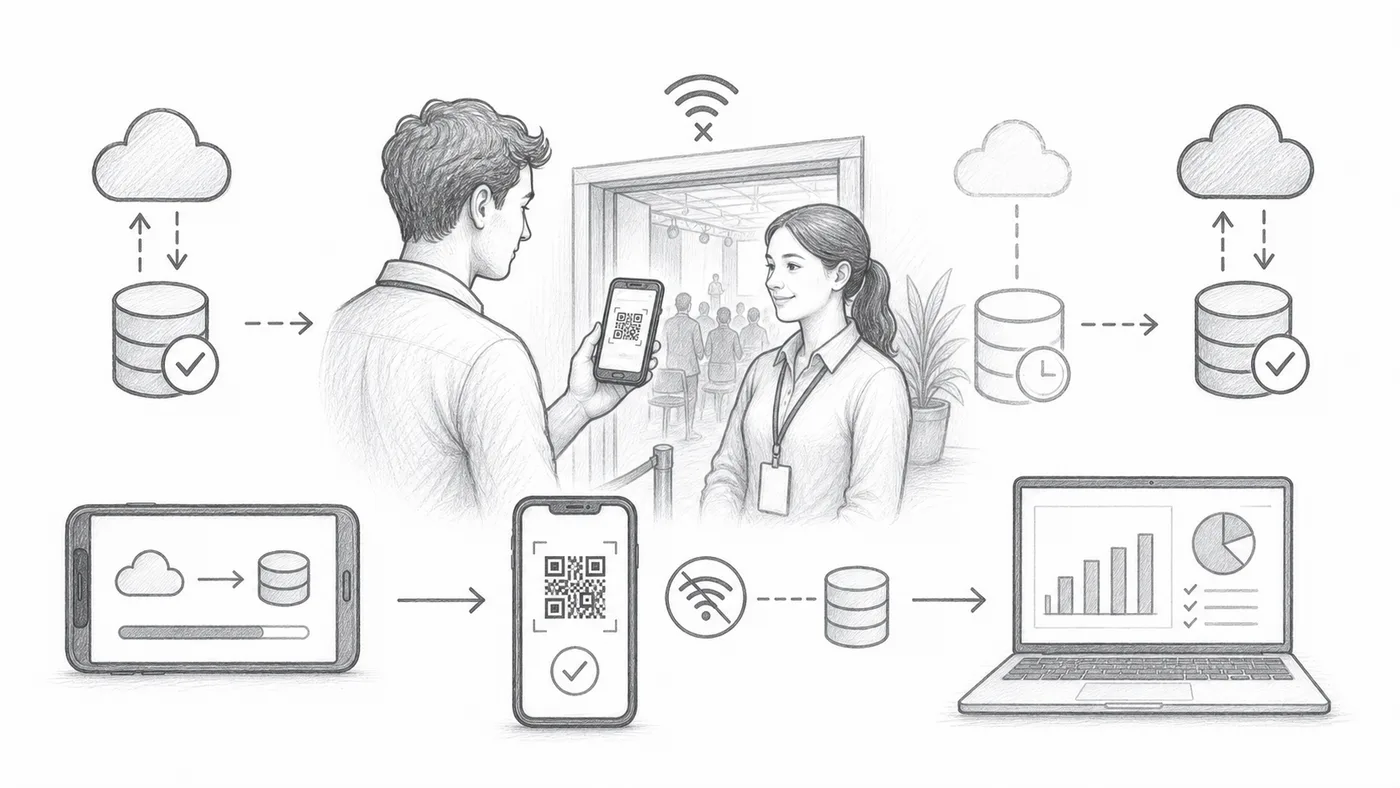
שה־wifi של המקום גוסס בדיוק בשעת פתיחת הדלתות — זה קורה כל הזמן. עם סנכרון לא מקוון, לכל סורק יש עותק של רשימת האורחים: התור ממשיך לנוע בלי אינטרנט, והסריקות זורמות בחזרה לדוחות שלכם ברגע שהחיבור חוזר.
צעד 1
הפעל סנכרון לא מקוון
זה מוסיף פעולת סנכרון לא מקוון באפליקציית הצ׳ק-אין.
צעד 2
סנכרן כשאתה מקוון
הדריכו כל מכשיר סריקה להוריד את רשימת האורחים כל עוד יש אינטרנט — עדיף בבית, לא בדלת.
צעד 3
השתמש באתר, ואז צ׳ק-אין
סורקים יכולים לחפש כרטיסים בנתונים מסונכרנים מקומיים ולרשום צ׳ק-אין.
איך זה עובד
דוגמה
אפשר למצוא את Ada Mensah בנתונים מסונכרנים גם כשהסורק לא מקוון.
הימנע מהטעויות האלה
- סנכרן כל מכשיר סריקה לפני האירוע.
- נתונים לא מקוונים עלולים להיות מיושנים אם נתוני המשתתפים משתנים אחר כך.
- חבר מחדש את המכשירים מאוחר יותר כדי שהיסטוריית הצ׳ק-אין תגיע לדוחות.
ראה את זה בהגדרה אמיתית
הצעד הבא
מוכן להתחיל עם כרטיסי QR?
צור כרטיסי QR עבור Google Sheets, Google Forms, Jotform, Tally, Fillout, או WordPress. בחר את זרימת העבודה שאתה כבר משתמש בה, ואז שמור את רשימת המשתתפים שלך במקום אחד.