查看谁到场并导出报告

在活动期间和之后使用,回答大家都问的问题:到底谁真的来了?
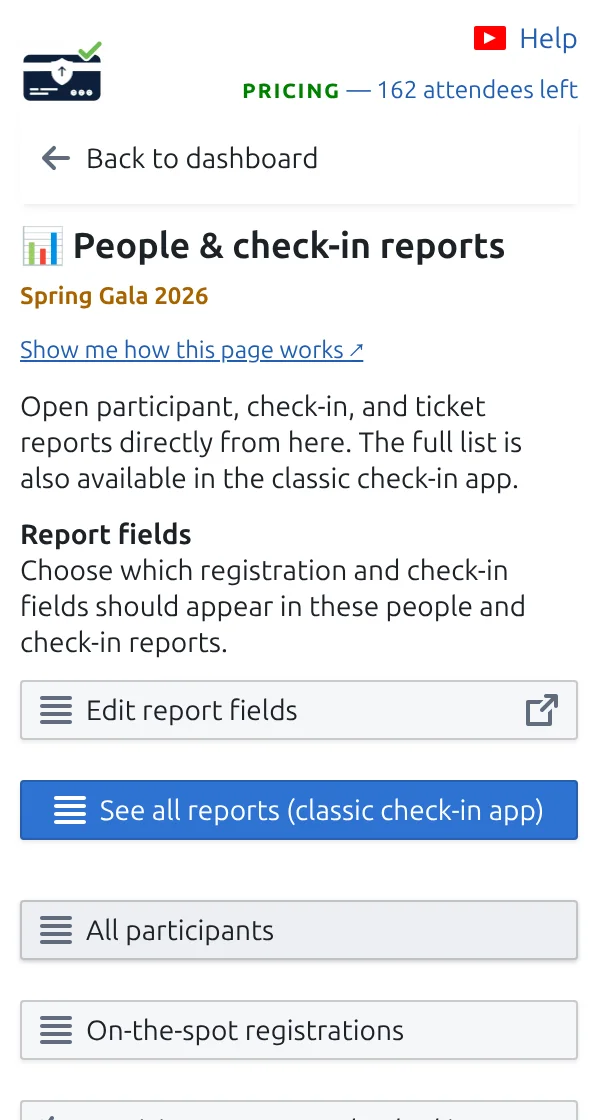
“参与者与签到报告”页面,有打开报告和下载门票的按钮。
所有报告和下载都汇集在这个页面。 点按可放大查看。
第 1 步

活动期间关注工作表

在 Google Sheets™ 中,插件会维护一列,显示每位来宾是否已被扫描。在 Google Forms™ 中,请打开下方的报告。

第 2 步

打开“参与者与签到报告”

您会得到现成的名单:已到场的来宾、尚未到场的来宾,以及每位同事的扫描数。

第 3 步

导出所需内容

将任何报告下载为电子表格文件,与团队或客户分享。

工作原理

Who arrived and who is still expected During the event the sheet shows who has been scanned, and the reports split your guests between those who arrived and those still expected. Your sheet, during the event Name Arrived Ada Mensah Yes, 18:04 Sam Rivera Not yet People & check-in reports Tonight Arrived 82 Still expected 18 Welcomed by Ana 48 Welcomed by Ben 34 Export the report before you clear check-ins, otherwise the numbers are gone.
The answer to the only question everybody asks on the night.

示例

晚会进行到一半,您就能知道还有多少受邀来宾尚未到场。

观看工作原理

避免这些错误

在真实配置中查看

下一步

准备好开始使用二维码门票了吗?

为 Google Sheets、Google Forms、Jotform、Tally 或 WordPress 创建二维码门票。选择您已在使用的流程,然后把参与者名单保存在一个地方。