查看誰到場並匯出報表

在活動期間和之後使用,回答大家都問的問題:到底誰真的來了?
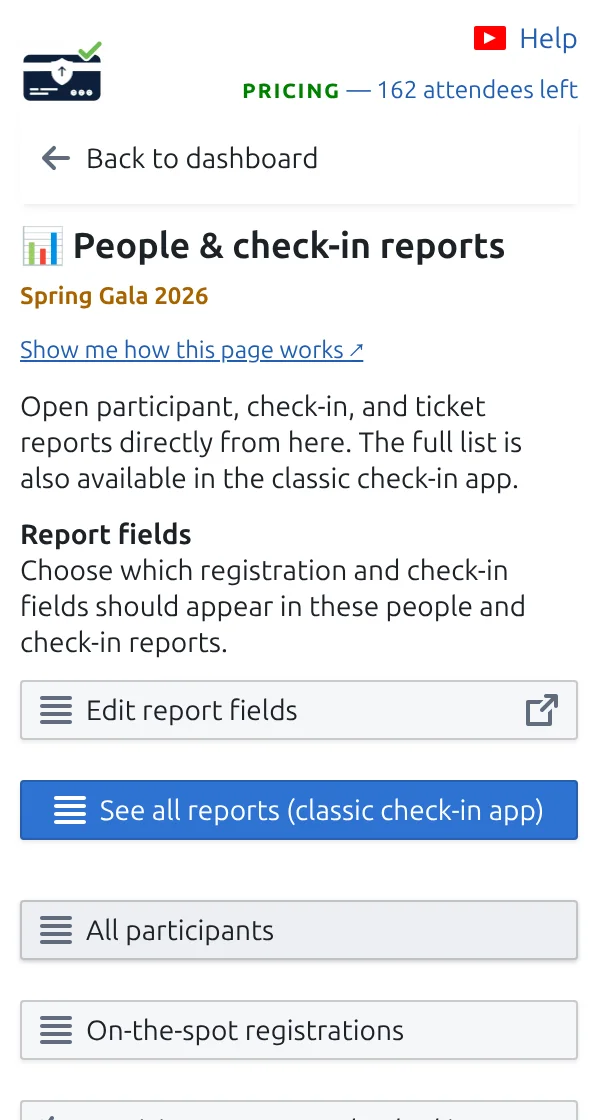
「參加者與報到報表」頁面,有開啟報表和下載票券的按鈕。
所有報表和下載都匯集在這個頁面。 點按可放大查看。
第 1 步

活動期間關注工作表

在 Google Sheets™ 中,外掛程式會維護一欄,顯示每位來賓是否已被掃描。在 Google Forms™ 中,請開啟下方的報表。

第 2 步

開啟「參加者與報到報表」

您會得到現成的名單:已到場的來賓、尚未到場的來賓,以及每位同事的掃描數。

第 3 步

匯出所需內容

將任何報表下載為試算表檔案,與團隊或客戶分享。

運作方式

Who arrived and who is still expected During the event the sheet shows who has been scanned, and the reports split your guests between those who arrived and those still expected. Your sheet, during the event Name Arrived Ada Mensah Yes, 18:04 Sam Rivera Not yet People & check-in reports Tonight Arrived 82 Still expected 18 Welcomed by Ana 48 Welcomed by Ben 34 Export the report before you clear check-ins, otherwise the numbers are gone.
The answer to the only question everybody asks on the night.

範例

晚會進行到一半,您就能知道還有多少受邀來賓尚未到場。

觀看運作方式

避免這些錯誤

在真實設定中查看

下一步

準備好開始使用 QR Code 票券了嗎?

為 Google Sheets、Google Forms、Jotform、Tally 或 WordPress 建立 QR Code 票券。選擇您已在使用的流程,然後把參加者名單儲存在一個地方。