給在您設定之前就回覆的人傳送票券
從郵件設定儲存的那一刻起,每則新回覆都會自動收到票券。更早回覆的人也不會被忘記:有一個頁面也會傳送他們的票券。
第 1 步
先檢查郵件設定
開啟郵件設定,確認詢問電子郵件地址的問題是正確的。從這個頁面發出的一切都會使用它。
第 2 步
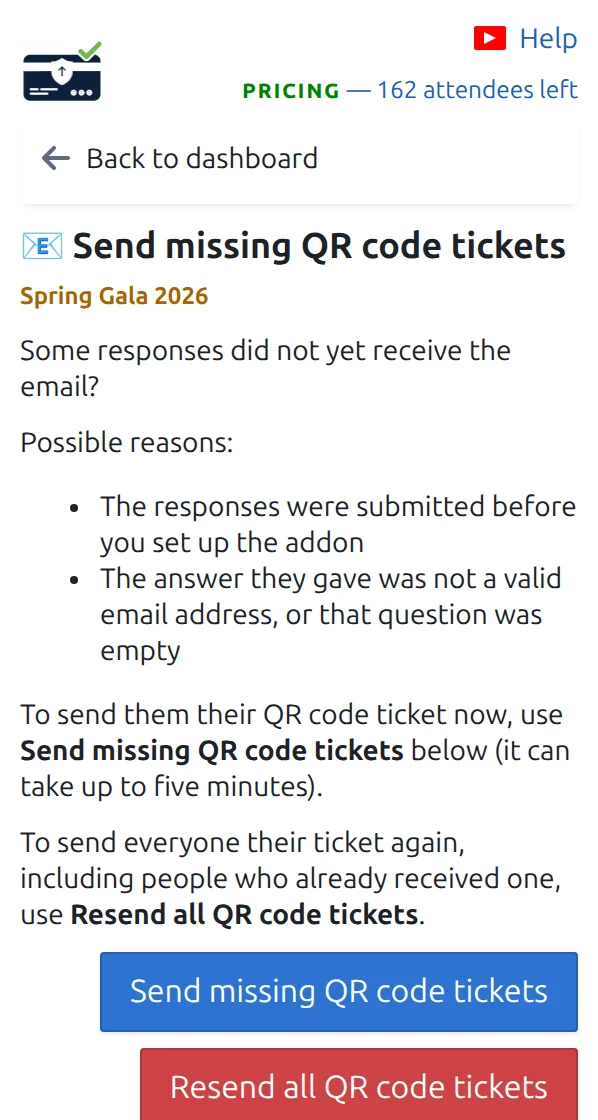
開啟「補發缺少的 QR Code 票券」
在資訊主頁上開啟「補發缺少的 QR Code 票券」卡片。它會告訴您有多少早期回覆從未收到票券。
第 3 步
開始補發並保持面板開啟
按下按鈕並等待。票券一次發出幾張,長名單可能需要幾分鐘。沒有人會收到重複票券:已有票券的回覆會被略過。
運作方式
範例
您週一開放了表單,週三設定了外掛程式。週一和週二回覆的四十人會從這個頁面收到票券。
觀看運作方式
避免這些錯誤
- 傳送前檢查電子郵件問題,避免票券傳錯地址。
- 如果有些回覆沒有可用地址,它們會顯示在「無有效電子郵件的參加者」頁面。
- Google™ 限制您的帳戶每天可傳送的郵件數量。剩餘的會在第二天自動發出。
下一步
準備好開始使用 QR Code 票券了嗎?
為 Google Sheets、Google Forms、Jotform、Tally, Fillout 或 WordPress 建立 QR Code 票券。選擇您已在使用的流程,然後把參加者名單儲存在一個地方。