Give some guests more entries than others
A three-day pass, a single-entry voucher, an exhibitor who comes and goes all day: this setting reads each guest’s allowed number of entries from your own list and makes the scanner enforce it person by person.
Choose a check-in type that allows repeats
Only check-in types that allow repeat entries can count, so pick one such as Multiple check-ins allowed first.
Create a max check-ins field
Put the allowed scan count for each attendee in that field.
Select it as Max check-ins source
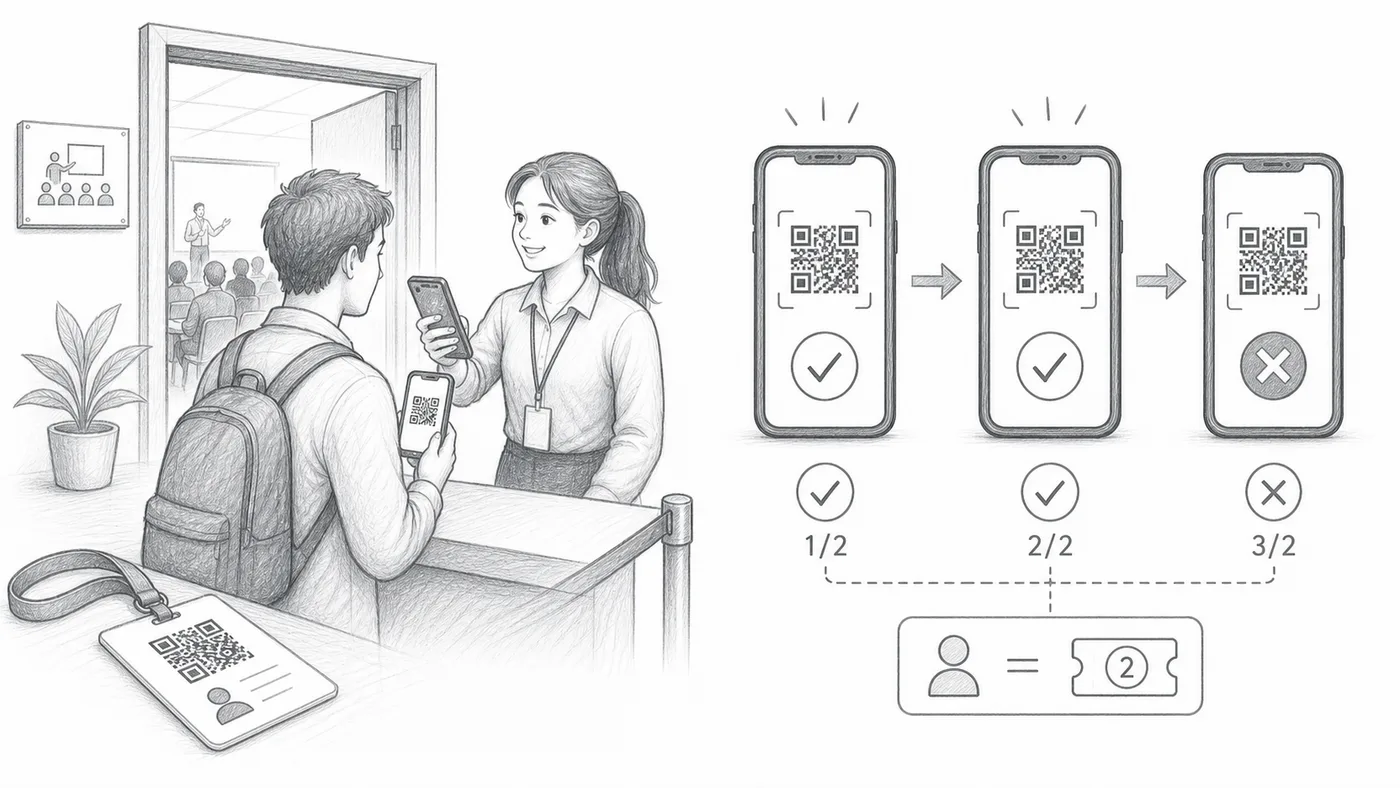
The scanner counts separately for each guest: past their own limit, further scans are refused, while neighbours with a bigger number still get in.
How it works
Example
Ada Mensah with Max check-ins = 2 can pass twice. The third scan fails.
When everyone gets the same number of check-ins
Consider Session-specific check-in (no repeat) instead. It is usually a better fit when each attendee should get the same number of check-ins, because you can make one session for each allowed entry and block repeat scans inside each one.
Watch how it works
Avoid these mistakes
- Single-check-in modes still block repeats regardless of this field.
- Sheets users must sync attendee data after editing max values.
- Use one numeric value per attendee.
See it in a real setup
Next step
Ready to get started with QR code tickets?
Create QR code tickets for Google Sheets, Google Forms, Jotform, Tally, Fillout, or WordPress. Pick the workflow you already use, then keep your attendee list in one place.