WhatsApp 티켓 발신자 선택하기
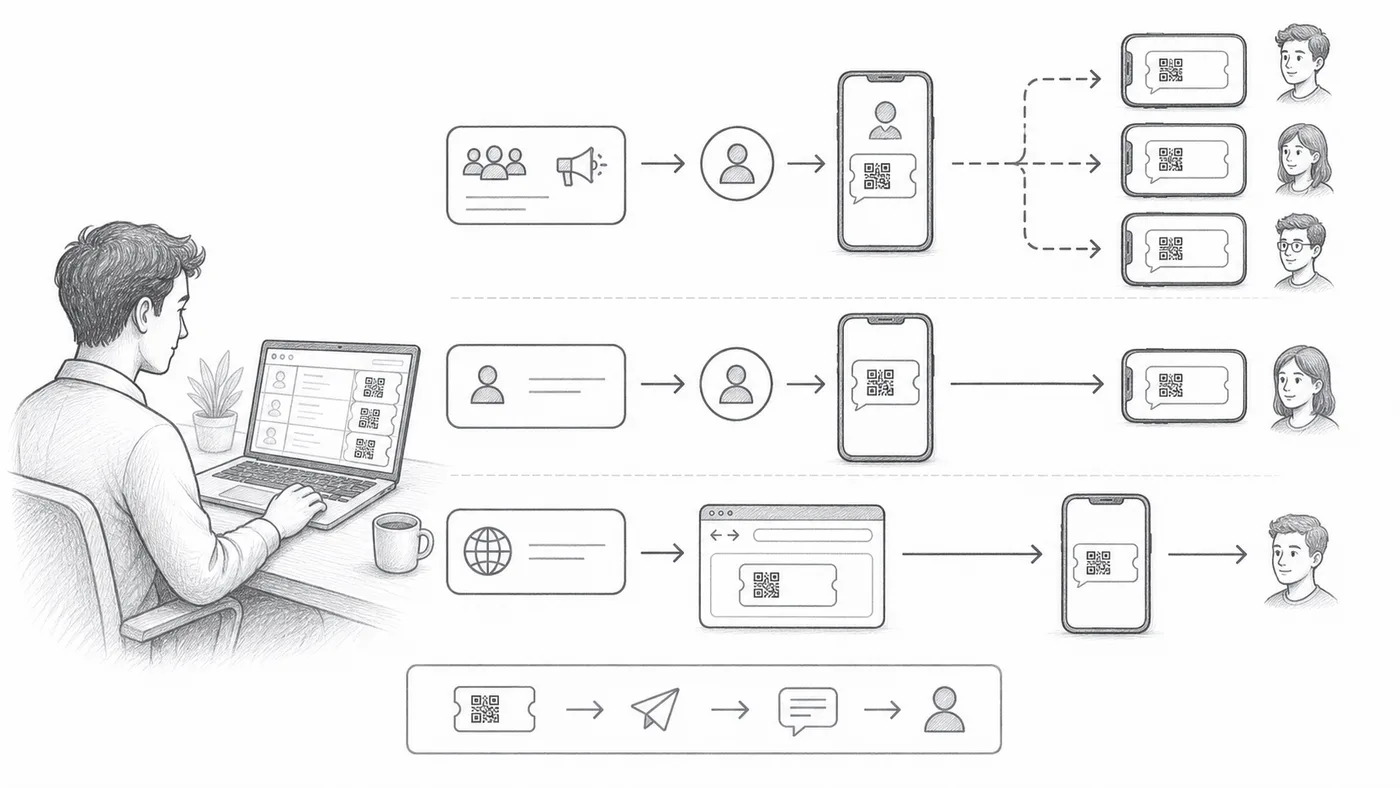
어떤 게스트는 WhatsApp만 쓰고 이메일은 안 엽니다. 티켓은 서로 다른 세 발신자를 통해 나갈 수 있고, 무엇이 맞는지는 설정 노력과 티켓 도착 시 게스트에게 보여줄 이름에 달려 있습니다.
1단계
전화번호 필드를 선택하세요
참석자 WhatsApp 번호가 있는 열 또는 질문을 선택하세요.
2단계
발신 모드를 선택하세요
공유 발신자는 즉시 작동하며 우리 번호에서 보냅니다. 개인 발신자는 내 번호와 내 브랜드를 쓰며 설정이 더 필요합니다. Chrome 발신자는 이 컴퓨터의 WhatsApp Web으로 보내며 우리 Chrome 확장 프로그램이 필요합니다.
3단계
테스트 배치를 보내세요
번호 형식, 발신자 신원, 티켓 모양을 확인하세요.
작동 방식
예시
WhatsApp 필드에는 Ada Mensah의 WhatsApp 번호가 있습니다.
이런 실수를 피하세요
- 브로드캐스트 마케팅 템플릿은 발송 전 WhatsApp 승인이 필요할 수 있습니다.
- 전화번호는 국가 코드 처리가 일관되어야 합니다.
- 의도적으로 다시 보내기 전에 WhatsApp 발송 열을 비우세요.
실제 설정에서 보기
다음 단계
QR 코드 티켓을 시작할 준비가 되셨나요?
Google Sheets, Google Forms, Jotform, Tally, Fillout 또는 WordPress용 QR 코드 티켓을 만드세요. 이미 사용 중인 워크플로를 선택한 다음 참석자 명단을 한곳에 유지하세요.