选择谁来发送你的 WhatsApp 门票
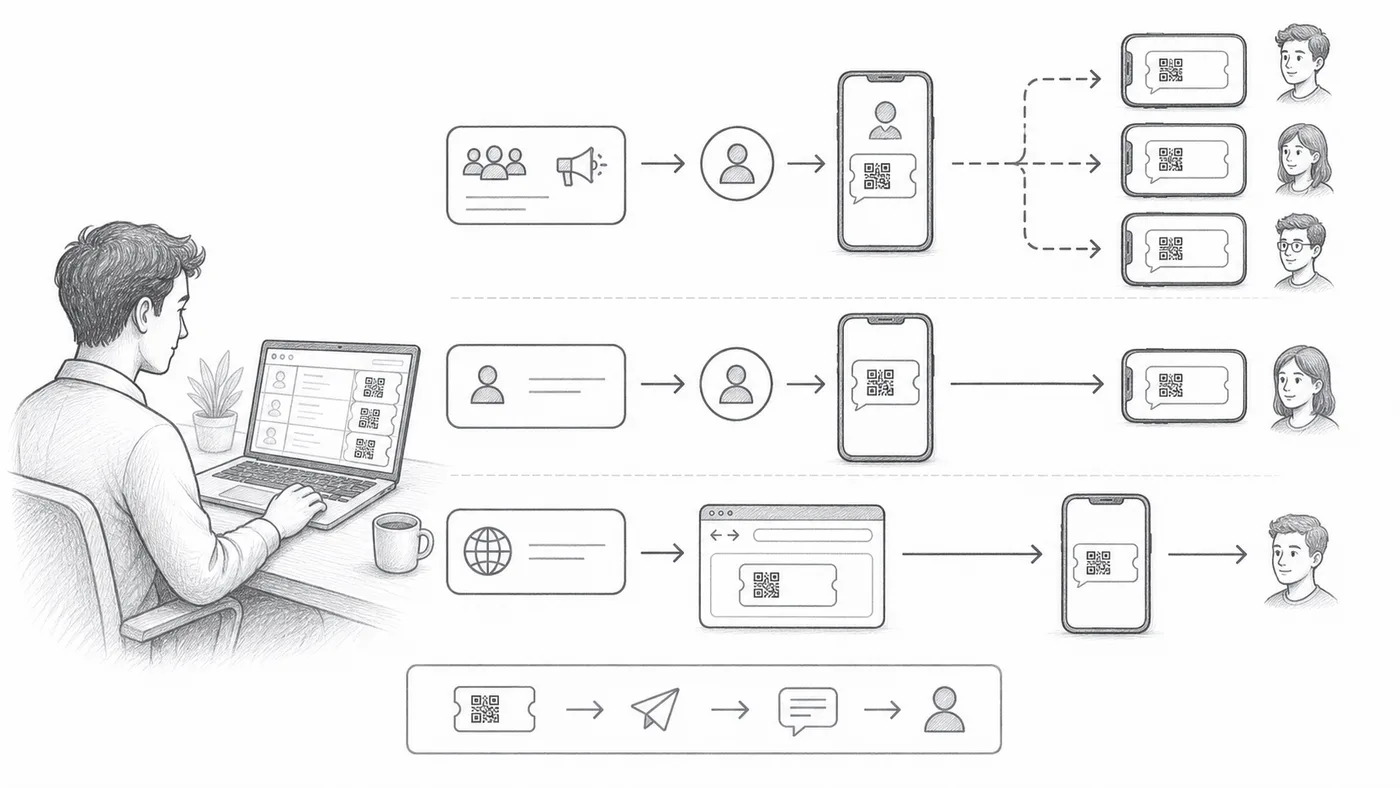
有些来宾活在 WhatsApp 上,从不打开邮箱。门票可以通过三种不同的发送方发出,选哪个取决于你愿意做多少配置——以及门票到达时来宾应该看到谁的名字。
第 1 步
选择电话字段
选择包含参与者 WhatsApp 号码的列或问题。
第 2 步
选择发件模式
共享发送方即开即用,用我们的号码发送。个人发送方使用你自己的号码和品牌,需要更多配置。Chrome 发送方通过这台电脑上的 WhatsApp Web 发送,需要我们的 Chrome 扩展。
第 3 步
发送测试批次
确认号码格式、发件人身份和门票外观。
工作原理
示例
WhatsApp 字段包含 Ada Mensah 的 WhatsApp 号码。
避免这些错误
- 群发营销模板可能需要 WhatsApp 批准后才能发送。
- 电话号码需要可预期的国家代码处理。
- 有意重新发送前,请清空 WhatsApp 已发送列。
在真实配置中查看
下一步
准备好开始使用二维码门票了吗?
为 Google Sheets、Google Forms、Jotform、Tally, Fillout 或 WordPress 创建二维码门票。选择您已在使用的流程,然后把参与者名单保存在一个地方。