เลือกว่าใครจะส่งบัตร WhatsApp ของคุณ
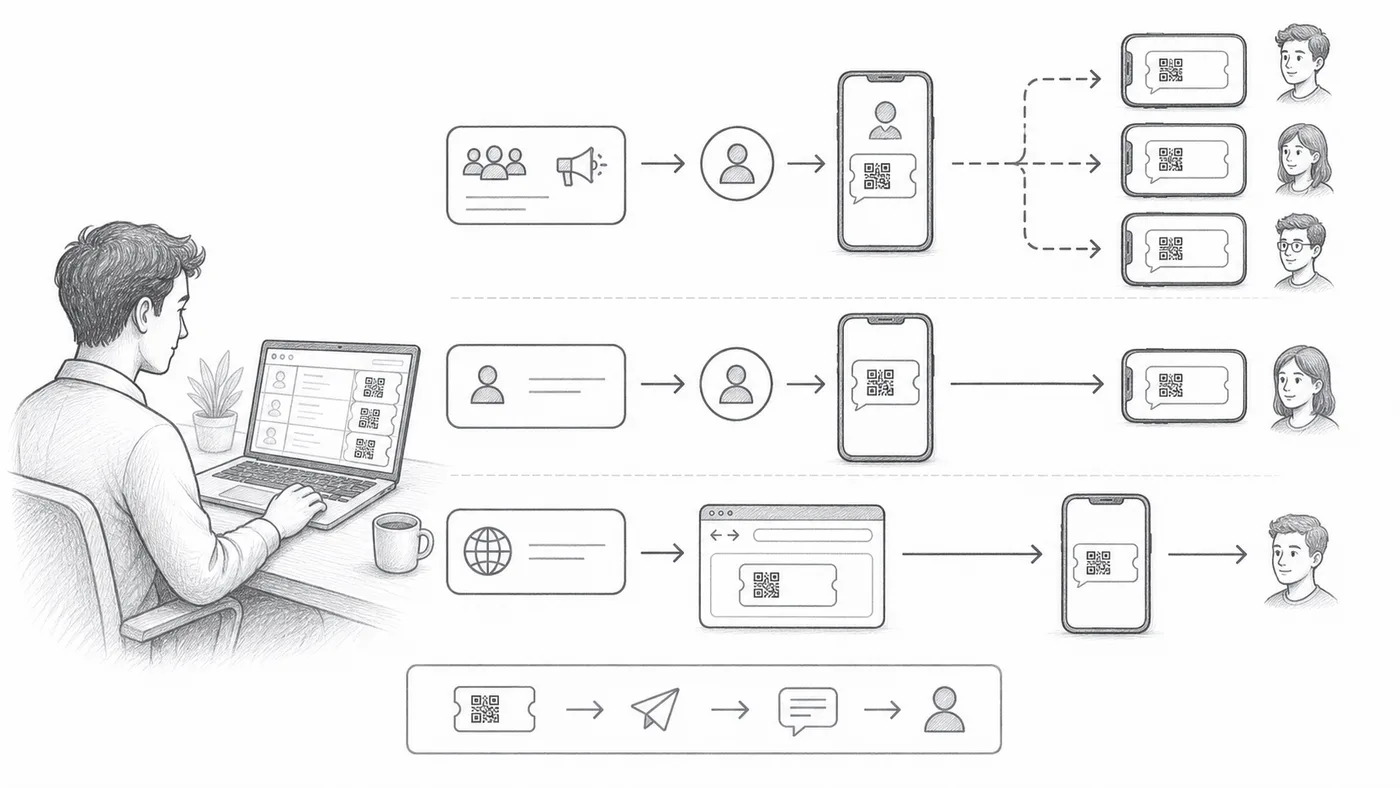
แขกบางคนอยู่บน WhatsApp และไม่เปิดอีเมลเลย บัตรออกได้ผ่านผู้ส่งสามแบบ แบบที่ใช่ขึ้นอยู่กับว่าคุณอยากตั้งค่ามากแค่ไหน — และแขกควรเห็นชื่อใครเมื่อบัตรมาถึง
ขั้นตอนที่ 1
เลือกช่องโทรศัพท์
เลือกคอลัมน์หรือคำถามที่มีหมายเลข WhatsApp ของผู้เข้าร่วม
ขั้นตอนที่ 2
เลือกโหมดผู้ส่ง
Shared Sender ใช้ได้ทันทีและส่งจากหมายเลขของเรา Personal Sender ใช้หมายเลขและแบรนด์ของคุณ ตั้งค่ามากกว่า Chrome Sender ส่งผ่าน WhatsApp Web บนคอมพิวเตอร์นี้และต้องมีส่วนขยาย Chrome ของเรา
ขั้นตอนที่ 3
ส่งชุดทดสอบ
ยืนยันรูปแบบหมายเลข ตัวตนผู้ส่ง และรูปลักษณ์ของบัตร
วิธีการทำงาน
ตัวอย่าง
ช่อง WhatsApp มีหมายเลข WhatsApp ของ Ada Mensah
หลีกเลี่ยงข้อผิดพลาดเหล่านี้
- เทมเพลตการตลาดแบบกระจายอาจต้องได้รับการอนุมัติจาก WhatsApp ก่อนส่ง
- หมายเลขโทรศัพท์ต้องการการจัดการรหัสประเทศที่สม่ำเสมอ
- ล้างคอลัมน์ส่ง WhatsApp แล้วก่อนที่จะส่งซ้ำโดยตั้งใจ
ดูในการจัดงานจริง
ขั้นตอนถัดไป
พร้อมเริ่มต้นกับบัตรคิวอาร์โค้ดแล้วหรือยัง?
สร้างบัตรคิวอาร์โค้ดสำหรับ Google Sheets, Google Forms, Jotform, Tally, Fillout หรือ WordPress เลือกเวิร์กโฟลว์ที่คุณใช้อยู่แล้ว จากนั้นเก็บรายชื่อผู้เข้าร่วมของคุณไว้ในที่เดียว