選擇誰來傳送你的 WhatsApp 門票
有些來賓活在 WhatsApp 上,從不打開信箱。門票可以透過三種不同的寄件方送出,選哪個取決於你願意做多少設定——以及門票送達時來賓應該看到誰的名字。
第 1 步
選擇電話欄位
選擇包含參加者 WhatsApp 號碼的欄或問題。
第 2 步
選擇寄件模式
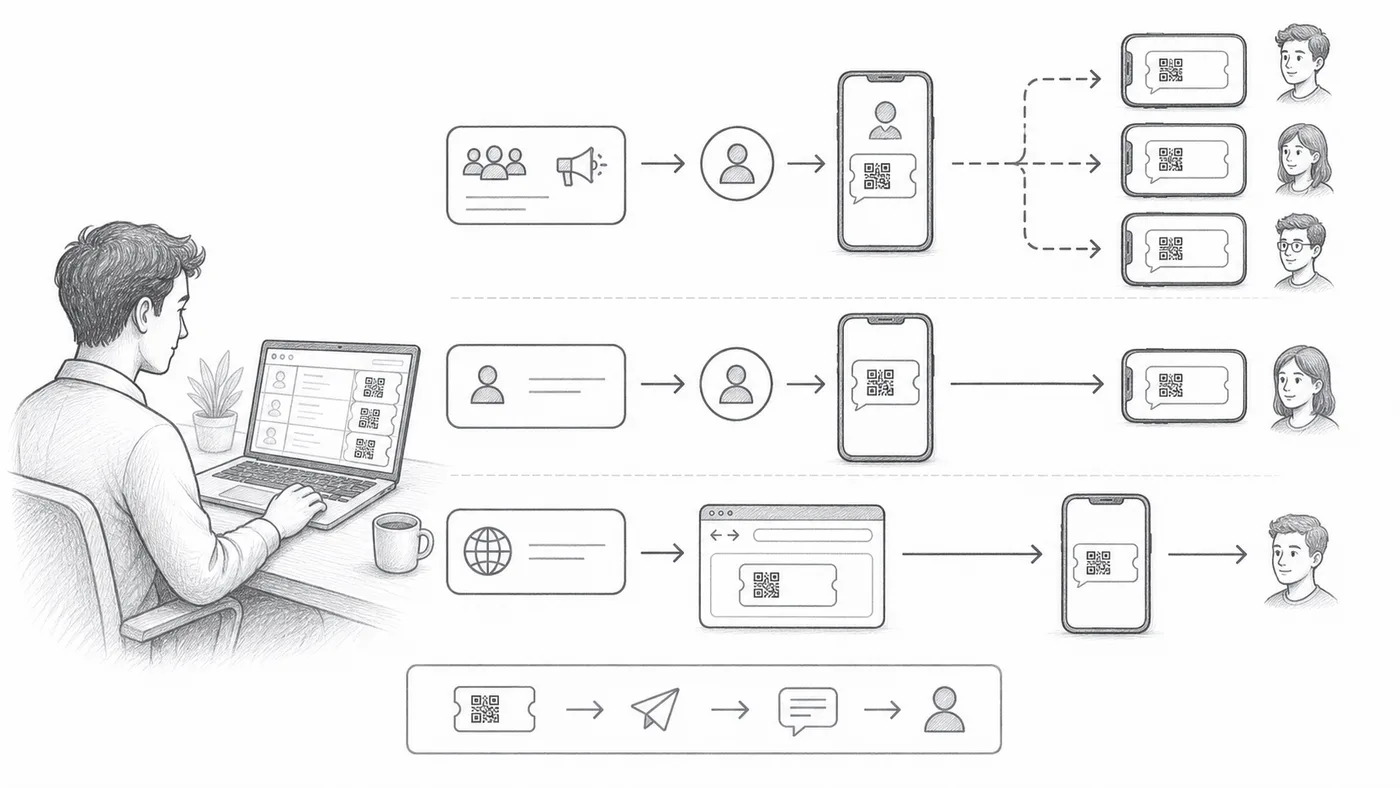
共用寄件方即開即用,用我們的號碼傳送。個人寄件方使用你自己的號碼和品牌,需要較多設定。Chrome 寄件方透過這台電腦上的 WhatsApp Web 傳送,需要我們的 Chrome 擴充功能。
第 3 步
傳送測試批次
確認號碼格式、寄件者身分和票券外觀。
運作方式
範例
WhatsApp 欄位包含 Ada Mensah 的 WhatsApp 號碼。
避免這些錯誤
- 群發行銷範本可能需要 WhatsApp 核准後才能傳送。
- 電話號碼需要可預期的國碼處理。
- 有意重新傳送前,請清空 WhatsApp 已傳送欄。
在真實設定中查看
下一步
準備好開始使用 QR Code 票券了嗎?
為 Google Sheets、Google Forms、Jotform、Tally, Fillout 或 WordPress 建立 QR Code 票券。選擇您已在使用的流程,然後把參加者名單儲存在一個地方。