Scegli chi invia i tuoi biglietti WhatsApp
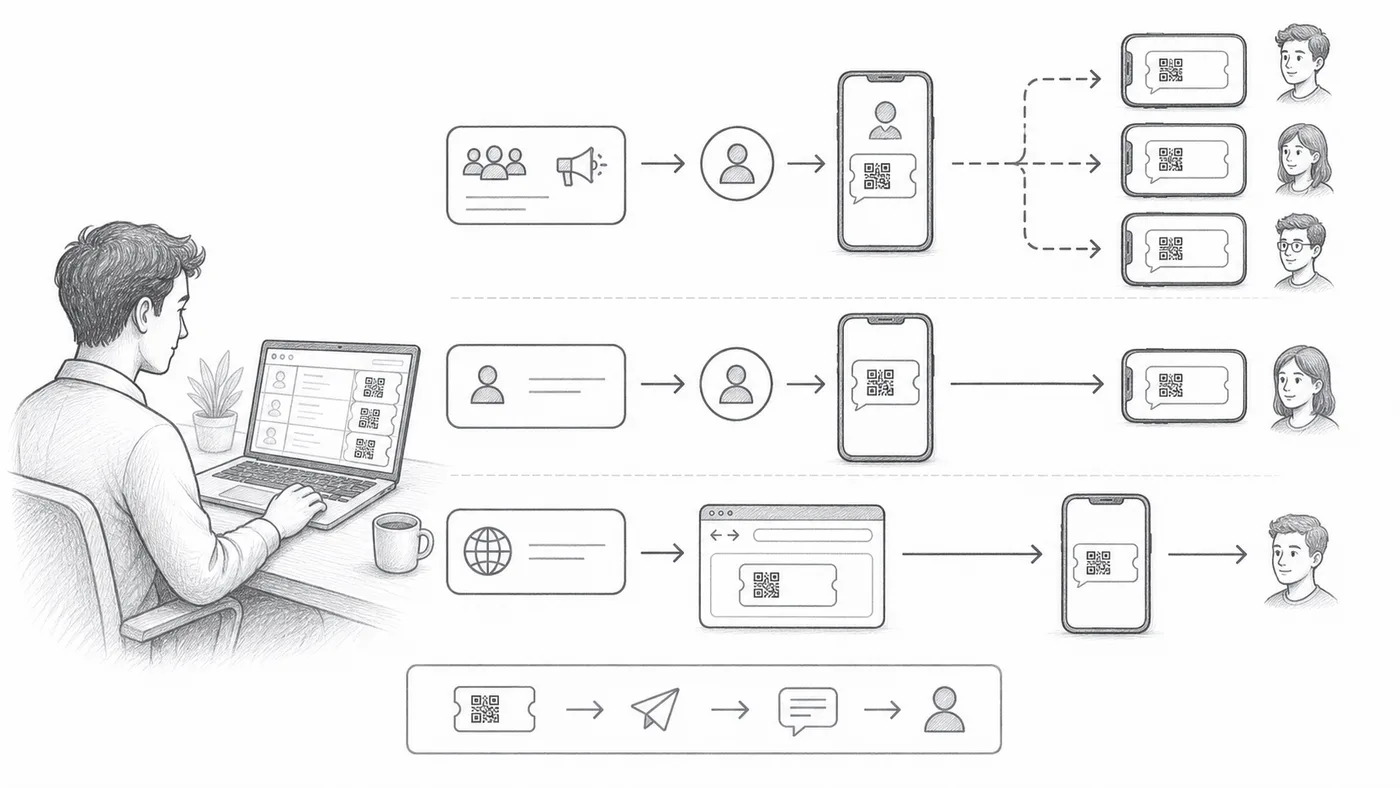
Certi ospiti vivono su WhatsApp e non aprono mai l’email. I biglietti possono partire tramite tre mittenti diversi, e quello giusto dipende da quanta configurazione vuoi fare e dal nome che gli ospiti devono vedere all’arrivo del biglietto.
Seleziona il campo del telefono
Scegli la colonna o la domanda che contiene i numeri WhatsApp dei partecipanti.
Scegli una modalità mittente
Shared Sender funziona subito e invia dal nostro numero. Personal Sender usa il tuo numero e il tuo marchio, con più configurazione. Chrome Sender invia tramite WhatsApp Web su questo computer e richiede la nostra estensione Chrome.
Invia un lotto di prova
Verifica la formattazione dei numeri, l'identità del mittente e l'aspetto del biglietto.
Come funziona
Esempio
Il campo WhatsApp contiene il numero WhatsApp di Ada Mensah.
Evita questi errori
- I modelli di marketing broadcast possono richiedere l'approvazione di WhatsApp prima dell'invio.
- I numeri di telefono richiedono una gestione prevedibile del prefisso internazionale.
- Svuota la colonna WhatsApp sent prima di un reinvio intenzionale.
Vedilo in una configurazione reale
Passo successivo
Pronto a iniziare con i biglietti con codice QR?
Crea biglietti con codice QR per Google Sheets, Google Forms, Jotform, Tally, Fillout o WordPress. Scegli il flusso che usi già, poi mantieni la lista dei partecipanti in un unico posto.