让工作人员扫码时看到正确的信息
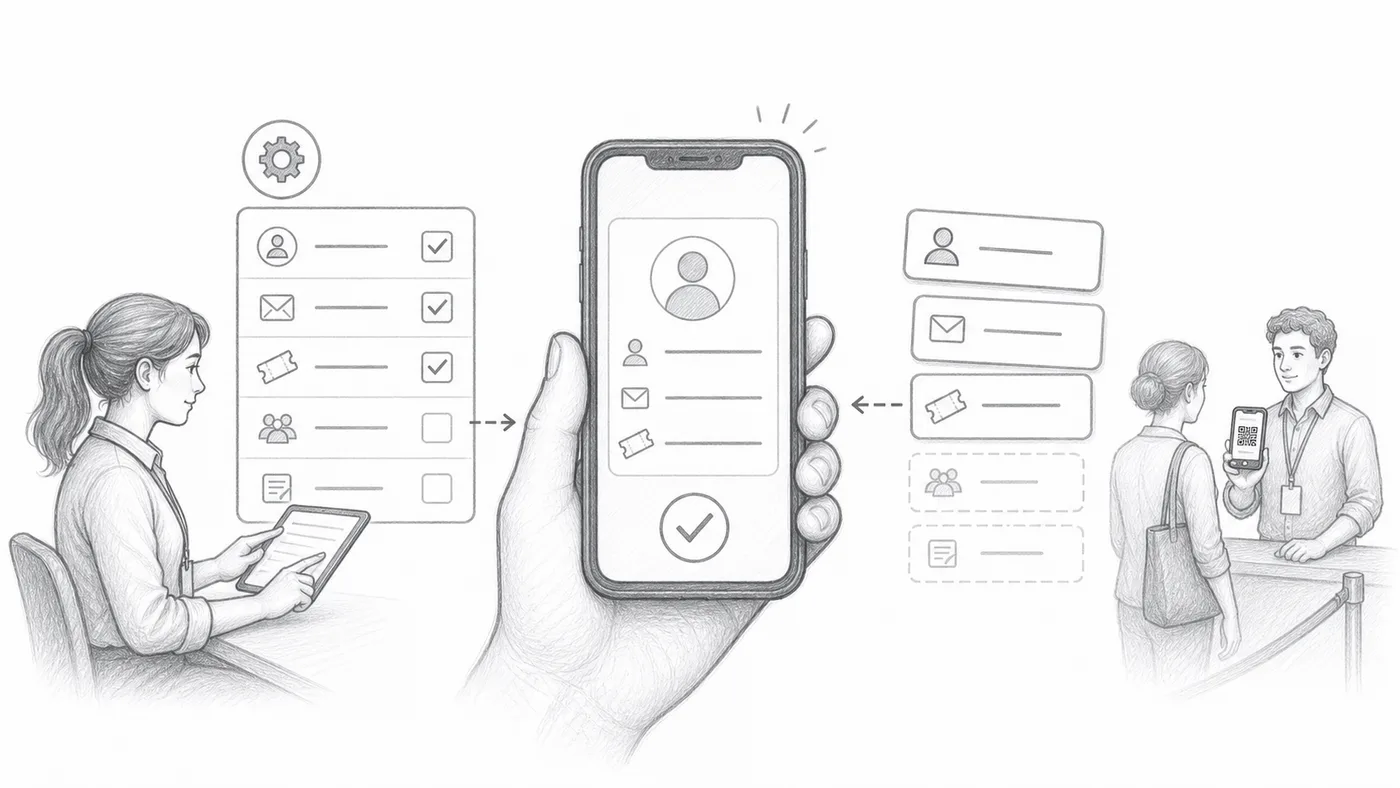
来宾走上前来时,工作人员只有几秒钟判断是不是本人。这项设置决定每次扫码后扫描器上出现的文字,让他们无需打开任何其他东西就能核对姓名、公司或座位。
第 1 步
选择有用的字段
繁忙的入口处,光有名字往往不够。选择能迅速打消疑虑的信息,比如公司、票种或座位——也就是工作人员能与来宾口述对照的内容。
第 2 步
组合格式
用简短的标签或分隔符把这些字段拼在一起,例如 姓名 · 公司 · 座位。这条组合行就是每次扫码后在扫描器上放大显示的内容。
第 3 步
扫描测试门票
用自己的手机扫一下你的票:如果你能在一秒内、一臂距离外看清这张卡,你的工作人员也能。
工作原理
示例
{First name} {Last name} - {Company} 可以作为扫描器中参与者的主要一行显示。
避免这些错误
- 不要在扫描器里放太多字段。
- 避免经常为空的字段。
- Sheets 用户在更改引用的列后必须同步参与者数据。
在真实配置中查看
下一步
准备好开始使用二维码门票了吗?
为 Google Sheets、Google Forms、Jotform、Tally, Fillout 或 WordPress 创建二维码门票。选择您已在使用的流程,然后把参与者名单保存在一个地方。