Mostra allo staff i dettagli giusti quando scansiona
Quando un ospite si presenta, lo staff ha pochi secondi per capire se è la persona giusta. Questa impostazione sceglie le parole che compaiono sullo scanner dopo ogni scansione, per confermare nome, azienda o posto senza aprire altro.
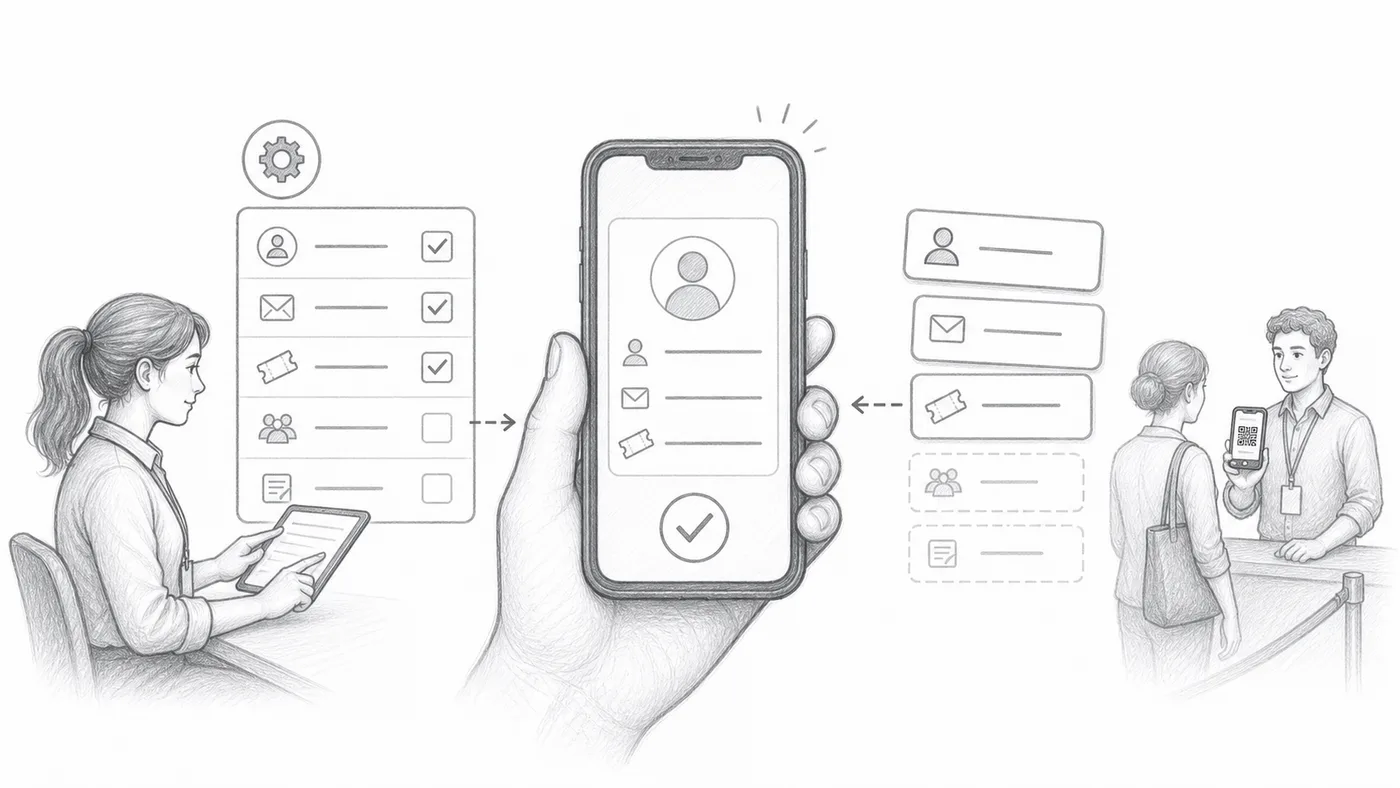
Scegli i campi utili
A un ingresso affollato il nome da solo spesso non basta. Scegli dettagli che togliano velocemente il dubbio, come azienda, tipo di biglietto o posto: cose che lo staff può confrontare con quello che dice l’ospite.
Componi il formato
Unisci quei campi con etichette brevi o separatori, come Nome · Azienda · Posto. Quella riga combinata è ciò che appare in grande sullo scanner dopo ogni scansione.
Scansiona un biglietto di prova
Scansiona il tuo biglietto con un telefono: se riesci a leggere la scheda a distanza di un braccio in un secondo, lo staff ci riuscirà anch’esso.
Come funziona
Esempio
{First name} {Last name} - {Company} può apparire come riga principale del partecipante nello scanner.
Evita questi errori
- Non sovraccaricare lo scanner con troppi campi.
- Evita i campi che sono spesso vuoti.
- Gli utenti di Sheets devono sincronizzare i dati dei partecipanti dopo aver modificato le colonne citate.
Vedilo in una configurazione reale
Passo successivo
Pronto a iniziare con i biglietti con codice QR?
Crea biglietti con codice QR per Google Sheets, Google Forms, Jotform, Tally, Fillout o WordPress. Scegli il flusso che usi già, poi mantieni la lista dei partecipanti in un unico posto.