讓工作人員掃描時看到正確的資訊
來賓走上前來時,工作人員只有幾秒鐘判斷是不是本人。這項設定決定每次掃描後掃描器上出現的文字,讓他們不必開啟任何其他東西就能核對姓名、公司或座位。
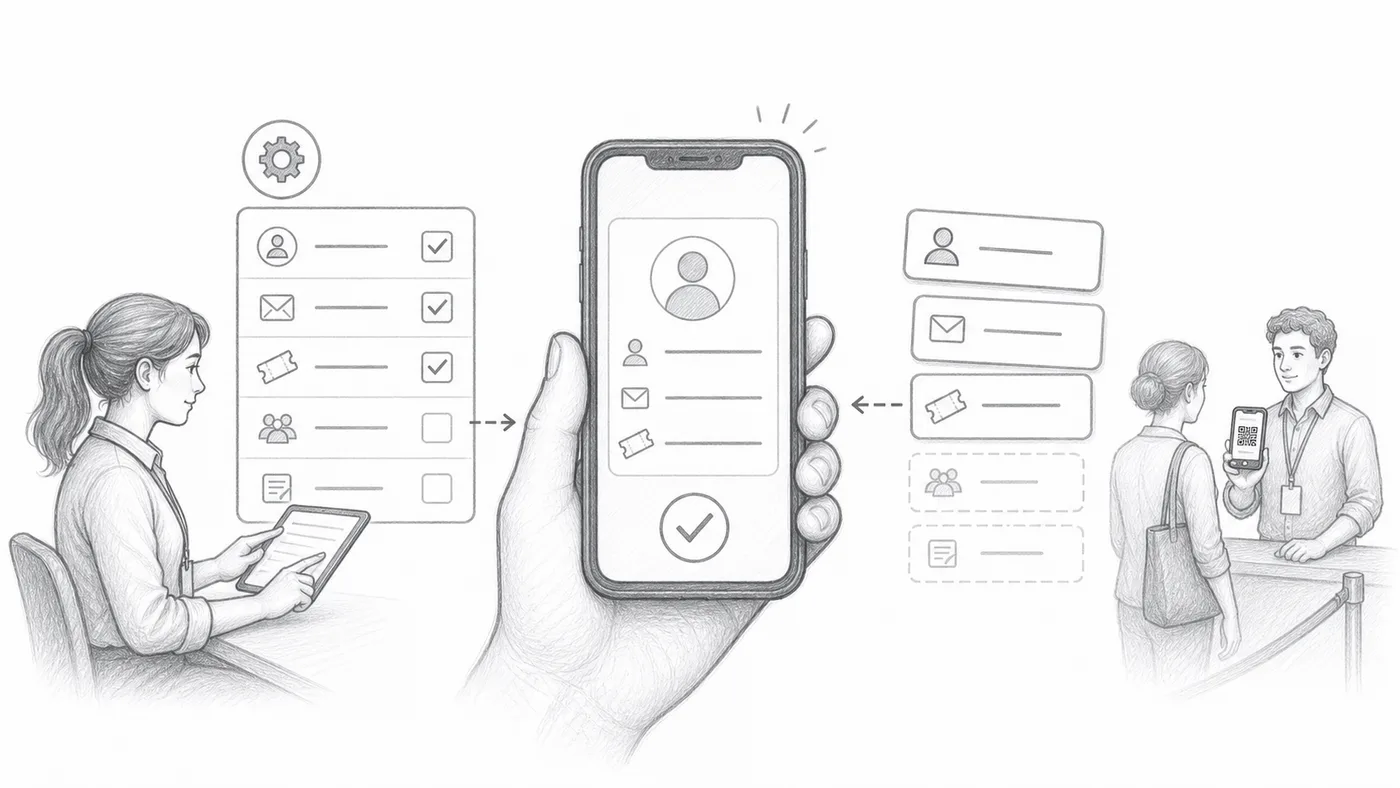
第 1 步
選擇有用的欄位
忙碌的入口處,光有名字往往不夠。選擇能迅速消除疑慮的資訊,例如公司、票種或座位——也就是工作人員能與來賓口述對照的內容。
第 2 步
組合格式
用簡短的標籤或分隔符把這些欄位組合起來,例如 姓名 · 公司 · 座位。這條組合行就是每次掃描後在掃描器上放大顯示的內容。
第 3 步
掃描測試票券
用自己的手機掃一下你的票:如果你能在一秒內、一臂距離外看清這張卡,你的工作人員也可以。
運作方式
範例
{First name} {Last name} - {Company} 可以作為掃描器中參加者的主要一行顯示。
避免這些錯誤
- 不要在掃描器裡放太多欄位。
- 避免經常空白的欄位。
- Sheets 使用者在變更引用的欄後必須同步參加者資料。
在真實設定中查看
下一步
準備好開始使用 QR Code 票券了嗎?
為 Google Sheets、Google Forms、Jotform、Tally, Fillout 或 WordPress 建立 QR Code 票券。選擇您已在使用的流程,然後把參加者名單儲存在一個地方。