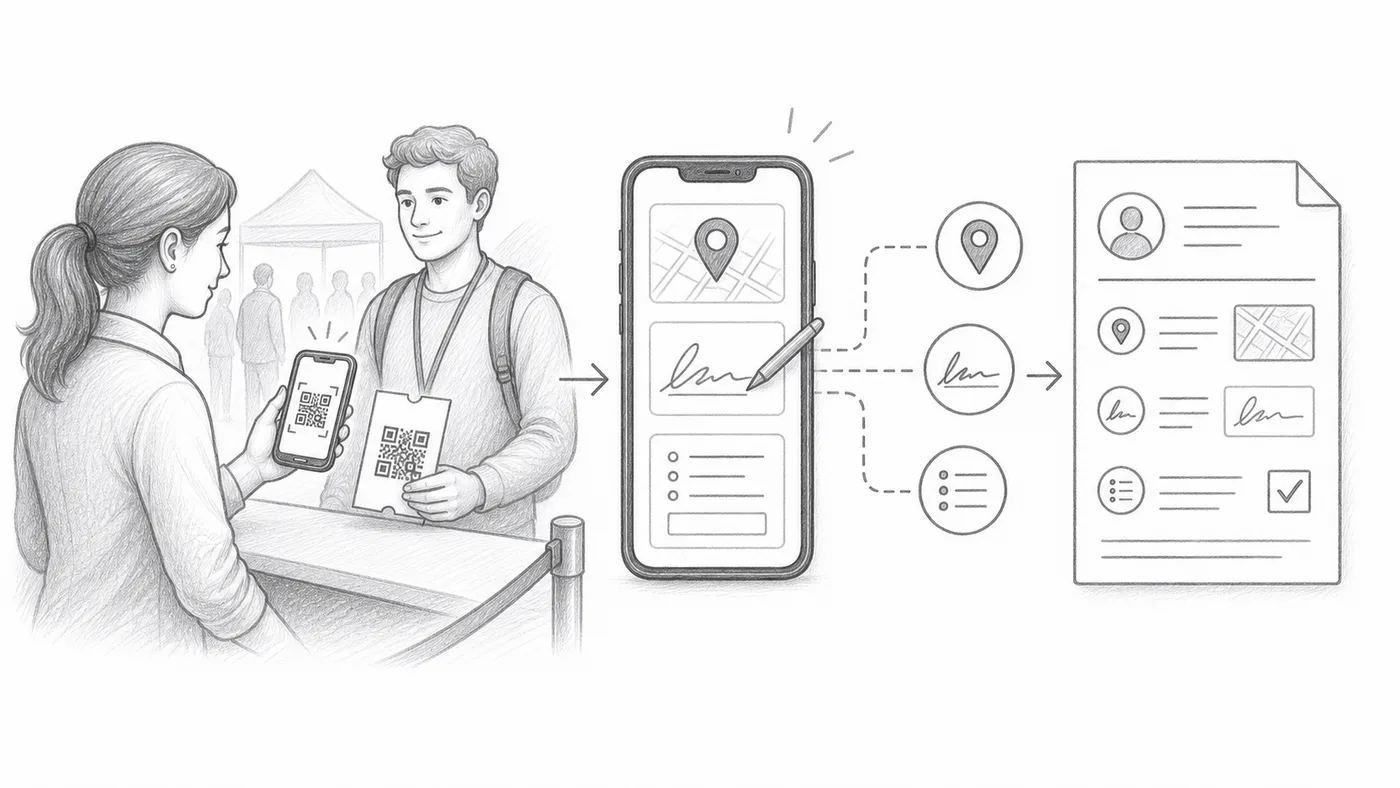
GPS、署名、チェックインフィールド
配達、研修の出席、監査記録、同意、在場証明などに使います。
ステップ1
キャプチャオプションを有効にする
GPS、署名、カスタムチェックインフォームフィールドはすべてチェックイン設定にあります。GPSと署名は詳細なチェックイン設定の中です。
ステップ2
追加の手順をスタッフに教える
スキャンごとに位置情報の許可、署名、フィールド入力が必要になる場合があります。
ステップ3
レポートを確認する
キャプチャした値は、スキャン履歴の隣のチェックインレポートに表示されます。
仕組み
例
Ada Mensahのスキャンには、タイムスタンプ、スタッフのアカウント、GPS、署名、カスタム回答を含められます。
避けるべき間違い
- GPSには端末の許可が必要で、屋内では使えないことがあります。
- 必須の追加フィールドはチェックインの列を遅くします。
- 係員がスキャンだけに限定されるべき場合は、制限付きスタッフアカウントを使います。
次のステップ
QRコードチケットを始める準備はできましたか?
Google Sheets、Google Forms、Jotform、Tally, Fillout、WordPressでQRコードチケットを作成します。いつものワークフローを選び、参加者リストを1か所にまとめましょう。