GPS、簽名和報到欄位
適用於交付、訓練出勤、稽核紀錄、同意確認或在場證明。
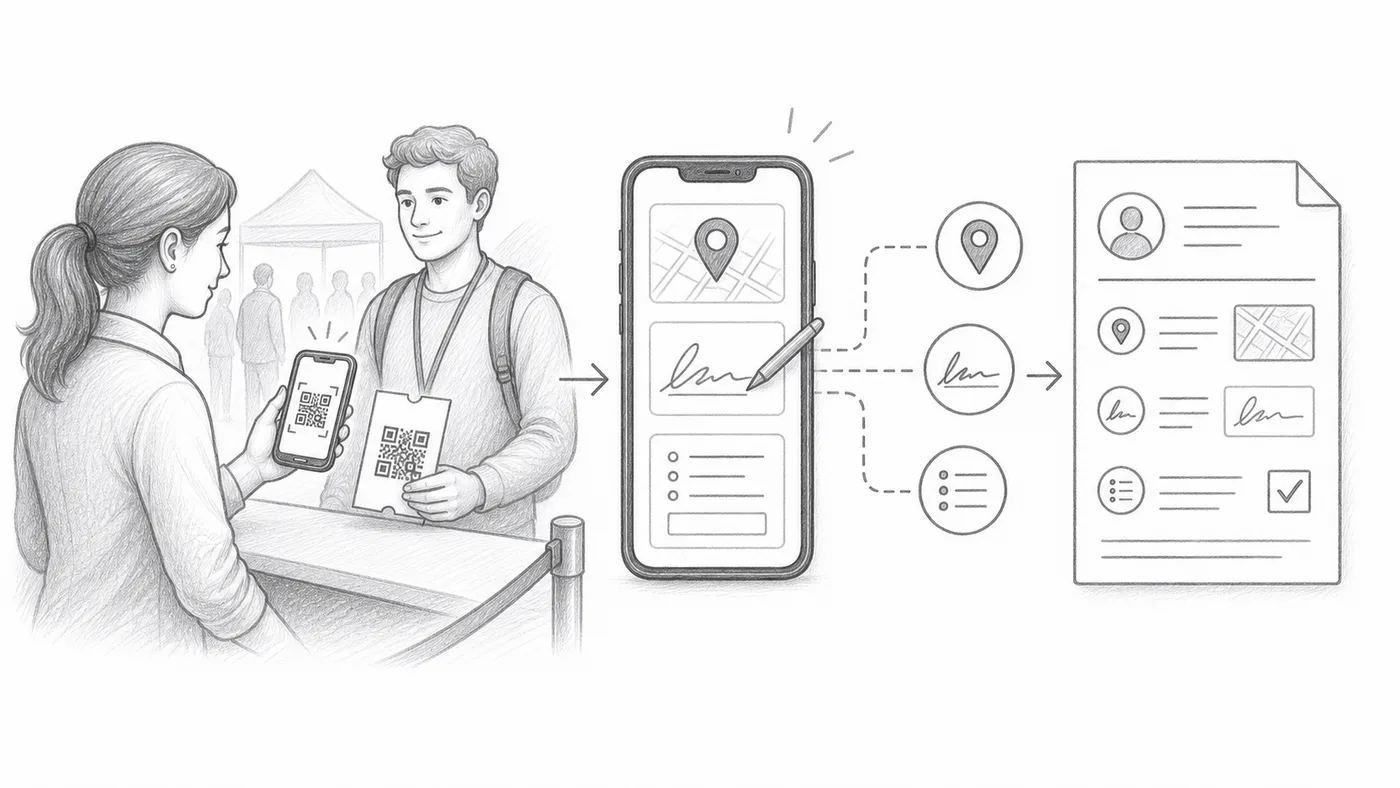
第 1 步
啟用採集選項
GPS、簽名和自訂報到表單欄位都在報到設定中——GPS 和簽名在進階報到設定下。
第 2 步
訓練工作人員完成額外步驟
每次掃描可能需要位置權限、簽名或填寫欄位。
第 3 步
查看報表
採集的值會顯示在報到報表中掃描紀錄旁邊。
運作方式
Every extra thing you ask for is saved next to the scan.
範例
Ada Mensah 的掃描可以包含時間、工作人員帳號、GPS、簽名和自訂答案。
避免這些錯誤
- GPS 需要裝置權限,在室內可能無法使用。
- 額外的必填欄位會拖慢報到隊伍。
- 當採集人員只需掃描時,使用受限的工作人員帳號。
下一步
準備好開始使用 QR Code 票券了嗎?
為 Google Sheets、Google Forms、Jotform、Tally, Fillout 或 WordPress 建立 QR Code 票券。選擇您已在使用的流程,然後把參加者名單儲存在一個地方。