이미 있는 QR 코드 그대로 사용하기
QR 코드를 이미 인쇄했거나 예전 시스템의 티켓이 있나요? 다시 인쇄할 필요 없습니다. 설정을 코드 안의 텍스트로 향하면 체크인 앱이 자체 티켓과 함께 인식합니다.
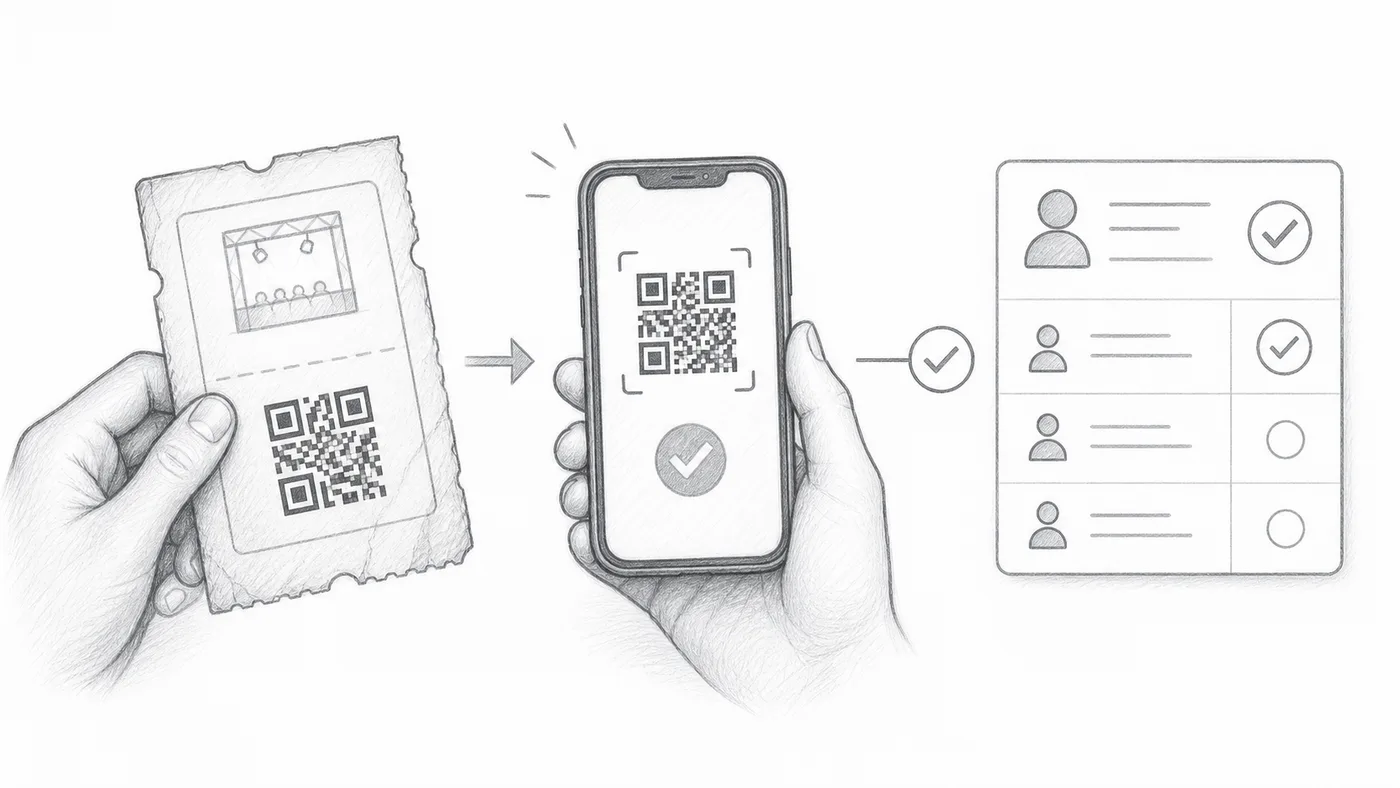
1단계
외부 QR 값을 유지하세요
기존 QR 코드 안의 텍스트를 시트 열 또는 양식 질문에 저장하세요.
2단계
해당 필드를 선택하세요
체크인 설정 → 고급 체크인 설정에서 사용자 지정 QR 내용 소스로 선택하세요.
3단계
어느 쪽 QR이든 스캔하세요
체크인 앱은 기존 QR 코드와 애드온이 만든 티켓을 모두 인식합니다.
작동 방식
예시
External QR code의 값을 사용하는 QR 코드는 생성된 티켓과 같은 참석자를 엽니다.
이런 실수를 피하세요
- 스크린샷이나 이미지 링크가 아니라 QR 코드 안에 저장된 텍스트를 사용하세요.
- 중복이 의도된 게 아니라면 값은 참석자마다 고유해야 합니다.
- 이벤트 당일 전에 실제 티켓 여러 장을 테스트하세요.
다음 단계
QR 코드 티켓을 시작할 준비가 되셨나요?
Google Sheets, Google Forms, Jotform, Tally, Fillout 또는 WordPress용 QR 코드 티켓을 만드세요. 이미 사용 중인 워크플로를 선택한 다음 참석자 명단을 한곳에 유지하세요.